
 Member Info
This is yet another Port by me for Ulefone Be Tocuh 2 , This is ported from Vivo X5 Pro D
!!!!DISCLAIMER:Rooting your phone and using custom ROMS have risks, You may brick your Device if instructions not properly followed .I will not be responsible for any brick devices , It is always advisable to make a backup of your phone before proceeding ….Blah blah ……blah !!!!!
KEY FEATURES OF ROM
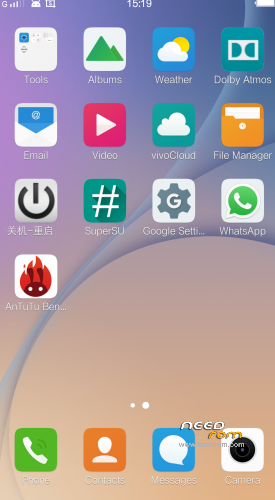
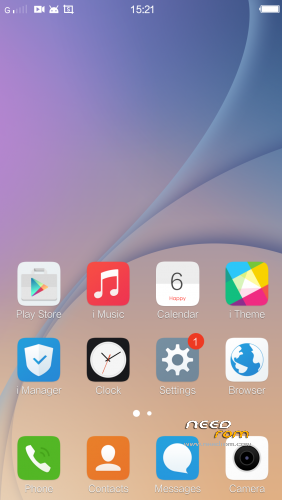
• Smooth and Good looking
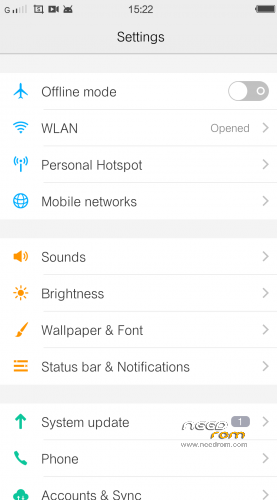
• New UI with new features
• Smooth Touch , Fast . Battery Saver
• Optimization done with L Speed 3.0 ( Credits goes to XDA LSpeed Developers and team @skyinfo @F4uzan,@aidasaidas75 @skyinfo@Maltonator @k1ks @slaid480 @ArjunrambZ @pizza_dox @k1ks @Plamb1r @SecDet @Exit_Only,@ansebovi- Thanks to their efforts .
• Firmware changed with TCL M2M Phone (excluding Modem)
• Modem Changed to Sony C4 ( no more wifi and connection drop problem)
• Good Camera UI with beauty and other features
• Chinese and English Language only.
• All Bloatware removed
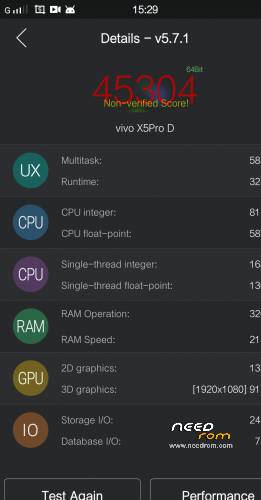
• Antutu Score 45000+
• Music Player and Sound improved
Bugs – Error message while connecting phone to laptop /PC with SD storage mounted “ Vivo service stopped . Click ok and Rom works as normal , if you want to go any other mode click ok fast and switch to other USB mode fast .
Not completed – Finger Sensor Support ..I have decoded the code but needs guidance to recompile and infuse help needed from senior developers. If anyone wants to help please PM me.
INSTRUCTIONS:
1. Download Rom and copy to Sd card
2. Reboot into TWRP Recovery
3. Go to Wipe Option in TWRP
4. Go to Advanced Format option
5. Choose cache ,Data ,System and Dalvik cache partition and swipe for Formatting.
6. Flash ROM = wait until finish
7. First time boot after flashing takes time ..please be Patient
Note :::: Please Do NOT Auto Update .Vivo Will try to push update for its Vivo Phone thinking that it is Vivo X5 Pro .. but It is not :
GAPPS INSTRUCTIONS:
Please use only GAPPS given in the thread any other GAPPS will not work due to limitation in the system partition which Mr Ulefone created small size of System Partition .If you encounter Google Play service error after flashing GAPPs Run the APK given .Install Gapps after Flashing the ROM if service error ..Install the Google Service APK
L-Speed Installation:
1.Download L_SPEED_V3.2_OVERSEER_arm and copy to Sd card
2. Reboot into TWRP Recovery
3. Go to Wipe Option in TWRP
4. Go to Advanced Format option
5. Choose cache ,Dalvik cache partition and swipe
You may see the noticible difference after installation the package , Please Convey Thnaks to develpoers who were part of the project for lollipop 5.0 .
GAPPS
UPLOADING…….
is there a fingerprint enabled in this ROM?
hes needing assistance on getting it worked as stated in the above post. I would like to test rom however, when trying to download, it asks for decryption key please provide
oh also the given gapps isnt actually given
All the links updated again now
thanks for up…wifi does seem a bit better…
any idea how to get it into english…did a reset,and the option didn't appear..now left with a load of japanese…
Go to > More Option in Setting –
But If you already on Chinese It is difficult to reach there .. Easy way to reflash and Choose English on first Boot .
Or you know how to edit Build.prop you can set the langaune there .
persist.sys.language=to … =en
I want to help but sorry my bad english , i use google translation . For a language you can select the key image . Then in row / selection 10 to touch it . Thanks for shashank . This rom is good.
1.I setup any widget on screen, when I restart the phone. they gone???
2.Any special geature ( double tap for wake up, etc) doesn't work
other languages are provided for them
Proximity sensor not work, please fix it
i got a problem with gapps. it gives the error. i try to install apk. and it says (the was a problem parsing the package)
Download Google play manually from apk4fun.com overwrite existing .
https://www.needrom.com/downlo.....-store-5-10-30/
no suporte otg? transfer file pc -> cel ???