
- Title: G4B (Basic) Jiayu.es edition
- Listed: September, 2013
- Last modified: 09/08/2013 5:57 pm
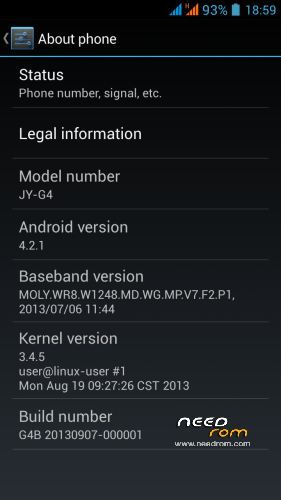
- Version: 20130907-000001-20130819-092942
You must be logged for ROM download.
32506 total views, 5 today
CUSTOM




 Member Info
DESCRIPTION
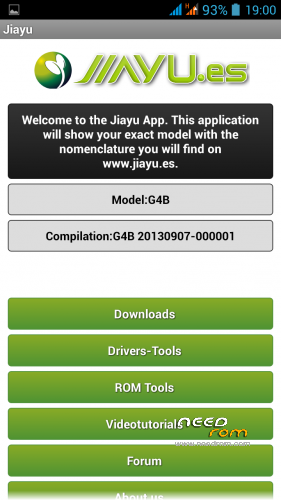
Jiayu G4b ROM, 2013/09/07. Complete changes on official page (in Spanish, use Google Translate). Multilingual. Has Gapps included and chinese apps removed.
You can install from recovery/update, is not a Flashtool version. Copy zip on root sdcard, wipe data (factory reset), wipe cache then choose update from sd card.
This is the new stable version of Jiayu.es, with some improvements.
※Please make a backup of your device before installing or updating ROM
Hi Edwin,
When you say :
I've found the solution:
1) enter on recovery mode
2) wipe data – wipe cache
3) advance menu then wipe dalvik
4) reboot… the 32Go are back !
How do you log on "recovery mode" ?
On reboot, i press "power" + "volume up" to enter the recovery mode ?
I try this but it doesn't work…
Hello Boris,
1) turn off your phone
2) press UP volume and dont' release it before "JIAYU" appears on the screen
3) plug the micro usb on the phone
4 press POWER button and don't release it besore "JIAYU" appears on the screen
5) When JIAYU appears on the screen you can release the both button.
You must have CWM recovery on the SDcard and must have MOBILEUNCLE Tools
@ fxnoob. thanks for the info. tell me what you think of the new beta. very excited about the new modified gps.conf and epo-config.
Well it drains battery very fast (6% in 40 min on standby), also had a freeze and a restart. The new roms suffer from the same disease, battery drain. Except that, is a great rom, the quality is great, is very fast and stuff. From what I observed, the best rom related to battery backup is Lewa. But Lewa is using old system builds and wifi, 3g, 2g signal is very weak.
thanks. maybe the drain is to do with the gps they're trying to improve. hope es will fix that in the final version.
Romanian Language?
Отличная прошивка все работет без багов
Magic, they released a stable version based on new official ROM, check it out, I uploaded it.
@fxnoob thanks very much. downloading now. do you know if es have solved the battery drain that was on the beta? can't wait to check out the new gps config
Yes, they are using the official build of China's Ejiayu. Uninstall jiayu.es application, is causing many wakelocks. After that is all OK.
Hi. Thanks fxnoob for all the the uploads but would you know of any reason why the 3G still isn't working for me? The first G4 (B) Rom had 3G working fine for about 2 hours but haven't seen it since and now running the new Rom, i still have no 3G. I'm in Ireland on the Meteor network if that makes any difference, any help would be great..
Are you using 2 sim cards or just one? Make sure you activate 3g on sim. Also set up APN, check this link
Just 1 sim card, 3G is activated and APN settings are ok. I've re-installed the previous Rom you uploaded just to see if i could get the 3G again for a short while but still nothing. I've no idea why it would work for a short while and then drop. Would i have to download drivers aswell or something? Thanks for the help.
Are you in a remote area, where 3g coverage is low? Try in settings WCDMA only, see if it works.
No, In a city where coverage is good. I've just changed to WCDMA mode there and it's just the red X. Maybe i have installed the Rom incorrectly. I followed this procedure http://www.gizchina.com/2013/0.....overy-jiayu-g4/ . Maybe i should have done it another way?
Did you do factory reset, wipe cache before updating? From recovery. Is like a format in a PC, before reinstall OS. You have to make those 2 steps before flashing ROM. Even if you installed on the other one, 3g should work. I don't understand why yours doesn't. It seems that your phone is only GSM/GPRS. Could be software problem. If antenna is broken I doubt GSM/GPRS would work. Anyway, could be something in settings, try in SIM settings, mobile networks, etc. Also install Mobileuncle MTK tools from google play and try to see if 3g is working, not sure where is that but you can search for it in uncle's settings. Or maybe your network provider's antennas are broken .
.
In recovery, I deleted data and cache then installed the ROM. But I shut down the phone again, took the battery out and just rebooted it and the 3g is back.. I’m back using the original ROM you first uploaded and its going OK, for now. ha.. Thanks again for the help and the Roms. I’m going to stick with the original for now anyway while its still working.
That one is using old baseband and kernel. You should use this version, is much better and the launcher is clean vanilla.