
- Title: Galaxy NOTE 4 CANVAS JUICE (CANVAS NOTE)
- Listed: December, 2014
- Last modified: 12/03/2014 2:36 pm
- Version: 4.2.2
You must be logged for ROM download.
17703 total views, 2 today
3 Total favorites

 Member Info
DESCRIPTION
UDATES HAS BEEN ADDED
UPDATE FILE IS necessary without which screen will be flliped vertically
BUGS REMOVED
1.Download the REMOVE BUG file
2.Place the remove bug. zip in SD card u can also use the remove bugs with tweeks.zip
3.boot in recoverey mode and install
1.Screen inverted remove
2.No Sound removed
3.Tweeks added
install and enjoy
Follow the steps carefully
GALAXY NOTE For
* Micromax A77 only
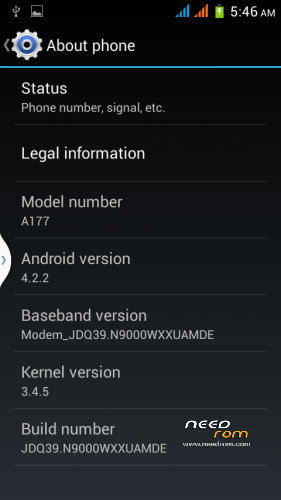
* For Micromax A177 only
FEATURES
Android 4.2.2
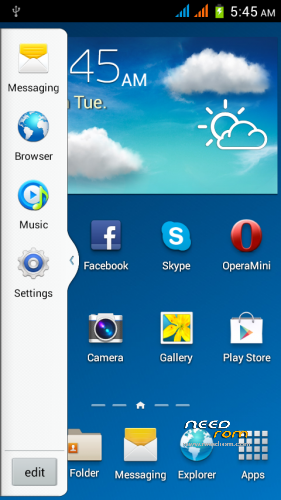
-> Samsung Note 4 coloe launcher
-> Samsung Note Wallpapers
-> canvas Note Widgets
-> Samsung NOTE Sounds
-> NOTE 4 UI Sounds
-> NOTE 4 Notifications
-> note 4 Alarms
-> Samsung Note 4 Bootanimation
-> canvas Boot Logo
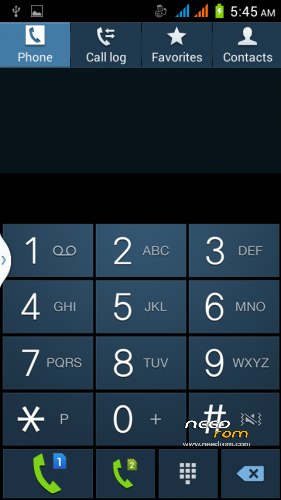
-> Samsung NOTE 4 Dailer
-> Samsung Framework
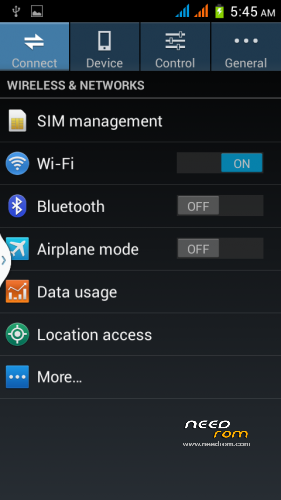
-> Samsung Settings
-> Wireless Display
-> New LockScren
-> New Gesture supported Keyboard
-> Maxed out speed & Performance
-> Disabled most logging activities
-> Battery Calibrated automatically
-> Extended Reboot Commands
-> Fully Deodexed
-> Removed Micromax Registration
-> Full CPU & GPU Utilization
-> Build.prop Tweaks
-> Init.d Scripts
-> Faster And Smoother
-> Faster Streaming
-> Internet Tweaks
-> Network Tweaks
-> Proximity Tweaks
-> Battery Tweaks
So here I begin:
1} For Micromax A77 only
1] Download the Rom file from the link provided (Same for both A77 and A177)
2] Place it in the root of your SD card
3] Go to CWM or any other custom recovery (not stock one)
4] Wipe Data/Factory Reset
5] Wipe Dalvilk cache
6] Select "Install .zip from SD card" and select the file
7] Select "YES"
8] It will automatically REBOOT (It will take 2-3 minutes to boot so don't worry)
2} For Micromax A177 only
1] Download the Rom file from the link provided (Same for both A77 and A177)
2]Open the ROM file in winrar
3] Download boot.img and copy paste it in the ROM file. (replace). Select "Normal" compression and "32 kb" dictionary size.
4] Place it in the root of your SD card
5] Go to CWM or any other custom recovery (not stock one)
6] Wipe Data/Factory Reset
7] Select "Install .zip from SD card" and select the file
8] Select "YES"
9] It will automatically REBOOT (It will take 2-3 minutes to boot so don't worry)
You can skip the step of erasing the data /factory reset and try if phone doest boot up then wipe the phone data/factory
※Please make a backup of your device before installing or updating ROM
please create a custom lollipop rom for micromax a77
will be difficult i m porting 4.4.2 for canvas juice now days will upload soon
4.4.2 kitkat version added https://www.needrom.com/downlo.....4-canvas-juice/
changed boot.img and Flashed canvas4 Rom in my A177 But Screen coming upside down.. it turned upsidedown..How to flip the display to original state..
install the remove bug file or remove bugs with tweeks
working nice.. Thank you..
please if liked thanx in feedback bby click on my mane a feedback message will apper thanx there
Will this work for a76??
No bro its for auu and a177 only
No bro its for a77 and a177 only
working well i like this rom very much but feeling the mobile become slow responding how to solve this prob?? othervice everthing is nice
try resetting if that doesnt work then tell me i will help
THANK U BRO FOR THIS ROM N WOULD U TRY PORTING N RESURRECTION REMIX'S ROM FOR A177.get me the link of that i will try to port
bro i cant understand one thing…. when i try to replace the boot img i cant see any promt for normal compressiion or 32 dictionary size… how to do that step can u say please..
Slow response, gravity sensor not working i.e. Cannot rotate screen or play sensor based games
hi, i flashed this rom. rom main ek bug hai, jab main screen lock karta hu to display band hi ho jata hai, & lock firse kholta hu to sirf sound aati hai lock ki, lekin display nahi aata.