
- Title: Galaxy S2 I9100
- Listed: June, 2015
- Last modified: 06/09/2015 1:46 pm
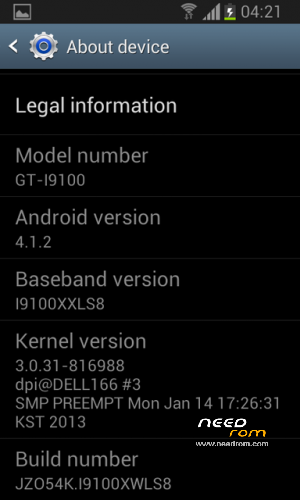
- Version: 4.1.2 Jelly Bean
You must be logged for ROM download.
29407 total views, 1 today
33 Total favorites








 Member Info
DESCRIPTION
How to update Samsung Galaxy S2 using ODIN tool:
Here’s how to flash an update via ODIN:
Download ODIN3 v3.09 or ODIN3 v3.07.
– either one should work with your device.
Extract the contents of ODIN and save the files in a single folder on your PC.
Next, you have to download the official Samsung Android firmware file.
– we are usually getting these files from SamMobile’s website.
– make sure that you create an account in order to be able to download any firmware updates.
– check the phone’s model number before downloading any new files.
The Android firmware update zip you downloaded will have to be extracted.
– you will get a .tar.md5 file.
Launch ODIN executable on your computer.
Boot the Samsung Galaxy S2 into Download Mode.
Connect your phone to your PC via USB cable.
– wait for ODIN to recognize your phone and then continue with the installation.
Press the PDA button for ODIN 3.07 or the AP button for ODIN 3.09.
Browse your PC for the firmware .tar.md5 update file and load it in ODIN.
Press START to begin the update.
These were all the steps that you had to follow in order to learn how to update your Galaxy S2 with a brand new Android OS version.
Use the comments field below in case you require any extra help.
Remember that Samsung is usually launching new updates for their devices in phases, so you might experience some delays whenever a new firmware is announced, delays that will last from a few days and up to a few months in some situations.
※Please make a backup of your device before installing or updating ROM
Hi!
This is multilangue? I need HUNGARY language.
Thank you
VL
this site is good. tks
Thanks a lot
kamal h babo
good
very good and thanks
thanks ……
gracias hermano
Muchas Gracias
Thanks a lot,,,