
- Title: Gionee Gpad G2
- Listed: June, 2014
- Last modified: 06/07/2014 3:43 pm
- Version: 4.2.1 M
You must be logged for ROM download.
17242 total views, 1 today
1 Total favorites
 Member Info
DESCRIPTION
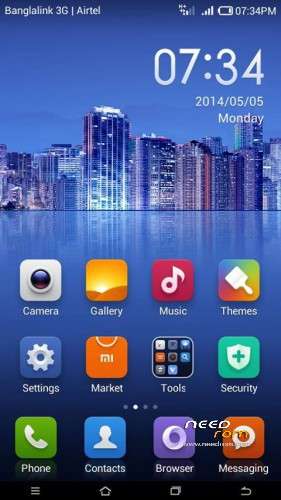
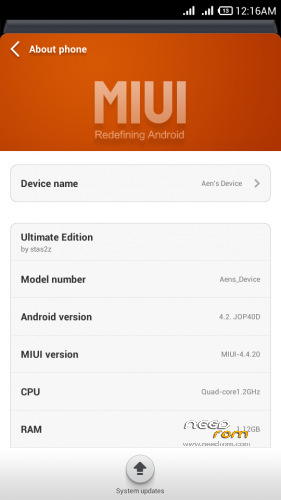
Rom Version :MIUI_V5_4.4.20
Android Version : 4.2.1
Rom Features: http://en.miui.com/features.php
Copyrights: DevSkilled
Reviewed By : NafeesKhabir
First developed For XOLO Q800 by Stas2z
Compatible Devices : Walton Primo N1/ Gionee Gpad G2/ Allview P5 Qmax/ GN810
My Review
Trust me this Version is Better than older ones 
Requirements
1.Rooted Compatible Device
2.Custom Recovery (T.W.R.P)
3.Download Files
Root Your device by Using Framaroot
Flash TWRP
Installation
*Please Keep A backup of your present Rom
1.Download The MIUIv5_4.4.20.zipfile(450mb+) from Download Section
2.Extract the zip
* You will get one Folder And One Zip
* Place Them To root of Your SD Card
3.Reboot Into TWRP Recovery.
4.Go to Wipe >Advance Wipe> mark Davik Cache, Cache, Android Secure, System>Swipe to wipe.
5.Again Reboot Into Recovery.
6.Go To Wipe > Swipe To Factory Reset
7.Reboot Into Recovery.
9.Install>MIUIv5_B4.4.20.zip
10.Follow Screen
11.When Finished Do WIPE CACHE,DALVIK CACHE
12.Reboot System
13. Now it take around 3min to boot Complete All steps.
14. Then You will See Welcome Screen, Keep Going On Finally You Will See Congratulations Screen
15.Now Reboot Into TWRP again
16. Select Restore>MIUIV5B4.4.20 [ This is For fix Apk Installation Error]
17.Wipe>Cache,Dalvik Cache
18.Reboot System
19.Now You are Done
If You Face Google Play Issue the Simply sign out From Google Account Update it to latest version (Go to settings Clean Data and cache of Google Apps and Sign in Again)
N.B Back up your Current ROM please before Flashing
Contributors
DevSkilled, stas2z
ROM OS Version: 4.2.x Jelly Bean
ROM Kernel: Linux 3.4.x
Based On: AOSP
Version Information
Status: Stable
Current Stable Version: 4.4.20
Stable Release Date: 2014-05-29
※Please make a backup of your device before installing or updating ROM
Playstore no working … but other app market working good and 4.2 have own market app so it’s good..
App lock type apps not working in this rom
Plz.. fix it.
And most of boot startup apps not working properly.. like truecaller , phone location and other location finder apps..
But most of this 4.2 working really faster and cool.. switchoff and restart very faster.. working awesome internet really good working like home network any time when we starting search web nd download cool…
Most of many app support in new jellybean 4.2 that’s cool update . Everyone try it.. really good working and faster and increase battery backup too.. try it..
And if you want to working app lock and other app in this 4.2 update then move app in system app after you working all app easy..
But truecaller type startup app have little problem but it’s not a problem in 4.2 new update try it.. my opinion is this is best update you can try it.. ans some little bug but new update coming then they developer fix it..
it s good for allview Qmax?…
link die !!! Admin help…..