
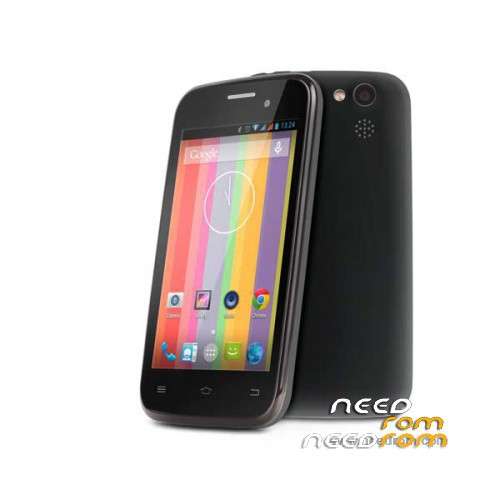
- Title: Goclever Quantum 400 Lite + Fixed Preloader
- Listed: June, 2017
- Last modified: 06/30/2017 2:00 pm
- Version: Android 4.4.2 KiteKat
You must be logged for ROM download.
10262 total views, 1 today
 Member Info
DESCRIPTION
Goclever Quantum 400 Lite + Fixed Preloader
How to Flash?
1. Unpack File
2. Open SP Flash Tool
3. Select Scatter file in ''QUANTUM_400_LITE\Firmware''
4. Dropdown select ''Format all + Download
5. Klick ''Download'' Button
6. Turn off Phone
7. Connect Phone to PC via USB
8. Wait for the Process to finish ''OK Dialog'' Indicates that Process Successfully finished
9. If you lost Imei : Use Sn Write tool.
9a. Open Sn writer.exe
9b. Klick System Config
9c. Area *Write Option* ''Imei'' should be selected
9d. Area *Imei Option* ''Imei Checksum'' and ''Dual Imei'' should be selected
9e. Area *DataBase File* :
MD1_DB file: QUANTUM_400_LITE\database\BPLGUInfoCustomAppSrcP_MT6572_S00_MOLY_WR8_W1315_MD_WG_MP_V61_P1_1_wg_n
AP_DB file: QUANTUM_400_LITE\database\APDB_MT6572_S01_KK1.MP7_
9e. Select ''Save''
9f. Klick ''Start''
9g. Enter ''Imei 1'' and ''Imei 2''
9h. Turn Off Phone
9i. Klick ''OK''
9j. Connect Phone to PC via USB Quickly
9k. ''PASS'' indicates that Process finished Successfully
9l. Done, Enjoy
※Please make a backup of your device before installing or updating ROM