
- Title: Google Pixel Mod Patch – for Nougat 7.1.1 – Jiayu S3 Adv/Basic/Pro
- Listed: December, 2016
- Last modified: 12/22/2016 2:22 pm
- Version: 7.1.1
You must be logged for ROM download.
16290 total views, 3 today
5 Total favorites
CUSTOM



 Member Info
DESCRIPTION
by jonacxDGreat
What’s new?
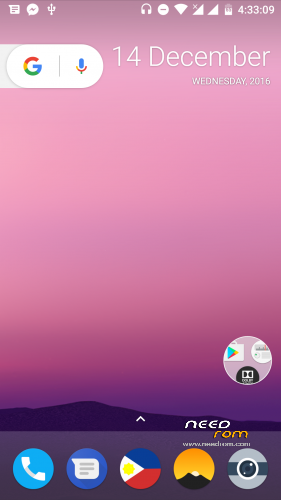
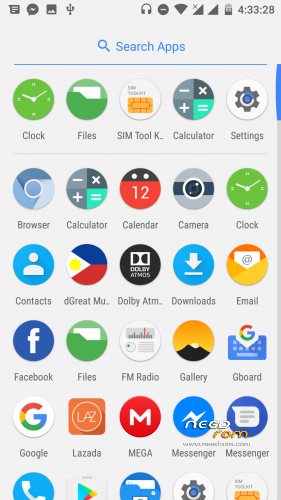
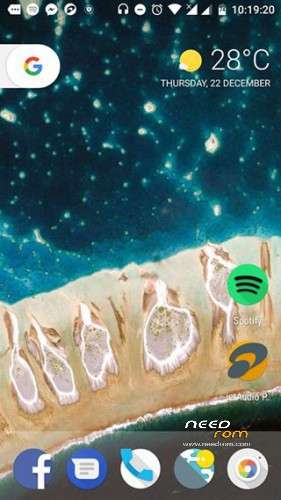
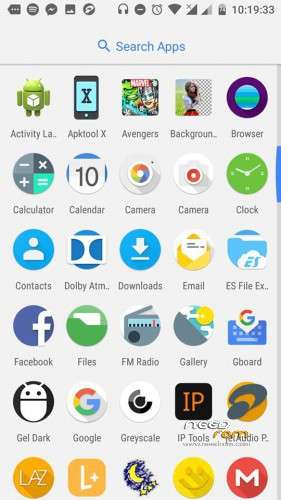
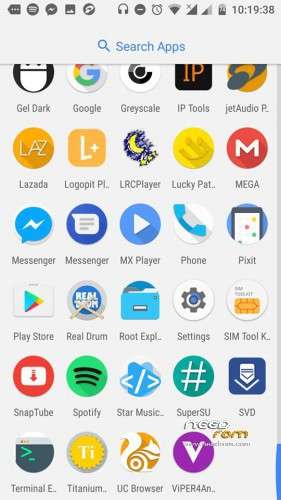
New round icons for system apps – aosp stock
Replace messaging to google messaging
Pixel bootanimation
Pixel sound
Pixel Laucher
Pixel Launcher Icons by JDG (3rd party apps icons supported)
Build.prop mod with tweaks
Dolby atmos added
Viper 2.5.0.5 added
New Boot logo
New round icons for system apps – aosp stock
Replace messaging to google messaging
Pixel bootanimation
Pixel sound
Pixel Laucher
Pixel Launcher Icons by JDG (3rd party apps icons supported)
Build.prop mod with tweaks
Dolby atmos added
Viper 2.5.0.5 added
New Boot logo
- No need 3rd party launcher to experience Google Pixel
Flashing Instructions:
Use TWRP 3.0
A. Running on Official ROM 7.1.1 Stable 6
1. Flash GooglePixelMod.ForStable6_S3_JDG.zip
2. Wipe cache and dalvik-cahe
B. Running on LP, MM
1. Flash Official ROM 7.1.1 Stable 5: from MAD
2. Flash GooglePixelMod.ForStable5_S3_JDG.zip
3. Wipe cache and dalvik-cahe
C. Running on Official ROM 7.1.1 Stable 5
1. Flash GooglePixelMod.ForStable5_S3_JDG.zip
2. Wipe cache and dalvik-cahe
D. If you want to port to othe device with android 7.1 (Jiayu S3+, etc…)
1. Edit build.prop from zip or compare with your build.prop
2. Edit logo.bin using logo editor or you can remove if you want
3. Flash Google Pixel MOD Patch
4. Wipe cache and dalvik-cahe
Updates:
Pixel launcher Icons updates (12-22-2016), pls see attached link.
- New Icon designs
- 3rd party apps icons updates
Bugs:
FC on live data wallpaper (WallpapersUsTwo), you can remove it if you want via root explorer.
Updates will be post later…
※Please make a backup of your device before installing or updating ROM
Error 7 does not install
installation via twrp ? and in wich order ? reboot int recovery after instalation rom, again reboot into recovery for update patch, again in recovery…. ?
love to try it….
i Installed via TWRP, first dolby second google, third viper… after every install wipe caches… runs without any error here…
Excellent work,
TWRP aborts intsallation with Error 7, I was on Android 5.1
Solution to error 7 unckeck system in mount in recovery before install
How I can do ROOT?
UPDATE-SuperSU-v2.46
pls whats the process to download and install supersu on this android 7.. am facing network issue and i need to root it..
pls link for the supersu and process pls
Full wipe first then reboot to recovery again & install the rom.. But the problem with this is the wifi keeps on dropping,.
no entiendo y las Gapps como se instala….?
for me too, tried many different ways to install stable5, always error 7; is there another reason besides unchecking system ?
finally succeeded installation :
went back from stable4 tot LL with : JiayuS3-5.1.1 jiayu.de RC4; unzip this file and install scatter-file with flashtool. after rebooting into LL:
got to recovery and install stable5; reboot in recovery install gapps – do as proposed above :wipe cache & dalvik; reboot system then reboot in recovery and install google pix, again: as proposed above :wipe cache & dalvik; reboot system and install as new phone. this worked for me hope it does for you.
happy holidays !
use twrp 3.0.2