
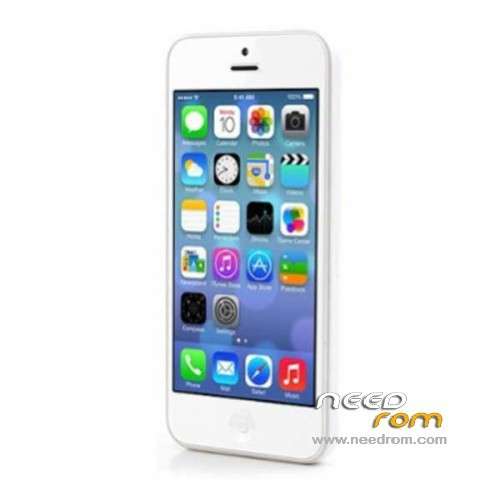
- Title: GooPhone I5S
- Listed: November, 2013
- Last modified: 01/07/2014 7:04 am
- Version: ROM Android 4.2.2
You must be logged for ROM download.
71391 total views, 6 today
7 Total favorites
 Member Info
DESCRIPTION
ROM Mobile GooPhone I5S – ROM Android 4.2.2
Update Official GOOPHONE i5S Version :
ROM 1: ALPS.JB3.MP.V1_mbk72_wet_jb3_GOOPHONE_01022014 ( version for OLD TP )
ROM 2: ALPS.JB3.MP.V1_mbk72_wet_jb3_GOOPHONE_01022014 ( Version For New TP )
TP = touch screen
I don't know how, you make the difference between versions
if after install your TP is ok ! it's good, else try other version.
*#8000# will automatically switch A*** LOGO or Goophone LOGO
ROM 1 and ROM 2 : Rooted !
——————————————————————————————————————————————-
Official GOOPHONE i5S Version : ALPS.JB3.MP.V1_mbk72_wet_jb3_GOOPHONE_11072013
MT6572 + 1G Ram
Gapps include – Rooted
Language support: Multilang
Install with SP MDT:
Unpack the archive SP_MDT_exe_v3.1320.00_A2013.06.05_customer and archive with the ROM
1). Turn off the smartphone. Cable is not connected to the computer.
2). Remove the battery and insert it again
3). Connect your phone to a computer cable. The operating system detects a new device
4). Disconnect the cable from the computer.
5). Run SPMultiPortFlashDownloadProject.exe
6). Choose Database Factory menu> Configuration File data source and specify the file MTK_DATABASE.mdb (it is in the folder SP_MDT).
7). Choose File> Open File Agent download and specify the file MTK_AllInOneDA.bin (it is in the folder SP_MDT).
8). Click File and select the MT6572_Android_scatter_emmc.txt file (it's in the folder with the rom).
9). Click "Start all".
11). Connect your phone to a computer cable. The program should see and blink. If the phone is not detected, then unplug it from the computer, remove and insert the battery and reconnect it to the computer.
12). After (OK) click Stop and disable any phone.
13). Completed.

※Please make a backup of your device before installing or updating ROM
i can port for a Blu dash 4.0 and it works! but all are invertet LoL and does´t have spanish (more LoL)
com 1 + com1 error blink red?
I have a question… can I install this rom on lg l65?
UN iphone 5s have good clone A1530 model brienkeado mt6572_S00 and this hay my mistake nothing Turns Himself This sale habilito 4032 dam failure , charging 100% solo in red and the error appears 've tried a lot of roms in some cases appear this error also S_FT_DA_NO_RESPONSE ( 4001 ) . The phone is solo again I came with firmware Russian UN , try to change it and this was as brick I have win7 32bit 've detected as MTK PC USB port ( COM 34 ) . IF YOU appreciate it help me get it back my email is yofranlima@gamil.com I hope your prompt response and solution expert As thanks
Buenas tengo un iphone 5s clone model A1530 mt6572_S00 y esta brienkeado no enciende ni nada me sale este mismo error de enable dam fail 4032, solo carga el 100% en rojo y aparece el error he probado muchas roms en algunos caso aparece este error también S_FT_DA_NO_RESPONSE (4001). EL teléfono esta nuevo solo que me vino con un firmware ruso, intente cambiarlo y quedo asi como ladrillo tengo win7 32bits la pc lo detecta como MTK USB PORT (COM 34). LE AGRADECERÍA MUCHÍSIMO SI ME AYUDARAN A RECUPERARLO MI CORREO ESyofranlima@gamil.com espero su pronta respuesta y solución como experto gracias