
- Title: HIKE 716 OS A390 ROM
- Listed: November, 2014
- Last modified: 11/28/2014 5:30 pm
- Version: 4.4.4
You must be logged for ROM download.
38315 total views, 4 today
8 Total favorites
 Member Info
DESCRIPTION
★ NEWs Custom ROM for Lenovo A390 ★
Features HIKE 716 OS_ROM A390
==========================================================================================
☀ No BUG (maybe) riview sendiri ya (seseorang nggak luput dari kesalahan Gan ^_^)
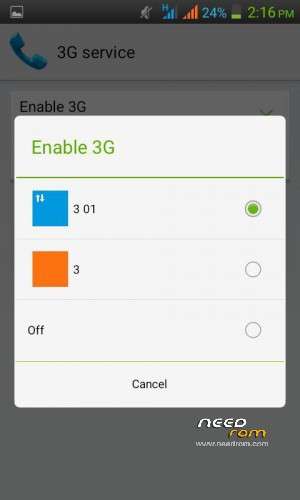
☀ Enable 3G Service – bisa jaringan 3G di sim2
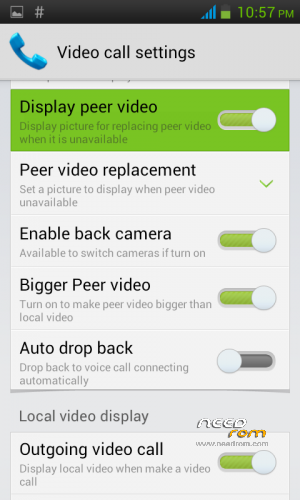
☀ Video Call – bisa Camfrog/Skype/Panggilan Video dari kamera belakang
☀ MiHome Latest ver
☀ Smooth, Fast and Best
☀ HikeEgg KitKat
☀ CRT-Animation
☀ Lockscreen Build Gesture
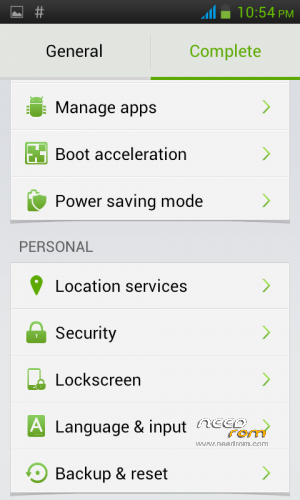
☀ Power Saving Mode
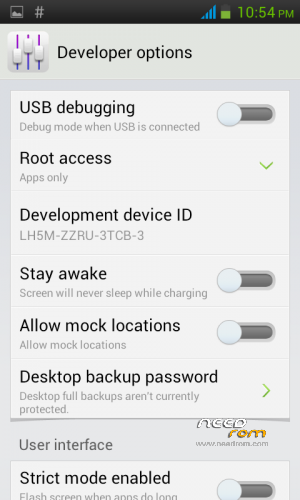
☀ Developer Options Root Acces
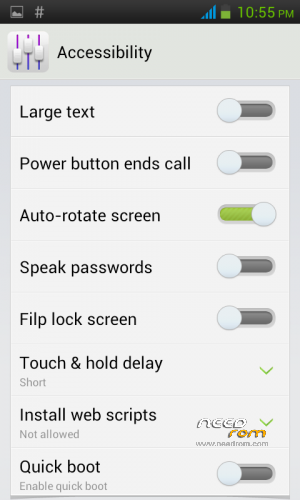
☀ Flip Lockscreen
☀ Quick Boot
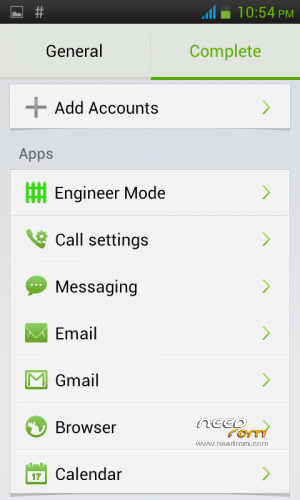
☀ Settings Apps
– Engineer Mode
– Call Settings/Video Call
– Messaging
– Email
– Gmail
– Browser
– Calendar
☀ Language
– Indonesian
– English
– Tiếng Việt
– and more++
☀ Boot Accelerations
☀ PopUp Message
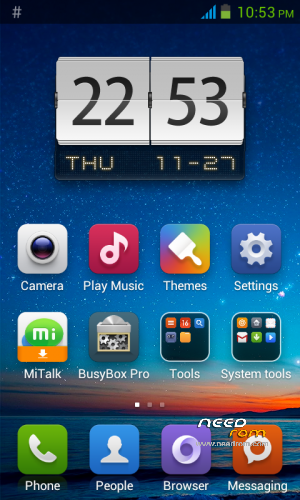
☀ BusyBox pro – add
☀ OI File Manager – add
☀ Google Keyboard – replace
☀ Google Paly Music – replace
☀ NEW Clock – replace
☀ HiGallery
☀ HiVideo
☀ HiTime
☀ HiConnect
☀ HiLockscreen Anim
☀ AND MORE++
==========================================================================================
Features PATCH_HIKE 716 OS
==========================================================================================
☀ Dolby apk
☀ Sound Enhancement
☀ Viper4Android
☀ and Gapps
TO FIX PROBLEM STOPPED
install Root Explorer
open folder Root Explorer/system/app/here search and delet app - GMaps.apk
– Google Play Service.apk
– Google Play Store 5.0.apk
– Google Play.apk
now install this Gapps from TWRP Good Luck, Download Click Here or HIKEGapps.zip
==========================================================================================
Thank for Mate Ahtesham Chaudhary because have helped me to optimize this rom ^_^
I m making a patch for fixing system ui,
system ui crashes because of init.d scripts, so do this:-
First go to root thorough any root file manager or root explorer,
then go to system/etc/ and remove init.d folder
then reboot in recovery and flash SystemUI_FIX.Zip (Download below)
==========================================================================================
Tutorial Install
==========================================================================================
1. Download file HIKE 716 OS_ROM A390.zip
2. Buka TWRP pilih WIPE
– Swipe to FACTORY RESET
3. Pilih ADVANCED WIPE
√ Dalvik Cache
√ Cache
√ Data
√ Android Secure
√ System
Except MMC dan SD CARD jangan di CEKLIS
– Pilih Swipe to WIPE
4. Pilih Instal trus cari dan tap file HIKE 716 OS_ROM A390.zip
– Swipe to Confrim Flash
– Wipe Cache/Dalvik
– Swipe to Wipe
– Reboot System
– Swipe to Fix Root
5. Pilih Patch_Hike 716 OS.zip
– Swipe to Confrim Flash
– Wipe Cache/Dalvik
– Swipe to Wipe
– Reboot System
6. Hore Hore Hore ^_^ 3m+ proses bootnya kalo udah masuk ke HomeScreen di reboot lagi biar setabil ROM nya ok
7. Congratulations.
==========================================================================================
Suggestion : kalau aGan install BBM ane saranin ganti dulu BUILD.PROP nya ROM ini dngan ROM yg sebelumnya aGan
install, biar nggak keganti PIN BBM nya ^_^ setelah login BBM nya selesai, baru Ganti BUILD.PROP rom yg
ini dngan Download ini BuildProp_HIKE.zip install dari TWRP ok.
==========================================================================================
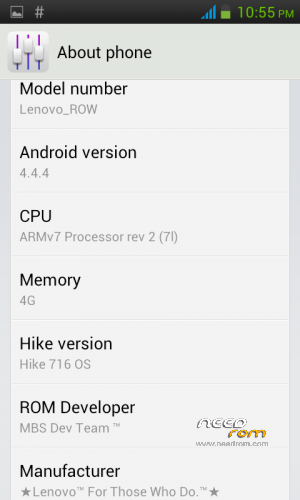
Hardware : MT6577
Model : HIKE 716 OS_A390 ROW
Build number : HIKE_716_OS
Build date : 20142111
Android v : 4.4.4 Fake
Baseband v : MAUI.11AMD.W12.22.SP.V21.P9, 2013/03/13 15:06
Kernel v : 3.0.13 (queen@xywb02) (gcc version 4.4.3 (GCC) ) #1 SMP Wed Apr 17 22:39:50 CST 2013
Uboot build v : MAIN2.2.ubt.3948
LCD Driver IC : 1-OTM8009A_HS4013HVNC24
==========================================================================================
Thanks To
==========================================================================================
Click → You
Click → Abnk™ Buddy – Setia ONE
Click → aGan Muharam Budiarto
Click → Mate Ahtesham Chaudhary
Click → NeedROM
Click → HIKE 716 OS
Click → MBS Dev Team ™
Click → XDA-Developers
Click → Lenovo Forum
Click → 4pda
Click → Lenovo™ For Those Who Do.®
Click → Seluruh Member Lenovo A390 Group
==========================================================================================
my Blog : http://leny-indonesia.blogspot.com/
pin #BBMme : 7435339c
==========================================================================================
BONUS FROM Setia ONE
THIS FILE NOT FOR THIS ROM
From UNKNOWN
Enable 3G SERVICE ^_^ lookid settings/more/mobile network/
For all based AOSP ROM, good luck instal from TWRP.
Click Here
==========================================================================================
※Please make a backup of your device before installing or updating ROM
Udah swap memory ga gan?
with vold.fstab MOD Sir ^_^
Ram expander support this rom ??
no ^_^
Keren Rom nya gak !
Thanks ^_^
thanks Gan ^_^
THE BEST ROM FOR A390!!
You can blindly pick this rom over the other roms….
I've tried nearly 20 roms myself but this is by far the best.
Runs like a charm once u have it initially set up and run properly…
Don't forget the install the patches properly.
Past ROMS i tried but were heavuily bugged : MIUI v5 , Kitkat V3 by Sokki , Lewa OS5 ,lewa OS 4.1 , Morpheus
Rom i Stuck to Before this : Maligorom
wOw Terima Kasih kewldude002 ^_^
Is this rom Supercharged?
just try it Sir ^_^
No matter how I try, 3G connection doesn't work. Can't connect to playstore, can't use the browser. I can't even delete the ini.d folder. Very smooth and fast ROM but I need the 3G connection and the Browser.
please install patch and update Sir ^_^
I really love this ROM, if only I could use the 3G connection well.
thanks ^_^
Please teach me how to fix 3G connection and how to delete init.d folder Coz I really love this ROM.
install Root Explorer
open folder Root Explorer/system/etc/here search and delet file in folder inti.d
gan text yang isinya "Thank for Mate Ahtesham Chaudhary because have helped me to optimize this rom ^_^
I m making a patch for fixing system ui,
system ui crashes because of init.d scripts, so do this:-
First go to root thorough any root file manager or root explorer,
then go to system/etc/ and remove init.d folder
then reboot in recovery and flash SystemUI_FIX.Zip (Download below)
Download file" DI DOWNLOAD JUGA GAN??
iya Gan, sebelum itu install Root Explorer
open folder Root Explorer/system/etc/here search and delet file in folder inti.d ^_^ good luck Sir
Delete ALL files inside the init.d folder right sir?
yes just File ^_^