
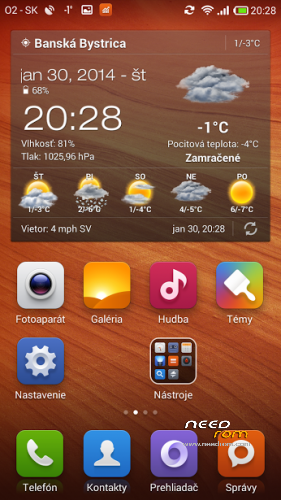
- Title: Hongmi Experience WCDMA Final Edition ®
- Listed: February, 2014
- Last modified: 02/07/2014 2:15 am
- Version: 4.3.0
You must be logged for ROM download.
26797 total views, 2 today
 Member Info
DESCRIPTION
Hi all. I have created my first custom ROM for my Hongmi/RED Rice WCDMA phone. I will share my work with you ![[IMG]](http://en.miui.com/static/image/smiley/grapeman/08.gif)
My ROM is based on Stable 5
- Added ROOT rights – integrated in MIUI Security
- Deodex
- Gravity BOX – Xposed remowed
- SIM Toolkit, Mobile Uncle Tools, WSM Manager, Mi Tools + modules to disable erase encrypted APPS, ES File Explorer
- You can choice standart keyboard from MULTI ROM or Xperia swype keyboard
- Adobe Flash player removed (not working)
- Host patched + AdAway integrated. No more ADDS.
- Android Weather – no reload launcher
- GPS a EPO fix changed and use Slovakia. Faster GPS. Better as Russian servers
- SMS fixed
- More operators added 1000 als Stock 5 edited spn-conf.xml
- Moded Filesystem. Switched integrated SD card and external SD card.
- No hard customized. ROM is nearly Stable 5 as posible. Only better.
- Youtube removed
- Camera is the same (no sound, i hate this sound, no video stabilization)
- Added new Calendar


Thos ROM is Multilingual:
MTK_PRODUCT_LOCALES = en_US es_ES zh_CN zh_TW ru_RU pt_BR fr_FR de_DE tr_TR it_IT in_ID ms_MY vi_VN ar_EG th_TH ldpi xhdpi hdpi mdpi pt_PT nl_NL el_GR hu_HU tl_PH ro_RO cs_CZ ko_KR iw_IL my_MM km_KH hdpi
Wipe ALL Data / Factory reset in CWM or TWRP
Download ROM , recovery to internal SD card
1.For CWM extract file and leave in this format recovery.img Copy to internal Memory
Download and install Mobile Uncle. You need Root rights for update recovery
Run Mobile Uncle. Enable Root right in window. Press Recovery update and choice recovery.img (Recovery file in SD card)


2. TWRP you can instal from stock recovery. Downlod file and rename to update.zip Boot to Recovery(switch off phone, press Power butom + Volume Down ) In TWRP aplly update.zip
For CWM extract file and leave in this format recovery.img copy to internal Memory
If you have CWM or TWRP you can skip this point
3.
- Install zip from SD card
- Choose zip from from internal sdcard
- Choice my downloaded ROM
- YES
- Go Back
After Boot. Enable ROOT in MIUI Security. Launch with Root rights WSM Manager. Press Install/Update. Reboot. Again start WSM, enable all 3 modules and restart.
※Please make a backup of your device before installing or updating ROM
What should I use recovery???
Vice info najdes na miui.cz
CWM or TWRP (CWM alebo TWRP vyber si )
Hello,
before install what is the version of miui V5 4.?
thank you
Stable 5 based on MIUI 5
Are you sure thar this rom is Android 4.3?? lol
This is not Android 4.3, is build number . Stable 5 is based on Android 4.2.2
thank you
Can I use this ROM in Hongmi 1S Qualcomm, or is just for the Hongmi MTK?
If I can’t use, can you help me with the “Moded Filesystem. Switched integrated SD card and external SD card.”?
Its freaking me out this thing, I can’t install apps with large data files on external sdcard.
No. Only for MTK. This moded FS ane replaced sd card is only for MTK. Low internal memory 8 GB replaced with SD card.