
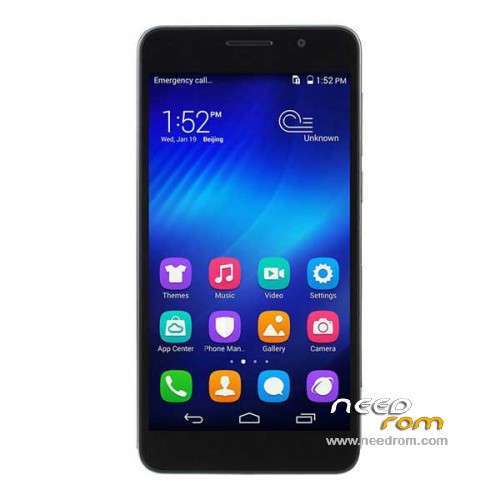
- Title: Honor 6 H60-L02
- Listed: July, 2014
- Last modified: 09/29/2015 5:56 pm
- Version: ROM Android 5.1.1
You must be logged for ROM download.
56923 total views, 2 today
18 Total favorites
 Member Info
DESCRIPTION
ROM Phone Honor 6 H60-L02 – ROM Android 5.1.1
ONLY CPU: Huawei HiSilicon KIRIN920 Hi3630 + 3G Ram
Update Official ROM HUAWEI Honor 6 H60-L02 4G Unicom version: H60-L02V100R001CHNC00B532 – EMUI 3.1 - Unicom – Android 5.1.1
—————————————————————————————————————————————————————
Official ROM HUAWEI Honor 6 H60-L02 4G Unicom version: EmotionUI_3.0_H60-L02V100R001CHNC00B316 – Unicom ( Stable version ) - Android 4.4.2
—————————————————————————————————————————————————————
Official ROM HUAWEI Honor 6 H60-L02 4G Unicom version: EmotionUI_2.3_H60-L02V100R001CHNC00B121 – Unicom Channels - Android 4.4.2
Gapps not include – No Rooted
Language support: EN/CN
ROM install :
Step one: Prepare an SD card, it is recommended to use Sandisk, Kingstone, or Kingmax, size is recommended that more than 1G.
Step Two: Formatting SD card (optional).
The step three: copy a large package path UPDATA.APP to the SD card dload UPDATA.APP.
Step four: Check the root directory of the SD card you dload UPDATA.APP.
Step 5: SD card into the phone is switched on in the main screen, press the Menu key, the system updates -> SD card upgrade -> confirm -> upgrade, backup data, select the backup data; upgrade.
Step Six: The upgrade process progress bar shows after the finish of the pending progress bar, the phone automatically restart.
or
Step one: Prepare an SD card, it is recommended to use Sandisk, Kingstone, or Kingmax, size is recommended that more than 1G.
Step Two: Formatting SD card (optional).
The step three: copy a large package path UPDATA.APP to the SD card dload UPDATA.APP.
Step four: Check the root directory of the SD card you dload UPDATA.APP.
Step Four: cell phone turned off, insert the SD card, while pressing the volume up button + volume down key switch button, the phone automatically enters the upgrade mode, and then begin the upgrade in Figure
Step Five: After the progress bar to go full fixed, the phone will automatically restart If you do not manually remove the battery.
※Please make a backup of your device before installing or updating ROM
Any way to root this phone?
You need to know the code to unlock the bootloader first :
http://www.emui.com/plugin.php.....#038;mod=detail
Then once you have the code you must use ADB tools to unlock the bootloader .
Then finally you will be able to root it using Vroot.
Here's a tutorial :
https://translate.google.com/t.....#038;edit-text=
I just received mine, and I realized it does not have gapps … Does anyone know how to solve this?
try this:
http://www.gizchina.com/2014/0.....i-pad-fix-bugs/
You just have to install Google Play using Huawei Market app. Do a search typing "GSM " .
i will give you here my short instruction i wrote in XDA Forum for getting easier root and updates! Hopefully it will help here too:
Hi friends,
i will give you short FW upgrade instruction incl. relevant infos about getting back root access with SuperSU! (No Kinguser etc is more needed!) after updating Huaweis latest FWs!
First you download latest new ROM FW from Huawei or where you want.
Second download my zip file (incl. CWM Recovery, SuperSU (update.zip) and this instruction)
DOWNLOAD
storage both (downloaded FW and my Pack) on Laptop or PC
connect your Huwawei Honor 6 with USB to machine (enable USB debugging) and set USB Connection again
Your phone is connect now to your machine (allow all popups on phone for getting full access)
Now unzip the downloaded ROM (new FW) directly to root of your SD-Card inside your phone!
…you will see "dload" folder now on root of sd.
Shut down your phone, wait 10 secons and then push Vol – and + and Power Button
same time for about 5-10 secons and you see Huawei Recovery and autostart of FW
update. Wait until it ends and your phone will restart.
make your start up complete (first start settings)
connect your phone now again with USB to your machine and open my download folder now and copy chainfires SuperSU update.zip to root of
your SD!
open my folder "CWM-Stock recovery Honor 6" and start the "recovery – копия.bat"
CMD opens now, write 1 (for installing CWM Recovery) in the line, enter and wait
now, your phone shuts down and starts again.
CWM ist installed now….
…next we have to shut down the phone again and start in CWM to install SuperSU
by shut down- push Vol – and + and Power Button only about 3 seconds, CWM will
appear now and you can install zip from SD Card now, reboot and your phone is rooted! So you don`t need any third party app like kinguser, etc.
Works like a charm and helps newbies to get funy with their new Huawei Honor 6!
Have Fun…Petteri
Thanks a lot for this tutorial.
But the bootloader requires to be unlocked first right ? Or with this procedure is not necessary ?
Yes, it must! Bootloader should be unlocked! Mine was when i get my phone from etotalk…..instruction you`ll find her: http://forum.xda-developers.co.....d.php?t=2800079
Alright .Thanks for the tutorial.
Hi, sorry for the noobie question, please tell me if I have root and Etotalk Mod Rom allready installed I should take all the above steps or just some of them.
Thank you
for Updates of Huawei originals only install original Huawei Recovery before updating, same way as CWM:
open my folder "CWM-Stock recovery Honor 6" and start the "recovery – копия.bat"
CMD opens now, write 2 (for installing Huawei Recovery) in the line, enter and wait
now, your phone shuts down and starts again.
Huawei Recovery ist installed now….
Start again your phone and OTA Update….
after successfully update your phone it is your choice to install CWM again, root should be stay after upgrade….
B118 is out,
http://www.emui.com/plugin.php.....ail&mid=76
Multilenguaje???
118SP02 ??????
I want to work for the root of the phone, but I could not
I want to work for the root of the phone, but I could not
B307 is out.
http://www.emui.com/plugin.php.....ail&mid=76
Have 2 version rom with the same size & date release….so which one suppose to download ?
Huawei glory 6 4G Unicom version firmware (H60-L02, Android 4.4, Emotion UI, V100R001CHNC00B121SP06, electricity supplier channels)
or
Huawei glory 6 4G Unicom version firmware (H60-L02, Android 4.4, Emotion UI, V100R001CHNC00B121SP06, China Unicom)