
- Title: How to setup sp flash tool linux (MTK)
- Listed: July, 2015
- Last modified: 07/20/2015 11:14 pm
- Version: all ROMs suitable for sp flash tool
You must be logged for ROM download.
37787 total views, 1 today
15 Total favorites
OFFICIAL
 Member Info
DESCRIPTION
※Please make a backup of your device before installing or updating ROM
steve@steve:/SP_Flash_Tool_exe_Linux_v5.1532.00.100$ sudo ./flash_tool
[sudo] password for steve:
./flash_tool: 1: ./flash_tool: Syntax error: ")" unexpected
steve@steve:/SP_Flash_Tool_exe_Linux_v5.1532.00.100$
Any ideas of how i can fix this? I have completed all previous steps and tried this one multiple times with the same result.
Help me please to understand how to use FT to flash LeTV x600 in Fedora Linux 23.
I tried to make all steps you provided. But stoped at step 5.
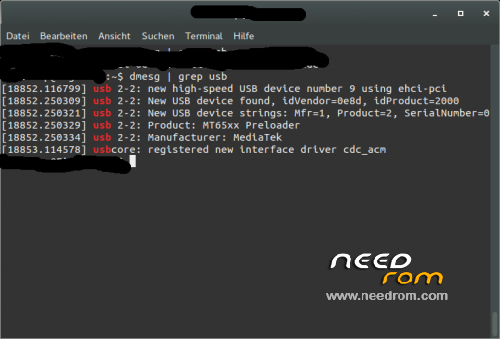
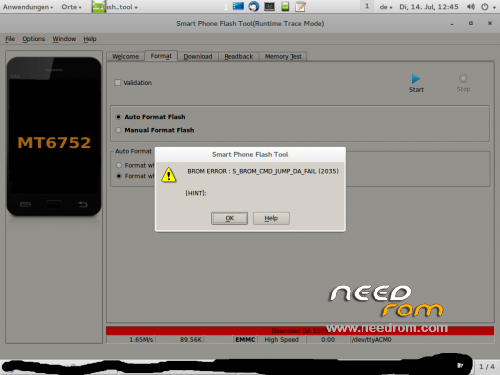
Even after i made a file "/etc/udev/rules.d/20-mm-blacklist-mtk.rules" with correct contents and restarted udev i'm getting this error S_BROM_CMD_JUMP_DA_FAIL (2035).
May be in Fedora there is something another than ModemManager making trouble? Can you suggest me something?
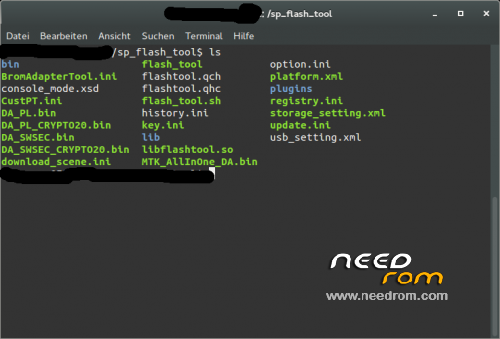
Linux 32bit flash tool fails to execute, errors:
./flash_tool: cannot execute binary file: Exec format error
./flash_tool: Syntax error: "(" unexpected
Same mistake here with version v5.1520.00.100 and Ubuntu 15.10.
It worked for me. Thanks a lot. But i think it is a mistake at the create point, cause i couldn.t create the mtk rule from terminal with that command, i created it manually (i copied the file in the /etc/udev/rules.d with the extension .rules and i renamed it as 80-persistent-usb.rules and then i pasted the text inside it).
*persistent rule for mtk preloader, not mtk rule, sorry
Crappy Ubuntu. My Fedora says command not found because ./ is a directory not a command.
./ means execute an executable. You have to make the .sh file executable first via
chmod +x
Just like to thank the authour for this guide. Took a few goes, but that last paragraph I re-read a few times , inserted usb cable (with mobile turned off !) and YAHOO !! , did a lap around the room, wife came in to check what the f… happened.
Calmed down now, but was stuck with bricked Doogee X5 for 4 days – happy happy joy joy
cheers and agin thanks Miss Montage
Oops, I haven't looked in here for a while: @https://www.needrom.com/author/i1259413@trbvm.com/, @ubuntupunk and @ulyses: There is no 32-bit version of SP Flash Tool (Try "file /path/to/flash_tool" and the output will tell you they are all 64-bit). You might consider to upgrade to 64-bit-Linux if your hardware supports it.
@dilnix: As far as I know the modemmanager is setup equally in Ubuntu and Fedora. Maybe this link will help, you need to adapt the Product and Vendor ID: http://smoothieware.org/linux-.....drivers
@Hectra: It should still work if you run "/path/to/flash_tool", or just double-click on the flash_tool icon.
@dweeb52: You're welcome. Thank you for the thanks!
@all: I will react faster to your questions if you post them there: http://forum.xda-developers.co.....llinux-t3160802
Also the tutorial is more up to date.
Great tutorial, thanks for your explanation!!!
Works great on linux mint 18 64bit (SP 5.1520.00.100)