
- Title: HT10 Stock ROM with Majisk, Xposed, and Busybox
- Listed: March, 2019
- Last modified: 03/30/2019 1:22 pm
- Version: HT10 6.0-V01-20170622
You must be logged for ROM download.
8143 total views, 1 today
 Member Info
DESCRIPTION
The System, Boot, Recovery, and assorted app files for the working setup are zipped as a Titanium backup and needs to be installed from recovery within the Titanium app; available as freeware on the Play Store. The file is packaged as a zip for upload, but will need to be unzipped and placed in the root of your Internal SD directory so that Tianium Backup can recognise it and restore to your device. I have included the individual files that were involved, in case anyone feels like starting from scratch. They include the Homtom HT10 ROM, The MediaTek SP_Flash_Tool_v5.1552_Win (whith which to flash your ROM, TitaniumBackup.zip (which you will simply flash to a non-rooted Stock HT10 ROM from the app on the running device), the Systemless Magisk v. 19.0, Magisk Manager v7.1.1 and the Xposed_Framework_(SDK_23)-89.3_(Systemless) by topjohnwu and his intrepid team of devs, and the TWRP 3.0.3 recovery by Mebhius which has proved so very useful.
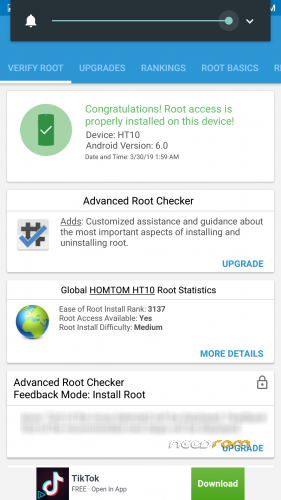
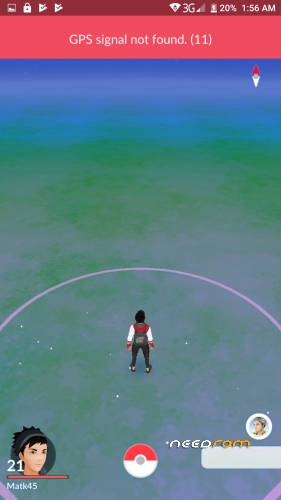
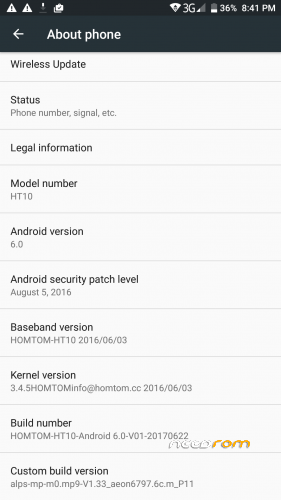
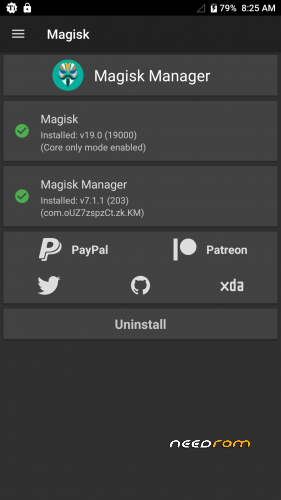
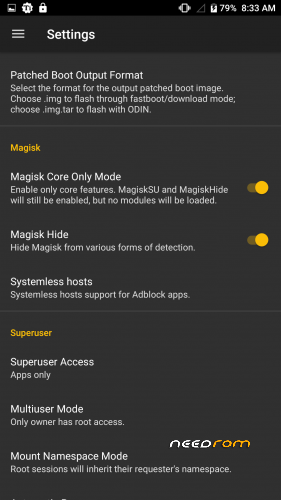
Stock ROM installed with Majisk. The ROM is rooted, the root is systemless (Thanks to Majisk),additional modules within Majisk include a systemless Xposed Module. Gravitybox added within Xposed. Busybox added as an additional Majisck module. I have included screenshots of the Majisk status screen, Pokemon Go working on an unsigned and otherwise rooted ROM, and of course, the settings About Phone page. My contribution is by no means revolutionary in anyway, but the results are tested and working. Hopefully, until more work can be done in Lineage, this ROM will allow you to have more freedom and flexibility with the stock ROM.
Long and sort of it: I flashed a clean ROM (making sure to flash the TWRP recovery instead of stock, reboot to System, reboot, then, to recovery. Flash Majisk 9.0, Reboot back into recovery flash the systemless Xposed framework, reboot to system, verify install, flash selected downloads, Install the Xposed Installer apk and the Magisk Manager.apk, reboot. Once root is established, it is verified to be systemless, a root exploerer needs to be installed so you can locate the installed bits of TWRP, Mgisk, and Xposed in System/Bin and Xbin, as well as the Internal SD and either rename or move them discretely away from the prying eyes of apps that will try to verify your root and block you. Then test, test, test, and test some more.
I have found that once verything is installed, verified, and cleaned, you can simply Magisk Hide Magisk for Play Services, Play Store, Google Services Framework, and the desired (Play Store app) like PokemonGo. Then, set Magisk to Core Only Mode in settings, Make sure that Magisk hide is selected, Systemless Hosts are selected, Clear the repo cache, clear data for the deired app, in this case PokemonGo, reboot and have at it. Expect some hung boots in the process. Pull the battery and keep at it. Dont be afraid to master reset or reflash and start from scratch. And dear Lord, dont start importing personal data in bulk until you feel youve reached a stable system build and made the appropriate backups.
Or you can simly retore the files I've provided, reboot, and start your testing there. The choice is yours.
I have made similar inroads with the Lineage 13 ROM for HT10, ported by Nukeer9578 with limited success. There is still much work to be done. I would say, however, that Nukeer9578 got me started with working on the HT10 and I'm grateful for the challenge.
If you are new to this sort of thing, I would advise consulting XDA developers, Google web, and Youtube for further instructions; it is all spelled out if you have the time and patience.
※Please make a backup of your device before installing or updating ROM
Is this stock ?