
- Title: HTC one M8
- Listed: April, 2016
- Last modified: 04/15/2016 5:57 pm
- Version: 4.2
You must be logged for ROM download.
13320 total views, 2 today
 Member Info
DESCRIPTION
1 ) Select the HTC BlinkFeed launcher " default " .
2 ) In the GPS settings include high precision or power-saving mode , if available.
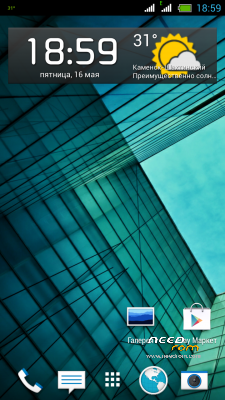
3 ) The system is set to create an account for htc weather .
4 ) Go to the home screen , and then a long tap on an empty space on the screen , and set the main page blinkfeed .5 ) Weather should appear on the main screen . Do not forget to choose you are interested in news.
Installation on the ROW and KIT markup .
1. Download the firmware and throw it in the root of the memory card (/ sdcard)
2. View Recovery:
On the phone off hold down buttons: Volume up + down + switch
3. Select the point Wipe data / factory reset
4. Now, select Install zip from sdcard, hereinafter Choose zip from sdcard
5. Select the firmware
6 .We wait until the firmware is established .
※Please make a backup of your device before installing or updating ROM
rom version says 4.2, its for jellybean then right?
Bad for Europe modem.
Thanks