
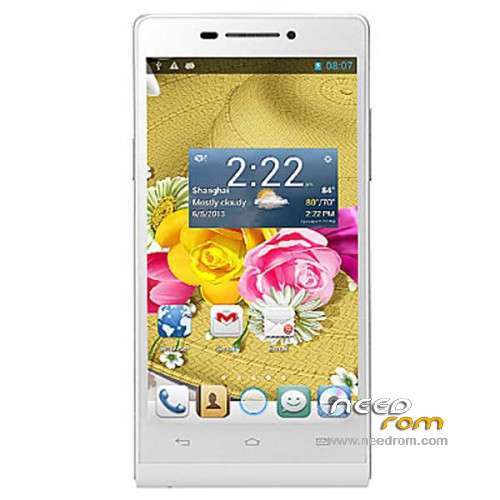
- Title: HTM A6W
- Listed: May, 2014
- Last modified: 07/28/2014 4:42 pm
- Version: ROM Android 4.2.2
You must be logged for ROM download.
23476 total views, 1 today
5 Total favorites
 Member Info
DESCRIPTION
ROM Mobile HTM A6W – ROM Android 4.2.2
Update Official ROM HTM A6W Version : A1.140724.JB3.V1.FWVGA.4P32_COM_EN_V1_WCDMA
———————————————————————————————————————————————–
Update Official ROM HTM A6W Version : A1.140718.JB3.V1.FWVGA.4P32_COM_EN_V1_WCDMA
———————————————————————————————————————————————–
Official ROM HTM A6W Version : A1.140529.JB3.V1.FWVGA.4P32_COM_EN7_V1_WCDMA
Gapps include - No Rooted
Language support: Multilang
Install ROM :
- Unpack FlashTools, and Click on Flash_tool.exe
- Select a the MT6572_Android_scatter.txt in ROM
- Wait file to be added into Flash Tool
- choose Option->USB Model,click USB Model
–> Choose Option->DA DownLoad All->Speed->High Speed, click High Speed
- Turn off your phone, remove the battery.
- "Press F9 (hit Download button)" OR " if upgrade ROM Firmware->Upgrade "
- and connect your phone into the computer via USB data cable.
- The process will start and a red progress bar will appear after color purple, yellow.
- And green circles display
- Finish !
- You can now safely disconnect your phone and turn it on.
※Please make a backup of your device before installing or updating ROM
Super funktioniert sehr gut.
JH
Update funktioniert nicht!
DISPLAY bleibt weis…
Keine Funktion….
JH
19.05. Ok…
18.07. Fail… Display white…
24.07. Fail… Display zebra….steifen
JH
ok grrr HTM i delete
It worked for me
Thanks for your work Socr@te.
You gave many ROMs for many phones. Respect.
I upgraded to this ROM.
I observed that the battehy handling is bad.
What I mean:
When the battery is on 66%, I rebooted the phone, but the rebott is unsuccessfull. The phone cannot reboot.
I found that when I start charging the phone, it starts from 1%!
I could repeat it three times, so there is something in the software that is buggy.
I diff-ed the two kernels and there is not any difference, so the kernel remains the same.
I flashed the original system img back and the battery handling restored to previous way, it became good.
This is my story, I do not know it anybody observed the same.
Otherwise, there is a CWM recovery, ported by me. http://data.hu/get/7613353/HTM.....-Cappa72-v2.img
It works with the original and the updated firmware as well.
works! 5***** Thank You!