
- Title: Huawei G700-U10 MIUI.V5
- Listed: May, 2014
- Last modified: 05/21/2014 2:03 am
- Version: Android 4.2.1 MIUI.V5 4.3.28
You must be logged for ROM download.
52930 total views, N/A today
13 Total favorites
CUSTOM


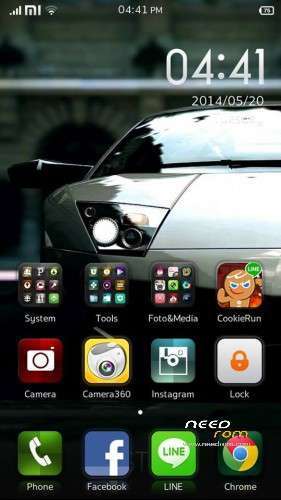

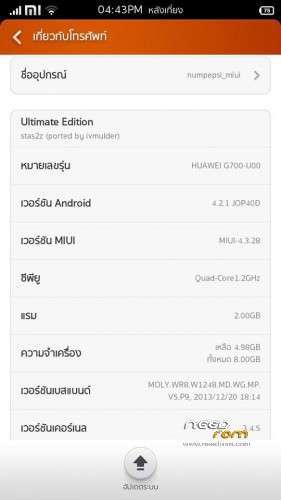
 Member Info
DESCRIPTION
ONLY FOR G700-U10!!! INSTALL VIA TWRP RECOVERY!!!
Multilanguage.
Root.
GAPPS.
Install:
1. Install TWRP recovery
2. Copy the firmware zip to the root folder of the memory card.
3. Boot into TWRP recovery with MobileUncle Tools or Power + Vol. + at startup.
4. In Recovery
wipe data / factory reset
advanced – wipe dalvik cache
install zip from sdcard
choose zip from sdcard
install
※Please make a backup of your device before installing or updating ROM
This link is working fine…
I repeat…
Works fine
For me everything work ok! Installed rom yesterday on my G700-U10 and love him! Had no bugs. Thanks alot!
Can this be installed with CWM ?
videoplayer don't work
Video Player works, But not from gallery, if you go through file manager it works but it will be good to use mx player as Default one.
how to install twrp recovery in huwaei g700 u10?????plz tell me
I successfully installed this rom, Yes i get bootloop at first try but i reover it and follow all steps said by Uploader:
1. Download B124 Huawei G700 rom. i.e. G700-U10_V100R001C00B124CUSTC432D001_Firmware_Portugal_Channel-Others_4.2.1_EMUI 1.8_05021LMW.zip
2. Extract it.
3. Make a folder named, "dload" & in this folder copy the, "SD_upgrade" Folder from the extracted files and Make sure that in SD_upgrade folder there is UPDATE.APP (this is already in SD_upgrade folder but make sure for updating)
4. Put dload folder in root of your External Sd Card.
5. Go the phone Setting, click on About phone then System Update and Finally on Local Update.
6. Phone reboots and Flashing Start. ( it may take time)
7. After Booting, Root phone using Any method of your Choice Either Eroot or Framaroot. One method is here
8. After Rooting install Mobile Uncle Tools . From here
9. Copy TWRP recovery image into External Sd card & rename it to recovery.img
10. Copy Miui V5 rom into External Sd card.
11. Open Mobile Uncle Tools & select option Recovery Update and choose the recovery.img from popup that appears.
12. When Phone reboot in Recovery Mode, then Wipe Cache, Data & Dalvik Cache.
13. Return to main screen & then Flash Rom from install menu.
14. Just After flashing, Option for Wipe appers. Do it i.e. Wipe Cache, Data & Dalvik Cache Again.
15. Reboot & Wait for Some Time.
thank you
and can we install this rom https://www.needrom.com/mobile.....700-u00-s4ui-2/
Thanks , this is the actual solution Saved my life Thanks to Frost
Nevery try to flash G700-U00 Rom on G700-U10 Model other Wise You may lost your imei .
you can backup your imei using mobile uncle , and you must flash the U10 Modem to have a working phoneDownload file extract this file to find the flashable zip
This Rom has an issue in the Contact indexing
Works well but the Internal SD Card became useless..no use at all.
Idont know is that a Rom of U00 and you have change the modem.img or is the Rom direkt for the U10
change the modem.img