
- Title: HUAWEI U9508 FlyUI
- Listed: February, 2014
- Last modified: 03/22/2014 4:34 am
- Version: ROM Android 4.2.2
You must be logged for ROM download.
20368 total views, 1 today
2 Total favorites


 Member Info
DESCRIPTION
ROM Mobile HUAWEI U9508 – ROM Android 4.2.2
Features ROM:
Update FlyUI version : 2.4.1
Features:
- Remove the built- in power-saving SOLO
- Set "on the phone UI interface changes , increased updates , enter the official website -
- Set the " who will develop options and performance options to integrate ( some models in the system
- In addition to the theme function *
- Replacing the FLY-UI alarm clock for the CM .
UI interface :
- Change the drop-down status bar icon tooltip touch , optimizing display,
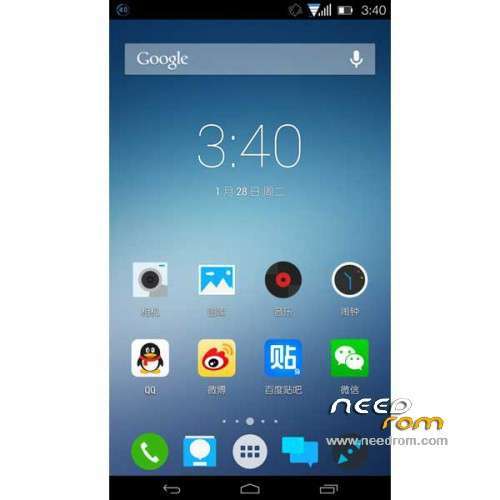
- Change the function call interface option icons below to make it more in line with UI style
- Change some details of the style icons
- Set interface subtraction again , not commonly used functions for deletion
BUG: Flyui not recording (video software can be installed)
———————————————————————————————————————————————
Update FlyUI version : 2.3.6
Fix:
- Fix FC issue Baidu, Baidu map
- Change font, repair uncommon words and "word of mouth" problem Traditional appear
UI:
- Change the status bar icon WIFI
- Replace the status bar "Clear" button icon 8 I # – replace multi-task switching interface, the "Clear" button icon
- Replace the drop-down control panel "automatic brightness" icon
- Replace the global context of the cortex humorous background
- Removing the dividing line settings interface
- Is intended to replace some things slide switch button switch "
———————————————————————————————————————————————
FlyUI version : 2.3.5 – FlyUI is based on CM10.1
Gapps not include – No Rooted
Language support: Multilang
ROM install :
1, Download recovery unzip
2, the phone turned on USB debugging mode. Settings – Developer options – check USB debugging
3, the phone off, hold down the "volume down" and "Power" button, wait for the emergence Logo Huawei has entered fastboot mode at this time
4, Run the flash_all.bat and tap just enter
into the recovery:
– Wipe Data / Factory Reset -> delete all user data
– Wipe Cache Partition -> Wipe cache
– Advanced -> Wipe Dalvik Cache
Return to recovery main interface Install zip from sdcard -> choose zip from sdcard -> Select your ROM
Brush complete, restart the phone Patience required – first boot takes a while
※Please make a backup of your device before installing or updating ROM
Its realy cool!
haven´t option mode usb.
hi, i´m colombian who did you for install recovery i have the recovery chinese but cant install this recovery… my wp is 3008725593 please help me
Such a useful and beautiful rom ruined by the lack of GOOGLE PLAY this is a MUST !
need help, unable to flash on B107