
- Title: HUAWEI Y300
- Listed: February, 2013
- Last modified: 11/29/2013 5:45 pm
- Version: ROM Android 4.1.1
You must be logged for ROM download.
132235 total views, 4 today
60 Total favorites

 Member Info
DESCRIPTION
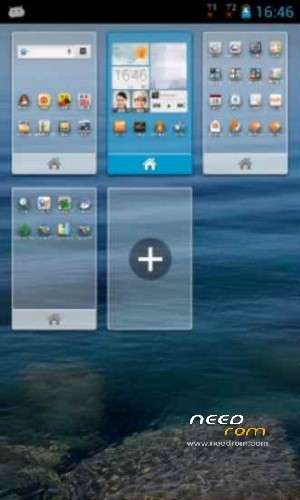
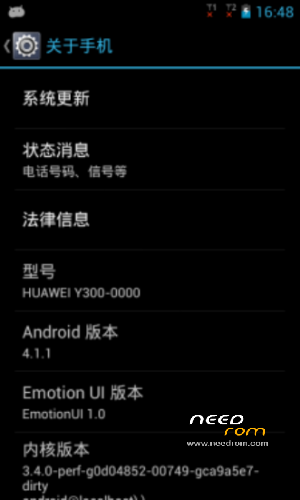
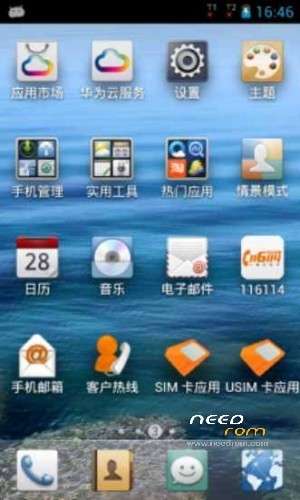
ROM Mobile HUAWEI Y300 – ROM Android 4.1.1
Update 05/25 version Original : Y300-0000_EmotionUI_1.0_V100R001C17B181
Gapps not include – Multilang
——————————————————————————————————————————————–
Update 03/22 version Original : Y300-0000_EmotionUI_1.0_V100R001C17B180
Language support: EN/CN
ROM install :
Step one: Prepare an SD card, it is recommended to use Sandisk, Kingstone, or Kingmax, size is recommended that more than 1G.
Step Two: Formatting SD card (optional).
The step three: copy a large package path UPDATA.APP to the SD card dload \ UPDATA.APP.
Step four: Check the root directory of the SD card you dload \ UPDATA.APP.
Step 5: SD card into the phone is switched on in the main screen, press the Menu key, the system updates -> SD card upgrade -> confirm -> upgrade, backup data, select the backup data; upgrade.
Step Six: The upgrade process progress bar shows after the finish of the pending progress bar, the phone automatically restart.
or
Step one: Prepare an SD card, it is recommended to use Sandisk, Kingstone, or Kingmax, size is recommended that more than 1G.
Step Two: Formatting SD card (optional).
The step three: copy a large package path UPDATA.APP to the SD card dload \ UPDATA.APP.
Step four: Check the root directory of the SD card you dload \ UPDATA.APP.
Step Four: cell phone turned off, insert the SD card, while pressing the volume up button + volume down key switch button, the phone automatically enters the upgrade mode, and then begin the upgrade in Figure
Step Five: After the progress bar to go full fixed, the phone will automatically restart If you do not manually remove the battery.
※Please make a backup of your device before installing or updating ROM
can i use for my huawei Y300-01000
Y300-0100
http://consumer.huawei.com/de/.....m?keywords=y300
le sirve al y300-0000????
gacias me civio de mucho pero el rom:Update 03/22 version Original : Y300-0000_EmotionUI_1.0_V100R001C17B180 no es multi lenguaje
donde consigo la rom del huawei Y300-0000
please help me iam looking for Hawei y300-0100v100R001c16B191 firmware
why update failed in 2/2
esta rom es buenisima las gaps se pueden descargar desde la pagina oficial
como se llama la pagina
noooo gapps
cual es la pagina official para descargar las gapps
como descargo las gapps