
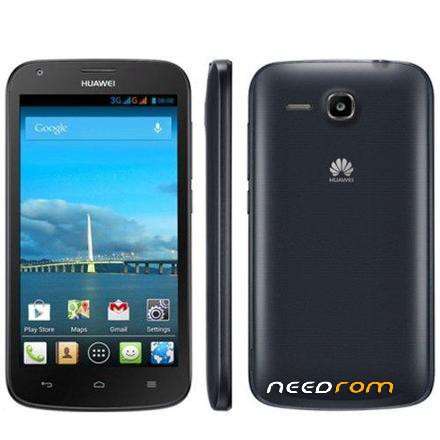
- Title: HUAWEI Y600-U151
- Listed: November, 2017
- Last modified: 11/19/2017 2:33 am
- Version: 4.2.2
You must be logged for ROM download.
22897 total views, 2 today
8 Total favorites
OFFICIAL

 Member Info
DESCRIPTION
ROM DESCRIPTION
Y600-U151
Android 4.2.2
V100R001C464B007a
Venezuela-Channel
05021MRR
Multilanguage
Gapps Included – Not Rooted
FORCED UPGRADE
Step 1. A MICRO SD card of 2G or more should be available. The MICRO SD card made by Sandisk, Kingstone, or Kingmax is recommended.
Step 2. Format the MICRO SD card (RECOMMENDED).
Step 3. Copy the Software: main package to a directory named dload.
Step 4. Copy the entire dload folder (with UPDATE.APP in it) to the root directory of the MICRO SD card.
Step 5. Make sure your handset is power off. Insert the MICRO SD card into the handset. Press the VOLUME UP and VOLUME DOWN key, and then press the POWER key to power on the phone and enter the Software Upgrade Mode.
Step 6. When the progress bar stop, the phone will restart, if not , you need to remove the battery manually.
※Please make a backup of your device before installing or updating ROM
in need all roms for all zte phones and samsung
thank you!
Gracias, funciona perfecto.
Thank you, works perfect.
gracias hermano boy a probarla
Instalada y perfectamente funcional
and how to solve the unknown imei?
mode enginner