
- Title: IMEI Restore Video Guide
- Listed: May, 2016
- Last modified: 05/07/2016 8:36 pm
- Version: MTK
You must be logged for ROM download.
19302 total views, 2 today
6 Total favorites

 Member Info
DESCRIPTION
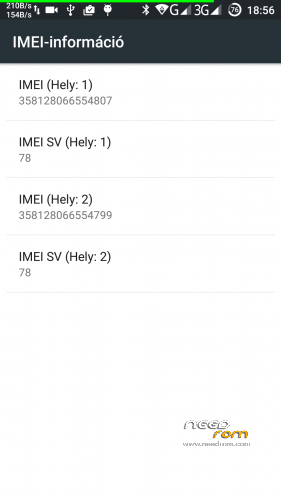
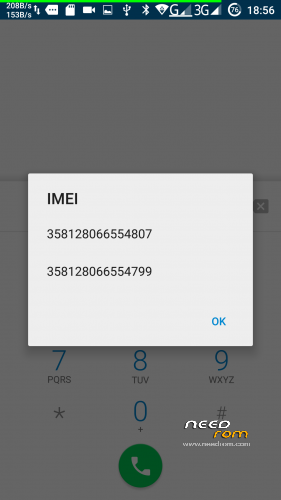
How to write or change your lost IMEI no in Ulefone Power
1. Go to Engineering Mode with this code * # * # 3646633 # * # *
2. Type it on call pad
3. Engineering Mode show on your phone screen
4. Go to CDS info
5. Go to Radio info
6. then go to Phone1 (For the first IMEI No)
7. At the top there is a command line which begins "AT+ EGMR=1,7,"IMEI_1" (Instead of IMEI_1 put your first IMEI No)
!!! after (AT+) put one space AT+ EGMR !!!!!!!
8. Hit send command
9. If you done just reboot the phone
10. If you change the second IMEI No then go to step 2 and select "Phone2"
11. And enter the code "AT+ EGMR=1,10,"IMEI_2" (Instead of IMEI_2 put your second IMEI No)
12. Hit send command
13. Reboot your phone
IMEI 2 repair
Sometime you can't repair sim 2 IMEI with Engineering mode!
For repair sim2 imei problem use this guide !
work well with MaUI Meta v8.
http://www.androiddevs.net/permanent-imei-restore-tool-mediatek-phones/
download:
IMEI tools pack.zip
※Please make a backup of your device before installing or updating ROM
For the one, who forgot the IMEI.
Try Google Dashboard !
You were unbelievably helpful with this post. Thank you so much! This problem of lost IMEI was a hell of a disaster for me as my operator wouldn't allow me to register with them. So I had to use a roaming mode.
Thanks
hi
i restor iemi but no network !
How do you fix sim slot 1. Becuase I have no IMEI number 1 and Sim Slot.
i flash my oukitel K3 but after this imei is gone and i try to everyting but not able to write imei again so tell me how to write imei again in outkel k3.
i use ROM oukite_k3_v3.11_20171108.
i also use these command but not work:
AT+EMGR=1,10,”Your IMEI Number”
AT+ EMGR=1,10,”Your IMEI Number”
every time show "this command is not allowed in userbuild"