
- Title: Inew v3 1.1.1 Official Root
- Listed: May, 2014
- Last modified: 05/26/2014 2:33 pm
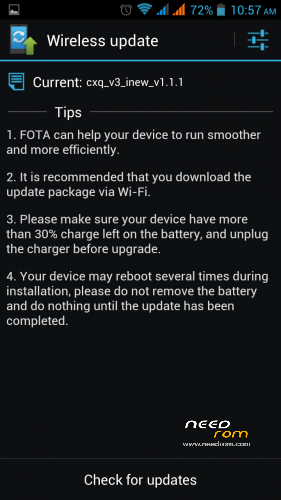
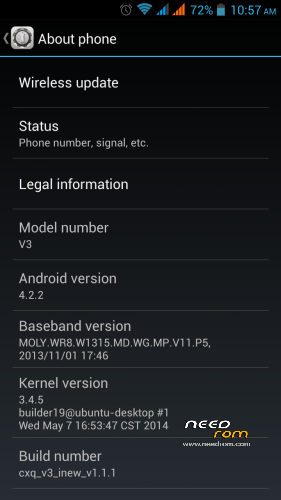
- Version: cxq 1.1.1
You must be logged for ROM download.
34747 total views, 2 today
4 Total favorites
CUSTOM
 Member Info
DESCRIPTION
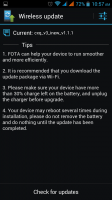
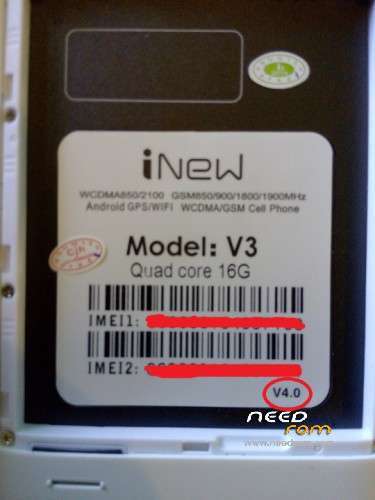
Official 1.1.1 Grabed from latest golden Inew v3 build version 4.0
its rooted,TWRP recovery and flash tools and drivers included
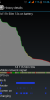
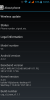
Tested on only version 4 screen shot attached.
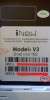
as one person reported that he bricked his inew v3 i recommend you always uncheck the preloader when download the rom using flash tool, may be older inew v3 using diffrent preloaders, thats y i put the image of my model, Thanks,
※Please make a backup of your device before installing or updating ROM
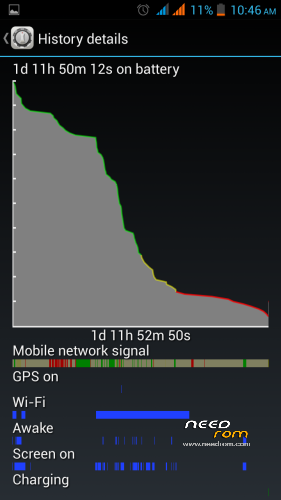
Everything works perfect. Battery life is 24 hours. Excellent job with this rom. Thank you.
Is the battery when is charging ski from 88% to 100% Gps work ?
My soft is 1.0.8 GPS fix cz in this site niedrogie and inew V3 version 4.0
The battery has reached 90% after about 2 hours. gps works perfect.
i must say battry drain is very good now now em not worry about battry and i wish official 1.1.4 will fix every t
Can tell me is battery charging normal about 88% to 100%?
yea
its written v4.0
but i dont know what can i do???
i searching in every forums and everybody say-> just found original preloader.bin and flash it with sp flashtool it will alive..
i can't found original preloader.bin for flash with sp flashtool
plz help me
@Mooein
i have uploaded the offical 1.0.8 firmware to web site download it
http://www.4shared.com/rar/t8s....._inew_v108.html
check DA DL all with check sum and press Firmware -> Upgrade
I hope your inew will alive soon
Regards,
Adeel
i cant flash and upgrade
because sp flashtool have error : enable dram failed (4032)
i testing cxq 1.0.1 , 1.0.4 , 1.0.8
i dont know why everytime have this error for me
Friend, i had the same problem and i got the phone live againby doing the followings.:
phone unpluged and battery out of the phone, install sp flash tool v3.1344.0.212 at your pc
choose scatter file: cxq_v3_inew_v1.0.8
check dad dl all , press firmware upgrade
Then put the battery back in the phone , keep it off, plug your phone directly to motherboard usb port
Firmware upgrade should begin and your phone awakes.
Bravo!
If upgrade doesn't start then
check if at my computer – properties – device manager – usb ports – mediatek device is shown.
If not re install the drivers
motherboard usb port ??? how ???
you tell me to opening my inew ???
no open, you plug your cable usb to usb port with no battery in the phone and the upgrade start.
I upgrade my phone with no battery in the phone.
Thank You for ROM. Good luck.
How long this battery in screen on ??
And our HSDPA is on for browsing or online aplication.
Sorry my english is bad. Thank you.