
- Title: Inew V3 miui 4.8.29
- Listed: August, 2014
- Last modified: 08/29/2014 12:14 am
- Version: Miui V5 based on android 4.2.2
You must be logged for ROM download.
29345 total views, 2 today

 Member Info
DESCRIPTION
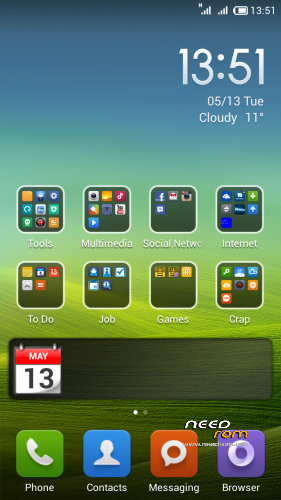
I have rebuilt miui from Huawei Honor 3C and that one was ported from Redmi 1s. I will be updating it weekly. (I Hope)
For now there is only English/Chinese version. I will be uploading a multilanguage and a TD version for those who dont have WCDMA
————————————————————————————————————————————
Release 2014-08-29 Weekly update
Just flash iNew V3 Miui V5 4.8.22 to 4.8.29.zip to get miui v5 4.8.29
————————————————————————————————————————————
Release 2014-08-22 Full Rom
2014-08-22 iNew V3e miui 4.8.22 Stable English Only WCDMA.zip is for most Europe countries
These are based on base firmware 1.08 You can flash these even if you are on 1.1.1 or 1.1.5
Everything should work now like NFC, GPS, sensors, Leds etc (internal and external memory shows in miui filemaneger)
Known Bugs
1. Contacts not displayed correctly if they are stored with +xx (This is a miui problem if anyone have a solution then let me know
2. When you open USB storage you only see SDCard on computer. To mount internal memory to computer Choose Media Device (MTP)
2. U tell me 
U need to format data/cache partitions before flashing even if you come from my other MIUI version
Don't forget to flash GAPPS after first reboot
————————————————————————————————————————————–
HOW TO INSTALL MIUI
First boot takes a while. Get something to drink and eat 
No Gaps / Google Play Preinstalled
Download MIUI GAPPS here
http://media.celogeek.com/roms/android/miui/gapps/miuiandroid_gapps-4.2.2-small_signed-8012.zip
DO NOT FLASH ROM + GAPPS at the same time!
Install ROM :
CWM/TWRP
Step 1: Download the custom ROM copied to an external SD card root directory
Step 2: the shutdown state. While holding down:
– Power button + volume button up, to enter the recovery mode. (With USB cabel inserted to computer)
– Wipe Data / Factory Reset -> delete all user data
– Wipe Cache Partition -> Wipe cache
Step 3: Return to recovery main interface Install zip from sdcard -> choose zip from sdcard -> Select your ROM
Step 4: Flash complete, restart the phone Patience required – first boot takes a while
For Installing GAPPS
Step 1. Copy the Gapps zip file to sdcard
Step 2: the shutdown state. While holding down:
– Power button + volume button up, to enter the recovery mode. (With USB cabel inserted to computer)
Step 3. Start the miui application called updater and press menu and choose reboot to recovery
Step 4. choose zip from sdcard -> Select the gapps zip file
Step 4: Flash complete and reboot
————————————————————————————————————————————–
If You like my rom please donate anything and Will keep updating the roms and upload new ones /Elias
※Please make a backup of your device before installing or updating ROM
Hi. I need some help guys. I got 4.8.22 and i want to upgrade. first, i did the format data/cache partitions before flashing, then i installed the zip 4.8.29, but there is an error and it doesn't work. Am i doing this right?. Thanks for the help by the way.
hi,
yes the 4.8.29 isn't working for me……only error i hope you can fix it.
Super….exellent
Why i got Installation abroted?
Может кто нибудь портирует Miui v5 на inew i8000, а то что то за бросили аппарат
Try MIUI Revolution by Daniela, ANDROIDWORLD.it, It s optimized & everythink working fine.
Эта прошивка мне не подайдет она для mtk6589, а у меня 6582 и 5.5 дюймов экран.
hey guys this rom have Italian lenguage? TXNs
TXNs
Delinquency not turn on bluetooth, help me thank you
Known Bugs
1. Contacts not displayed correctly if they are stored with +xx (This is a miui problem if anyone have a solution then let me know
Any solution for this ???? Rest All working perfectly