
- Title: Inew V3 Zopo 1000s port
- Listed: November, 2014
- Last modified: 03/16/2016 8:20 pm
- Version: 4.4.2 1.2
You must be logged for ROM download.
49140 total views, 16 today
3 Total favorites
 Member Info
DESCRIPTION
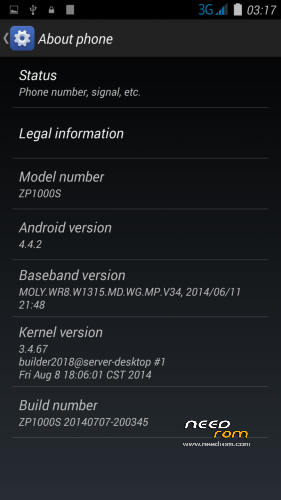
Here I present you my Zopo 1000s Modded ota ROM for Inew V3.
It is for the internal /data/media type phones. (with only MBR and EBR1). System is part5 data is part7.
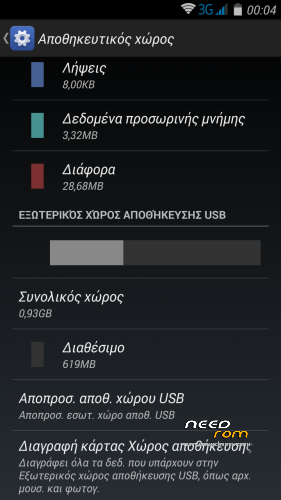
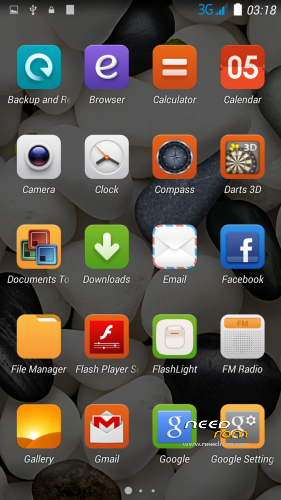
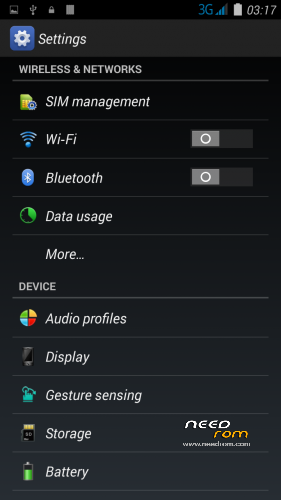
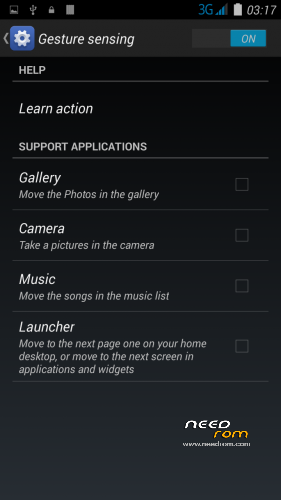
Port 100% from Zopo 1000s – GESTURES finally work in INEW (See photo)
Installation
—————
You must first install official KK 1.13 (to make the partitions correct)
If you don't have it I can build a small Flash tool update. —–>Request!
Backup your NVRAM and Sec.ro partitions. (better be safe than sorry!) It can be fixed anyway so don't worry.
Transfer my zip rom to your SD. Insert SD in phone.
First flash my recovery with your favorite program (Mobile uncle or via Flash tool <—- prefered)
Reboot phone , enter recovery.
Press Wipe (Default one wipe data , davlik , cache – BACKUP impotant data , all will be lost) .Then wipe internal.
Return to main menu after finished.
Go to install. Choose storage microSD at the middle-bottom
Select correct zip file from microSD
When finished , return to main menu and POWER off phone
Remove microSD and Start phone.
Wait longer than normal , Rom rebuilding data. Done!
Rom has native init.d Support , Superuser and partial Busybox (Install busybox from play store and update)
ADDED FLASH BASE FOR FLASH TOOLS -Not for those who don't know what they are doing!
How to install.
1) Back up your phone with flash tools.
2) Unzip my pack
3) Add inside the unpacked folder my recovery image , named recovery.img
4) Add inside the unpacked forder YOUR nvram.bin and secro.img from your backup from flash tools folder! VERY important as this retains your IMEI! Later you can simply download a newer nvram.bin if needed! Can't give you mine as it contains my Imeis!
5) Load flash tools , load MT6582_Android_scatter.txt from the folder and choose (format all and download) and press Download. ATTENTION this will totally wipe your phone!
6) Turn off your phone , remove battery. Keep it removed! Connect first usb to PC then to your Phone. It should start downloading the base. Notice you will not have a system , cache and userdata partition yet after it finish!
7) Unplug USB , put battery back on , turn on phone by pressing volume up at the same time. This will take you in recovery. Now , goto wipe , and Advanced wipe. Fist choose system , Swipe to wipe. Then Cache , Swipe to wipe , then go back and format Data , type yes to wipe. This is very important and should be done exactly like this as it formats the blank system.cache.data partitions , making them ready to accept data!
Notice you will now have 1.4gb system , 256mb cache and the rest data!
 Copy my rom to your SD and follow the step to install via TWRP after you reboot in recovery again (You will have no system yet!)
9) Enjoy new partitions and never loose imei again!
—————————————————————————————————————————————-
Updated for phones with replaces screen by popular request. Camera set to Inew standards too .
※Please make a backup of your device before installing or updating ROM
Yes , fire it up (USe my recovery though , flash it with flash tool first) You will have correct partitions + retain imeis! Follow the guide
I got mine to flash correctly now. I tried the second guide for advanced users and could not get spflashtool to work. This is what I done:
1) Flash 1.0.13 TWRP version(The one from this site) but selected the recovery given by the developer. This means it was stock with this recovery.
2) Rebooted straight into recovery and followed the original guide. Done the swipes and installed the rom.
3) Shut down the device and restarted into recovery again.
4) Install the update and was done.
Rom is now working perfectly. I don't have any issues with mobile network which was the issue last time. Rom is stable. Will test everything else in the next few days. .
.
Thanks Batsilos for the awesome rom and all the assistance. Rom is by far the best thus far.
Kavir
Thumbs up.
Enjoy my work
Soon i will release Vibe 1.5 port and Iocean X7HD port
Hacking a few small hickups ….. (Vibe , leds don't work right – S850 has extra leds at back+ blue and Nfc doesn't start)
(Iocean some small problem with leds too – SD-ext mounts correctly if inserted before boot , but stops mounting if you remove it remove it while phone is on,,,,,, buffered!)
That is some amazing development and porting. Hope it all comes together well. I wish I had the time to start doing research into the process involved in creating a rom or porting so that I could be of assistance.
Great Rom, I use for 2 weeks now and it's a lot more fast stable than stock rom,
few little problem's:
hi: this rom better or 1.0.13 ?
Dear batsilos,
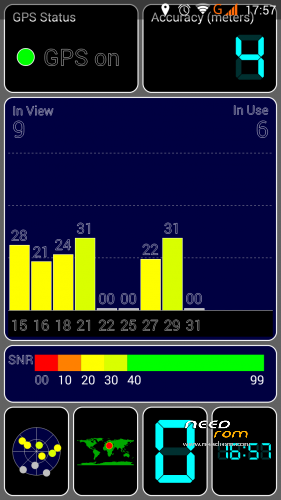
I have installed your Rom, its looks great, and almost all the functions working. But I have a problem with the GPS fix. As I see, you wrote somewhere, you fixed it for Greece, can you help me to un-fix it, because I can't download any EPO files, and without that, it can't work properly.
I tried several different way to solve this problem, but I haven't been successful.
I am waiting for your answer, Norbi
Dear All,
I found a patch, which can solve the Gps fix problem: https://mega.co.nz/#!UE1xTSZI!.....oDAwhyfrsfc_XK0
Installation:
- zip file from recovery, after wipe chace & data, reboot
I tried it, and it looks good.
Sorry, wipe chace & dalvik (not data)
Forget all that!
GPS step by step!
Throw away all the unnecessary applications, style AGPS this, Epo that, mobile uncle tools etc!
* # * # 3646633 # * # * —> Enginearing mode!
Location based service.
AGPS —-> A_GPS On / Off untick!
GPS —–> Ref Position (Is 0.0 – 0.0). Open the PC in google maps. Let’s go to our mark! Click on a nearby street to give us our coordinates.
Pass it in place 0.0 0.0 and click OK.
Click on full & GPS (OFF) to open the GPS. In view, balcony or open area and wait to lock! 2-4 ‘
GPS (ON) to turn off and (off) to open and lock quick now!
Back to AGPS —–> Save profile.
Exit the Location based service.
Enter YGPS …… should lock quick here too.
Remember that we save profile;
Let’s make permanent changes.
With ES explorer (since we have chosen root, show hidden files and clicking on the ROOT annexation R / W, the / & / system R / W)
Let /data/data/com.mediatek.lbs.em/shared_prefs ——> click agps_profile.xml with 3 dots on Right Treatment!
Let’s go down and change the nTargetAreaGeolat “value = 35.666668 to ours,
Like nTargetAreaGeolng “value = 139.75 to ours (you see why it is slow;;;; Takes us somewhere in Japan with these standard! Write 35.666668,139.75 on Google maps on the left and you will see ….)
Save.
Reboot mobile and ….. ……….. TEST with YGPS. The first time a little slow! (20-30 “)
support otg ?