
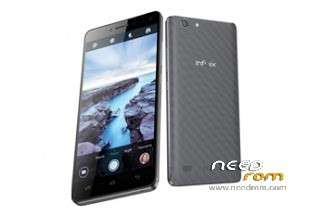
- Title: Infinix Hot 3 X554 Stock Rom/Official Firmware
- Listed: May, 2016
- Last modified: 05/05/2016 8:43 pm
- Version: X553-W90918-A2-L-20160304
You must be logged for ROM download.
18872 total views, 1 today
2 Total favorites
OFFICIAL

 Member Info
DESCRIPTION
- Download the rom and create a new folder and extract it there.
- Next is to open SP Flash Tool
- Then you have to click on scatter loading and navigate to the folder where you extracted the rom, you will see a scatter.txt file click on it and click open.
- The next step is to set the program to download only and then click download with green arrow above it.
- Now connect the phone via usb without the battery.
- Then put the battery back in and wait for the program to flash the rom to the phone (DO NOT INTERRUPT THIS PROCESS AND DO NOT TRY TO TURN ON PHONE WHILE THE PROGRAM IS STILL RUNNING)
- When the process is complete you will see a white tick in a green circle, now you can disconnect your phone and that is it you now have a brand new firmware installed on your phone.
※Please make a backup of your device before installing or updating ROM
Request a1
thank tested by me self 100/100 work
it works
How to Work this Software
BLANK SCREEN AFTER FLASH
Phone is completely dead, hope this firmware help fix it.
Yes it fixed the phone.
phone restart after flash
blank screen after flash,any help?
thanx
Is it for X554 or X553?