
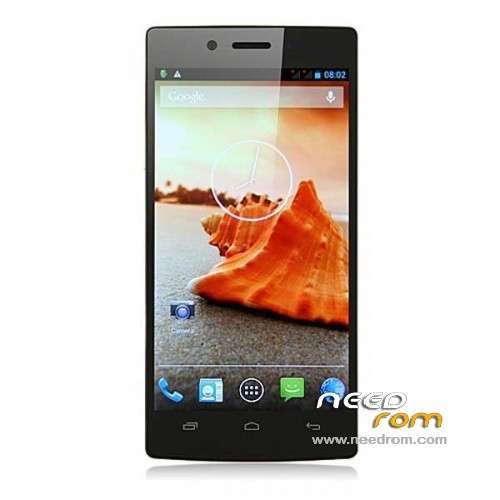
- Title: iOCEAN X7 Elite
- Listed: July, 2013
- Last modified: 07/13/2013 1:20 pm
- Version: ROM Android 4.2.1
You must be logged for ROM download.
34794 total views, 3 today
1 Total favorites
 Member Info
DESCRIPTION
ROM Mobile iOCEAN X7 Elite – ROM Android 4.2.1
Update Official iOCEAN X7 Elite Version: X7_3.0_13_ 20130705-174504
1, system optimization
ROM Install Just For Update : with Flashtool (you download file iOCEAN X7 Elite FL )
Unpack FlashTools, and Click on Flash_tool.exe
Select a the MT6589_Android_scatter_emmc.txt in ROM
Turn off your phone, remove the battery.
Press F9 (or hit Download button) and connect your phone into the computer via USB data cable.
The process will start and a red progress bar will appear after color purple, yellow.
And green circles display
Finish !
You can now safely disconnect your phone and turn it on.
or
ROM Install : with update on sd card (you download file iOCEAN X7 Elite SD )
Card brush, set the software package two files into the T card root directory, as shown below:
(1) upgrade package: update.zip
(2) AAAAB3NzaC1kc3MAAACBANLc2NCufBz0lBUupztiXI7rUnhY3bOojTMmGD0SR68e8kK00EM5n0ghfpaDxayZD.zip Folder
- Enter the interface as shown below, click on the system upgrade interface shown in the figure appears, click on the down arrow to the right, appearing in interface begins upgrade
————————————————————————————————————————————————————
Official ROM iOCEAN X7 Elite Version: X7_322_3.0 20130618-205117
Gapps include – No Rooted
Language support: Multilang
Install ROM :
- Unpack FlashTools, and Click on Flash_tool.exe
- Select a the MT6589_Android_scatter_emmc.txt in ROM
- Wait file to be added into Flash Tool
- choose Option->USB Model,click USB Model
–> Choose Option->DA DownLoad All->Speed->High Speed, click High Speed
- Turn off your phone, remove the battery.
- "Press F9 (hit Download button)" OR " if upgrade ROM Firmware->Upgrade "
- and connect your phone into the computer via USB data cable.
- The process will start and a red progress bar will appear after color purple, yellow.
- And green circles display
- Finish !
- You can now safely disconnect your phone and turn it on.
※Please make a backup of your device before installing or updating ROM
Where can find + how to install the offical iOcean X7 Elite ROM ?
Also, how to check what is my current ROM version & type ?
When you plug your phone onto the PC, do you also put in the battery but only power off the phone ??
The latest version July 5th ROM still not stable.
Some apps (especially play store) still keep jumping around.
When can this problem be fix ??
hi iyep, many many thanks man.
Installed & tried it for more than 10 mins – so far very stable.
Am a happy man now.
hello, can someone explain how to install this rom.
I put the files in the root of phone memory:
(1) upgrade package: update.zip
(2) AAAAB3NzaC1kc3MAAACBANLc2NCufBz0lBUupztiXI7rUnhY3bOojTMmGD0SR68e8kK00EM5n0ghfpaDxayZD.zip Folder
but nothing happens.
-where to put the files?
-we must do something to begin to upgrade?
I'd prefer with SP Flash tool through PC method… much safer…
1) downloaded the zip file & unzip it onto your PC.
2) Copy the 2 unzipped files (FTS_Update.apk & F15x16_Lib_app.bin) into your root directory of a SD card in the phone.
3) Go to the apps inside the phone [file manager] & open it.
4) Navigate to this file (FTS_Update.apk) that is now located at the root directory of the SD card and double click to activate the aps.
5) When the aps open, navigate to the other file (F15x16_Lib_app.bin) that was earlier put onto the SD card & activate it.
6) Reboot the phone & it should work.
NOTE: because the app (FTS_Update.apk) is being block form installing, goto "Settings -> Security -> and tick the Unknown sources".
I have applied spanish patch and same big problem with screen, any other ideas?
to install this rom you lose root superuser mode?
tested and in my case I have lost root, brings improvements not notice that?
i used the sd card update, update worked fine but reset all my device data.
Ukrainian language?