
- Title: Iphone I5S MF353ZP/a
- Listed: March, 2014
- Last modified: 04/01/2014 12:31 am
- Version: 4.2.2 Alps.jbr.mp.V1
You must be logged for ROM download.
42434 total views, 2 today
2 Total favorites
 Member Info
DESCRIPTION
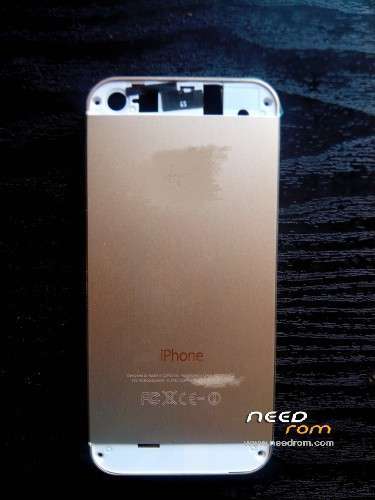
This is stock rom for iphone i5s clone Mtk 6572 1:1 system yaffs ubifs version
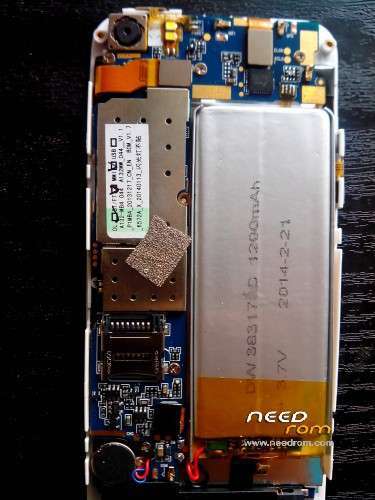
for model : A132MW_044_V1.1 , A132-MB4_044 , P1MB4_20131217_CN_EN , Bom_V1.7
ALPS.JB3.MP.V1
100% work
New Update i post after one hour rom for this device to version 1.2 . for fix many bug if you have . i post only system file ,so the first select scatter file then power off the phone , select da dl all with check sum , press download , connect cable usb ,after done , reset phone ,power on, go to setting,general restore ,attention if you restore phone you lost imei so you need mtk droid to restore imei and root system. ( Only this rom if you have bug ) Thanks 01/04/2014
rom v1.2 part 1 link :http://www.4shared.com/rar/_CdwPzuuce/system_v12_updatepart1.html
part2 link :http://www.4shared.com/rar/Wa4iM8Gdba/system_v12_updatepart2.html
extract file use sp flash tools link ,select scatter file mtk6572 ,select da dl all with check sum up bar,then press download , power off the phone and then connect usb ,wait few minut ,after its done reset phone using a needle and enter it into the hole near the flash, power on the phone . Thanks
Please donate me !!! contact motocrosspaulktm@yahoo.it
This rom is for most popular iphone i5s clone mtk6572
Now you can download the rom Thanks (donate paypal)
For root rom need password try this
rootv1
rootfileromv1
rootv1.1
rootromv1.1new
Thank you
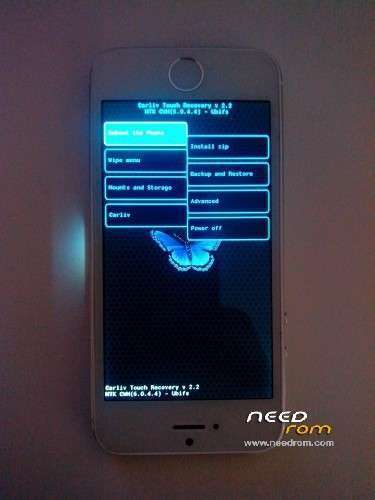
New Update Hot cwm recovery mode touch screen  ,function volume – scroll volume + scroll central button back ,
Password cwm try this : paulcwmrecovery or paulcwmrecovery1
05/12/2016
※Please make a backup of your device before installing or updating ROM
Thanks and Yes i got you email.. i have the phone rooted now.. Thanks!
I cannot download, the link is dead, can u send me to email genadub99@gmail.com, or make a new link! Tahnx
hello friend ,the link all works not have any problem .
links works for me..
but the screen problem after screen gets black is not fixed in upgrade 1.2
hell my friend the rom 1.2 is only if you have bug first rom , after you update the rom i know the screen is black ,for fix it friend after update ,go to recovery mode ,take button volume + and button power one for few secont ,and you are in recovery mode ,thel scroll down with volume – and select wipe all data facory same (select with + volume ) after done selett volume + to restart, and woow not have screen black all its ok !
for set usb debug , you need download usb debug.apk ,afer that you can see in mtk droid and you can restart in recovery mode with this program
same error in 2.1
Do you have any backup from your stock ROM ? i have a nandroid backup but without CWM i cant use it..
no
rogelito what phone you have, opend the aluminium cover back of you phone and tell me what serial have write in , i need the serial and i try to found you.Thanks
I dont think that the problem is in the rom.. i think its in the boot.img maybe a problem with the display driver..? i tested with a diffrent System.img and it had same problem..
hello friend ,for cwm mode i can make only for system ext4 no ubifs ,i can make for ubifs system, if you have complect rom system ext4 i can modific all model wirh cwm recovery
friend ,send me the nandroid backup ,i can modific in system img ,dont worry ,upload the nandroid backup and send me in privacy my email motocrosspaulktm@yahoo.it
It was arranged boot.img
https://drive.google.com/file/.....dit?usp=sharing (boot.img)
NICE!! works like a charm..
maybe you can make new ROM with this boot img paulktm..
ok friend i try ,but i need version of phone ,and recovery .
I need custom rom pure android no ios7 theme… i tried this ROM
https://www.needrom.com/mobile.....-android-4-2-2/
everything work fine even the GPS …
IMEI is correct…
recognizes the SIM but it does not call
“NO SERVICE”
WHY?
i noted that BASEBAND is different in this CUSTOM ROM, is older.
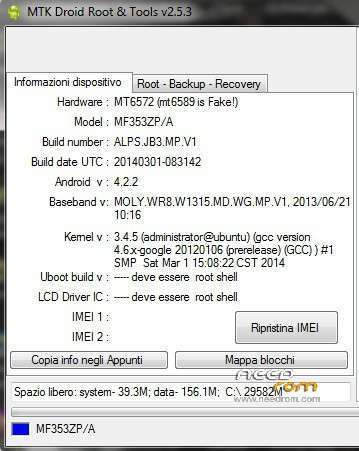
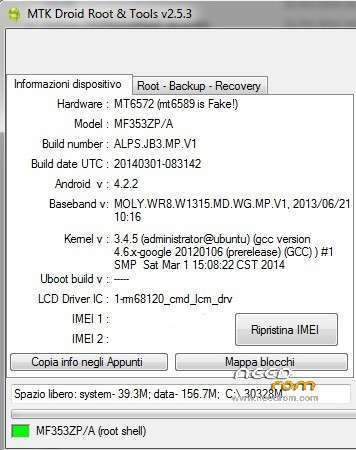
These are my info hardware found in MTK DROID TOOL:
Hardware : MT6572 (mt6589 is Fake!)
Model : MF353ZP/A
Build number : ALPS.JB3.MP.V1
Build date UTC : 20131123-075951
Android v : 4.2.2
Baseband v: MOLY.WR8.W1315.MD.WG.MP.V1, 2013/06/21 10:16
Kernel v : 3.4.5 (administrator@pc) (gcc version 4.6.x-google 20120106 (prerelease) (GCC) ) #1 SMP Sat Nov 23 15:56:45 CST 2013
in file system/custominfo.txt i have found "A132MW_HE_BS"
hello friend, if you not call because your imei is not good, you try to change imei friend with mtk droid, 15 number ,you need root the system. you try my stock rom ??? ,can you open the phone and tell me what serial number have write ,if you can.i want to help you , but need some detail ,the detai of mtk droid its not very secure because your system now is diferent if you try flashed many rom .
if work my stock rom for your phone tell me ?? i modific for you my stock rom ,but only need donate Kingstar. Thanks
Hello i get always error 8038 in sp flash tool. Can you help me?
i think not good for you the rom,so sorry friend .
or try to download new sp flash tools ,disable antivirus ,try this .
Now I realize that if I wait, and did not send the phone back in China now fix it myself with your help, now I'm sorry
don't worry friend , see you next time