
0
- Title: ISHAQ GSM TOOL FRP SAMSUNG
- Listed: October, 2024
- Last modified: 10/15/2024 7:01 am
- Version: 9.0, 10, 11, 12, 13, 14
You must be logged for ROM download.
4557 total views, 1 today
1 Total favorites
CUSTOM
 Member Info
DESCRIPTION
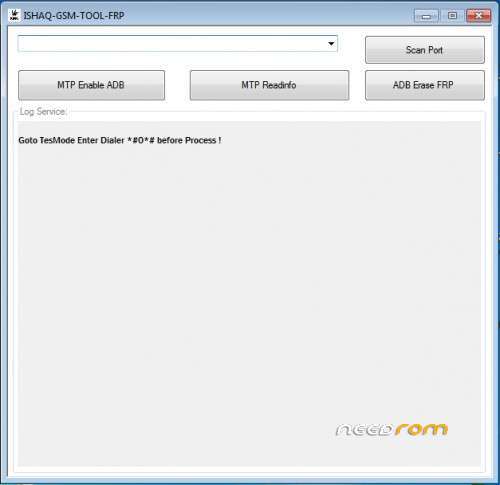
ISHAQ-GSM-TOOL-FRP
Samsung FRP Bypass
Disclaimer: While I can provide information on FRP bypass methods, it's crucial to use these methods legally and ethically. Bypassing FRP on a stolen device is illegal.
FRP (Factory Reset Protection) is a security feature on Android devices that prevents unauthorized access after a factory reset. If you've forgotten your Google account credentials or encounter other issues, you might need to bypass FRP.
Common Methods for Samsung FRP Bypass
-
Samsung FRP Tool: This is a popular online tool that can help you bypass FRP on various Samsung devices. It often involves connecting your device to a computer and following specific instructions.
-
ADB (Android Debug Bridge): If you're comfortable with command-line interfaces, ADB can be used to bypass FRP. You'll need to enable USB debugging on your device before proceeding.
-
Odex Push: This method involves pushing specific files to your device's system partition. It requires technical knowledge and can be riskier than other methods.
Note: The specific steps for each method can vary depending on your device model and Android version.
Important Considerations (USE *#0*#)
-
Legal Implications: Bypassing FRP on a stolen device is illegal. Ensure you have the necessary permissions or are the rightful owner of the device.
-
Data Loss: Some methods might result in data loss. It's advisable to back up your important data before attempting a bypass.
-
Risk: Bypassing FRP can sometimes lead to unexpected issues or instability. Proceed with caution and be prepared to troubleshoot any problems.
For detailed instructions and the latest information, I recommend visiting these resources:
-
YouTube Tutorials: Many tech YouTubers provide step-by-step guides on FRP bypass methods.
-
Online Forums: Websites like XDA Developers often have discussions and solutions related to FRP bypass.
Remember: The best way to avoid FRP issues is to keep your Google account credentials secure and avoid factory resets unless absolutely necessary.
THANK AND DONATE…
FILE FREE
※Please make a backup of your device before installing or updating ROM