
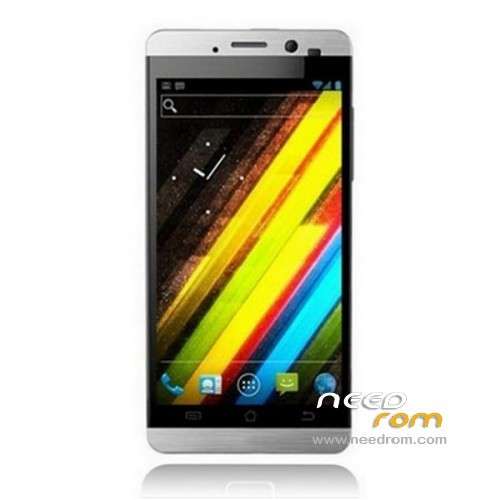
- Title: JIAYU G3
- Listed: March, 2013
- Last modified: 03/19/2013 4:09 pm
- Version: ROM Android 4.0.4
You must be logged for ROM download.
38782 total views, 3 today
2 Total favorites
 Member Info
DESCRIPTION
ROM JIAYU G3 – ROM Android 4.0.4
The original G3 software version : G3-20120223-071508
This ROM is just for G3-20130223-071508 ( chip S501 )
The other version not for you
Features ROM:
MTK recently updated WIFI \ Bluetooth \ GPS \ FM
the update of the hardware chip lead a new production of mobile phone software is no longer compatible
with the previous version of the software, so special release of the updatesoftware for relevant users to download.
ROM Install : with update on sd card (you download file JIAYU G3 SD )
Card brush, set the software package two files into the T card root directory, as shown below:
(1) upgrade package: update.zip
(2) AAAAB3NzaC1kc3MAAACBANLc2NCufBz0lBUupztiXI7rUnhY3bOojTMmGD0SR68e8kK00EM5n0ghfpaDxayZD.zip Folder
- Enter the interface as shown below, click on the system upgrade interface shown in the figure appears, click on the down arrow to the right, appearing in interface begins upgrade
or
ROM Install : with Flashtool and recovery (you download file JIAYU G3 FL )
Unpacked driver installation and install.
To unpack SP_Flash_Tool_exe_v3.1244.0.sn85.zip run Flash_tool.exe
Select a the in MT6577_Android_scatter_emmc.txt in Recovery with Flashtools
Click Flash_tool.exe interface Firmware-> Upgrade
Phone after taking the battery in put something
Connect the data cable
Brush finished with green circles appears
How can we check if i have S501 Chip:
You can check if you have the s501 or s500 by looking at the Builld number in Settings>About Phone.
The s501 has a stock Build number of G3N 20130223-071508
The s500 may have various other build numbers… eg G3 20121115-084708, which is stock ICS.
The way I found out was by attempting to install s500 ROMs on my s501 phone. everything works fine, except Bluetooth, Wi-fi, GPS and FM radio. Jiayu will only be manafacturing s501's from now on as the s500 has been discontinued. Having an s501 is not all bad however, as this does mean that you can be sure that you have the improved display from Taiwan and none of the early build quality issues. If Jiayu release a Jelly bean upgrade I will try porting the Cyanogenmod ROM over onto it and improving on that.
Thx Chrissyboy101
※Please make a backup of your device before installing or updating ROM
Don`t work WIFI for me
wifi does not work
Это обновление не для наших телефонов, а для более новых версий с новыми чипами Wi-Fi
So is there a Jelly Bean update available for phones with the original S500 chip?
My G3 arrived today, with this installed. Means most JElly bean roms don't have Wifi working :S
Having researched this more now, I realise that Jiayu used to use the s500 chip. This is the only ROM on needrom for the s501 chip. See here for more details;
http://bbs.ejiayu.com/thread-4.....66418-1-1.html
I think that Jiayu are planning on releasing a Jelly Bean upgrade for the s501 version
my mistake thx chriss
How can we check if we have S501 Chip?
You can check if you have the s501 or s500 by looking at the Builld number in Settings>About Phone.
The s501 has a stock Build number of G3N 20130223-071508
The s500 may have various other build numbers… eg G3 20121115-084708, which is stock ICS.
The way I found out was by attempting to install s500 ROMs on my s501 phone. everything works fine, except Bluetooth, Wi-fi, GPS and FM radio. Jiayu will only be manafacturing s501's from now on as the s500 has been discontinued. Having an s501 is not all bad however, as this does mean that you can be sure that you have the improved display from Taiwan and none of the early build quality issues. If Jiayu release a Jelly bean upgrade I will try porting the Cyanogenmod ROM over onto it and improving on that.
I agree with you and i appreciate your support and efforts but for instance lewaos rom would keep working on s500 g3 or otherwise will it develope rom for this last S501 models? Thanks in advance.
I have a G3 20130116-221844. What should I chip? S500 or S501?
harrvy, you have the s500.
It is to my understanding that at the moment there are only custom ROMs for the s500.
I do not know of any custom ROMs for the s501.
A quick google search tells me that there is no official LewaOS support for the Jiayu G3. Therefore it is probably being done by a modder who has the s500. So it is safe to assume that ROM development will continue for the s500 version. Hopefully there will also be some ROM development in the future for the S501!
Yes there´s official lewaos support for this phone g3 but I think only for chip S500
Sorry I forgot to write the link http://bbs.lewaos.com/download......php
You're right, sorry! Was expecting them under the name Jiayu not 'Good Domain'.
That ROM is for the s500, but I have no idea wether they will release a s501 version.
I expect Jiayu will release a 4.1.2 update in the future.
Hi,
I have tried to upgrade my phone to 4.1.2 but unfortunately I didn’t know this differences, and now I can’t use WIFI, GPS and so on.
Now I have tried to use this rom to revert back to 4.0.4 but the version JIAYU G3 SD doesn’t work!!
When the phore reboot show this messages:
CWN Recovery v5.5.0.4 for
Finding update package …
E:unknow volume for path [/sdcard2/update.zip]
E:Can’t mount /sdcard2/update.zip
Install aborted
Could you help me?????
Hi intruderb,
That's interesting. Did you make a clockworkmod backup of 4.04? If so, just restore that.
I don't know any other sources for this ROM, so I can't check if this ROM is corrupted.
I recommend you try downloading again. Also, what method for installing are you using?
You need to place update.zip on the top level of your microSD card. (eg not in any sub folders)
In clockworkmod, you should select;
Install zip from SD card
apply /sdcard/update.zip
Does this method work? If not, I can hard reset my phone and then upload a clockworkmod backup of the original ROM, as we have the same version of clockworkmod.
Hi Chrissyboy101
Thank’s for the answer, anyway I flashed a 4.1.2 rom without a backup of my 4.0.4 original version. I’m was stupid man!!
Then when I discoverd the problem of WIFI etc. etc. I’m googling and reach here.
So I tried to apply this ROM onto a 4.1.2 and I had that problem.
Anyway I solved it removing these lines in the file update-script
assert(getprop(“ro.board.platform”) == “MT77_H958_ICS” ||
getprop(“ro.board.platform”) == “MT77_H958_ICS”);
Removing that lines the rom is installed rightly!!!
Now I’m looking the find a 4.1.2 rom that works on my phone with chip S501
Do you have some news???
No ROM's that I know of. I've been asking the same question on XDA!
I have same problem.
Can You tell how exactly You resolve it?