
- Title: JIAYU G3
- Listed: December, 2012
- Last modified: 12/26/2012 12:54 am
- Version: ROM Android 4.1.2
You must be logged for ROM download.
21119 total views, 1 today
 Member Info
DESCRIPTION
ROM JIAYU G3 – ROM Android 4.1.2
ROM size: 189MB
Android version: 4.1.2
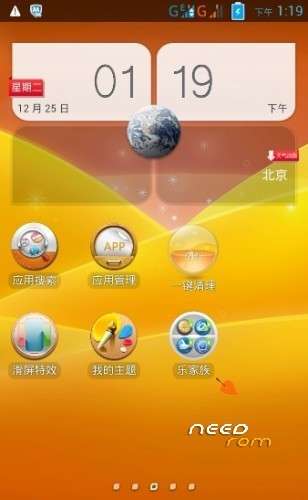
UI type: Lenovo UI
Suitable models: the good domain G3
Updated :2012 -12-25
Brush process :
Unpacked driver installation InstallDriver.exe
To unpack SP_Flash_Tool_.zip run Flash_tool.exe
Select a the in MT6577_Android_scatter_emmc.txt QingTian_4.1.2_JIAYU_12.25.zip
Click Flash_tool.exe interface Firmware-> Upgrade
Phone after taking the battery in put something
Connect the data cable
Brush finished with green circles appears
Then deducted batteries back into the system
Key plus the power button on the phone off the volume
To enter the selection mode
Select key on the volume
Select the first recovery volume button to confirm
Enter QingTian key board recovery
or
Install MobileUncle Tools avaialble on market
Download: recovery_cwm5.5.0.4_ENG.img and put in the root of SD carrd
Open MobileUncle Tools
Click on update Recovery
Choose the recovery_cwm5.5.0.4_ENG.img and follow the instructions
And now you have a english recovery !
Root G3 :
1- Connect your g3 activating USB debugging mode
2- Run the runme.bat in any case the file that ends is .bat
3- select option 1 and leave work
your G3 will reboot is normal
Look this video.
https://www.youtube.com/watch?v=fmVAQJnW10g
※Please make a backup of your device before installing or updating ROM
I have a probl acessing the recovery, it shows an android icon with exvlamation mmark. Wat can I do to access the lewa n cwm rrecovery I installed
I did wired brush using the last official ROM ICS and select for Recovery file recovery_cwm5.5.0.4_ENG.img (on SPFlash tools list).
After this procedure, I can entry in CWM recovery menu
I tried to download only the Chinese version of CWM Recovery, but my G3 stays going ON and OFF at Win7.
Or: you can install MTK Uncle tools, download recovery_cwm5.5.0.4_ENG.img from Internet, copy to SD card, run that App and select to run that recovery image.
I did this procedure too !