
- Title: JiaYu G3 4.2.2
- Listed: September, 2013
- Last modified: 09/05/2013 9:47 pm
- Version: ROM Android 4.2.2
You must be logged for ROM download.
106877 total views, 14 today
3 Total favorites



 Member Info
DESCRIPTION
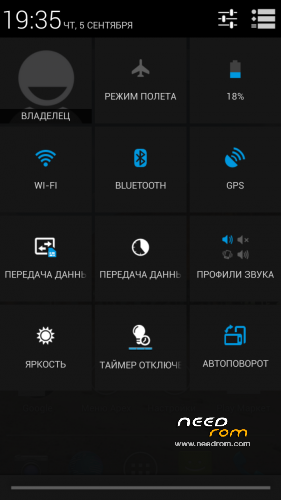
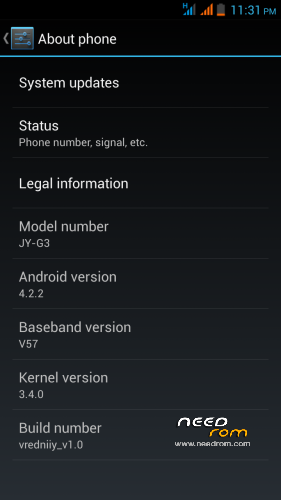
ANDROID 4.2.2 for JiaYu G3 by vredniiy
version: vredniiy stable v1.0
Language: English / Russian / Chinese
1)deodex
2)root
3)busybox
4)google apps
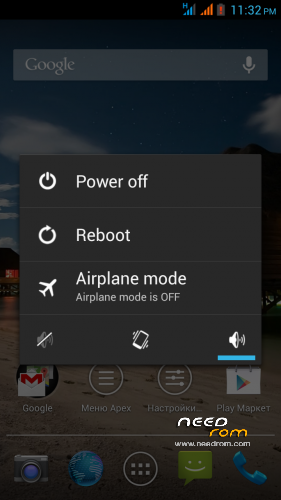
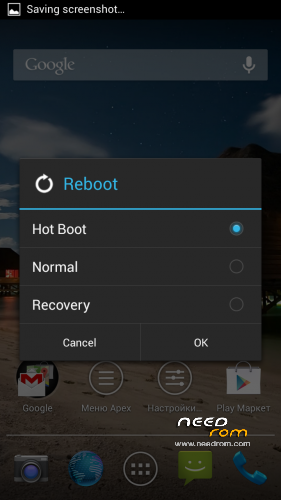
5)advanced menu reboot
6)auto-hide the network is not an indicator used by the SIM-card
7)flashlight on the volume button
8)Blue LED notification
9)Camera with 4 nexus with the photosphere
10)etc/host
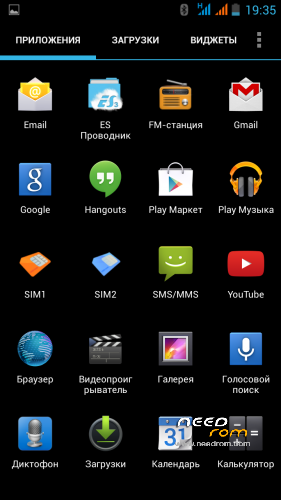
11)viper audio
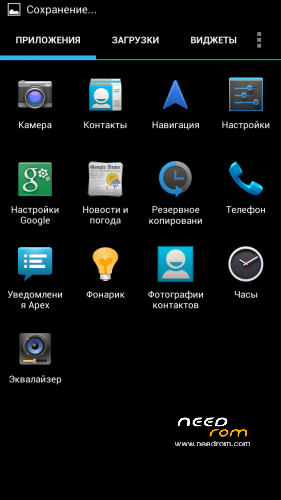
12)Nexus torch
13)Sound recoder for LEWA
14)Apex Launcher
15)Apex Notifer
16)Es file explorer
17)Full screen photo during a call
18)EngineerMode in the settings menu Developer
19)PhotoSync
path g3 to g3n
※Please make a backup of your device before installing or updating ROM
Another thing I've discoverd in v3: Installation of Apps is taking much longer than before.
what abt camera autofocus ?, does the image are blurr ? video recording has 720p ?
I see that v2 has blurr photo shots too.
@SamsonBear i cannot install gravitybox.apk , give me an error during installaton. Can you explain me as you have done.
Thanks
Same for me when wanting to update GravityBox in 2.5.1. The installed version on v3 ROM is actually 2.4.0, but no way for upgrading to 2.5.1. Any idea, because, it's clearly not clear to understand on xda-developers website.
what i did was delete the xposed dir from system dirctory using rootexploerer. reboot. Then install the new version. b4 deleting, make a backup, in case something gets screwed!.
1. d/l the xporesed_disabler-cwm.zip from the xposed post at xda forum.
2. from system settings->accessability->xposed->unistall(restore) / or cleanup. , reboot.
3. if it cant boot, patch the file in step1 in cwm, reboot. else this shd boot normally.
Now install xposed fw, sapreately.
Hanu_blr, I've tried both methods, and still not possible to update GravityBox…
i d like to offer my help for a german translation .
norbert
Hey guys,
I had to go back to 4.1 and wanted to try 4.2.2 with v3 again, but I can´t install 4.2.2 due to failure 7 in cwm(v6.0.2.8).
set_perm: some changes failed
E:Error in /sdcard/… (Status 7)
Installation aborted
Could anybody help me, please?
Hannes
@Crash: First of all try a different CWM (6.0.3.3.)…
http://www.fastshare.org/downl.....0.3.3_JIAYU.zip
Place Android 4.2.2 v3 on your SD card
- After installing the CWM boot into recovery.
- wipe data/factory reset
- wipe cache partition
- advanced > wipe dalvik cache
- now "install zip from sdcard" and choose android 4.2.2. v3
Good luck and let me know if it worked alright!
@sambapati:
- go to "system > app" using Root Browser or Root Explorer
- rename "GravityBox.apk" to GravityBox.old" (just for backup reasons!)
- move "GravityBox_2.5.1.apk" to "system > app"
- rename it to "GravityBox.apk"
- change Permissions to rw-r–r– (0644)
- restart your phone!
- now start "Xposed Installer" choose "Modules" and check the box before "GravityBox 2.5.1"
- restart your phone again!
- be happy. Let me know if it worked….
Thank you for your input…it seems to be working well. But, I need more test during a longer time along phone use. Anyway, good method you propose that I will remember for other purposes later…Thanks again
i looking for the rom!
What do you mean by "looking for the rom!"?
@SamsonBear: Thanks for your help, but it´s not possible to install your cwm. I tried to install with cwm (install zip, ..) and mobileuncle. It installed without a failure but I have still cwm(v6.0.2.8)?
Another question: now I´m on 4.1.2 I have to install 4.2.2 first and then install/update v3, correct?
Wich model of G3 have u got? Is it the G3DC?