
- Title: JIAYU G3 G3N
- Listed: April, 2014
- Last modified: 04/12/2014 12:15 am
- Version: ROM Android 4.1.2
You must be logged for ROM download.
105054 total views, 7 today
5 Total favorites
 Member Info
DESCRIPTION
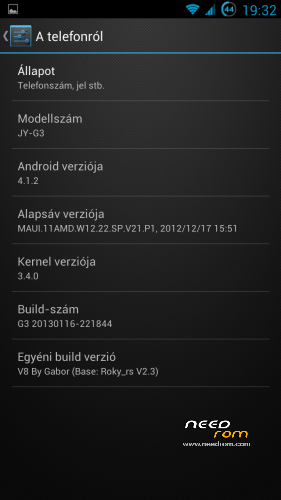
JIAYU G3 & G3N – Android 4.1.2
Base firmware: china-iphone.ru By Roky_rs (v2.3)
UPDATE V8 ROM (2014/04/11) – (Google Play Services FIX)
Roky ROM users!
Certificate problem all apk in V8 (2014/04/06) ROM
Please Re-Download new V8 ROM!
Sorry…
V8 – UPDATE (2014/04/06) FINAL
Deleted unused/unnecessary files
More free storage on \system partition
Select more ringtones on Media Storage
Disabled internal SD
Xposed 2.5 and Gravitybox 3.0.1
Latest Play Store
Updated some apk
Diasbled notification message when using only one SIM card
Removed Google Legal and Copyrights info from Device Info panel
Contacts.apk from G2S Lepi v2.5.3 ROM
V7 – UPDATE (2013/08/19)
Updated apps: Google Play, Superuser, Mobileuncle Tools, Titanium Backup. WifiADB
Vol +/- weak not included this rom and update (use patch)
Data/app application updated
Long press back button: Kill foreground app
Sense app switcher
Settings: Added Call settings menu
Optional Update: Widgetsoid Statusbar Patch updated
Optional Update: Xperia Launcher Pack updated
OGBatteryMod fixed, stock battery icon added
SystemUI fixed: stock battery icon, after rom install
Contact Picture Sync
G3N users!
If you are using V6 rom and just updated to V7, please apply G3N Patch for V7 again!!!
V6 FIXED – UPDATE (2013/07/28)
Some bug fixed (Contacts, Settings, etc…)
V6 – UPDATE (2013/07/24)
Updated Google apps
Updated and fixed Superuser
Fixed stock launcher
ROM included Vol +/- patch
Updated data/app applications
Updated Gmail
Fixed G3N patch
Added WifiADB
OPTIONAL UPDATE (2013/07/12)
(WORKS ONLY WITH V5 ROM!)
Official statusbar toggles removed
Statusbar brightness slider removed
Added Widgetsoid 2.4.6 toggles (full customizable!)
Clear all notification button move to top bar
Widgetsoid settings: Settings/Display/Statusbar toggles settings
V5 – UPDATE (2013/07/07)
(ONLY UPDATE PACK - Before use, plz install V4 FULL PACK)
Fixed SystemUI
Fixed OGBatteryMod
DeskClock: Alarm working when phone off
Fixed APN list (T-Mobile/Hungary)
Screen Off button removed from statusbar
Large clock on statusbar
OPTIONAL UPDATE (2013/07/07)
Xperia Launcher 2.05
With: wallpapers picker and widgets
Script will remove Apex Launcher application and remove Apex from Settings/Display
V4 – UPDATE (2013/06/22)
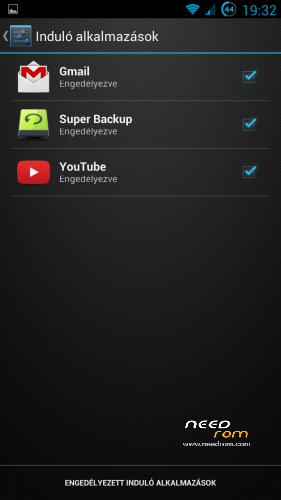
Autostarts manage
Fix missing language strings (only Hungarian)
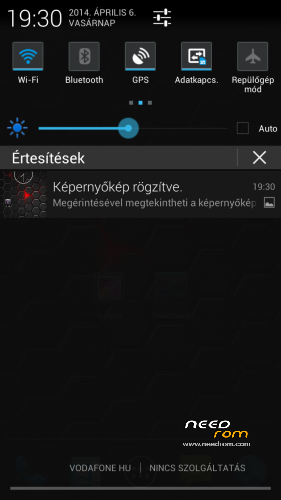
Screenshot notification fix
Updated Google Play (only full package)
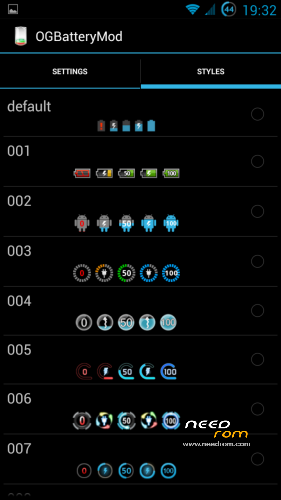
More battery icons (25)
Statusbar Mods: clock, screen off button, auto brightness
Updated apps: Titanium Backup (move to /system)
Mobileuncle Tools (move to /system)
V3 – UPDATE (2013/06/09)
Removed official android keyboard (default: xperia optional: anysoft)
Camera FC bug fixed (Thanks Apeelme!)
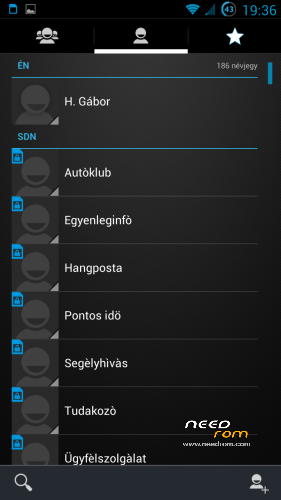
Contacts:
300 px contact picture
350 px thumbnail generate
(Hint: use only phone memory, and disable Google sync)
Call Log:
Date format: year / month / day – day of week
300px contact pic when tap pic or phone number
framework.jar:
Mediascanner deep-sleep bug fixed
Settings: (Date and Time)
Added more date format (year / month / day – day of week)
V2 – UPDATE (2013/05/23)
Added Hungarian language
Added "official" Tasmanager
Factory reset disabled (partial boot-loop, use recovery…)
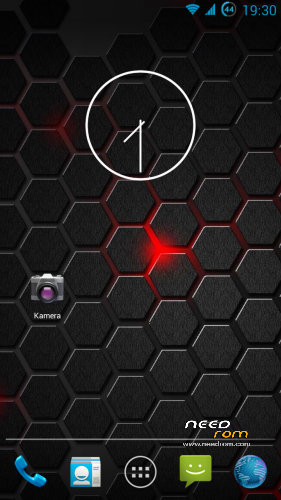
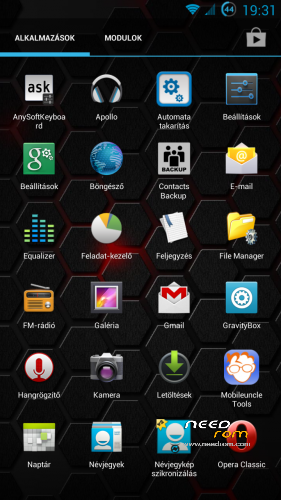
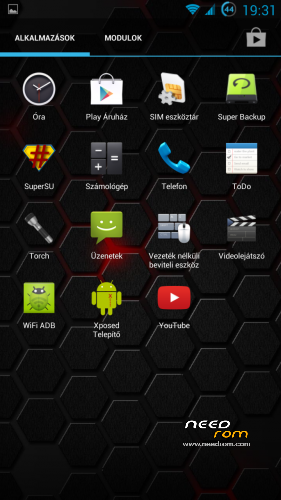
Official laucher: 4×5 Grid + 7 homescreen + 50% transparent appdrawer
Remove Recovery change in update-script
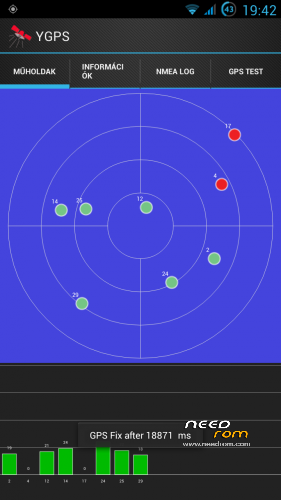
YGPS in Location menu
Apex 2.0.2 and Apex Notifier
Fix Android keyboard for non-russian language (LatinIME.apk)
Custom Boot/Shut animation
Refresh APN list (add missing APNs, thanks for Apeelme)
OGbatteryMOD in Display menu
Remove from data/app folder:
com.keramidas.TitaniumBackup-1.apk
com.bvalosek.cpuspy.realgpp-1.apk
com.freeman42.app4pda-1.apk
com.omichsoft.taskmanager-1.apk
com.picsel.tgv.app.smartoffice-1.apk
com.skype.raider-1.apk
com.teamboid.adbwireless-1.apk
org.adaway-1.apk
pl.solidexplorer-2.apk
SolidExplorerUnlocker.apk
Add to data/app folder:
AnySoftKeyboard.apk
com.adobe.flashplayer-2.apk
ContactsBackupUltimate.apk
FileManager.apk
MagyarAnySoftKeyboard.apk
mobileuncle.toolbox.apk
opera.browser.apk
SuperBackup.apk
TitaniumBackup.apk
system folder:
SuperSU cange to Superuser
GoogleQuickSearchBox.apk removed
USE ONLY CWM 6.0.2.8 OR TWRP 2.4.1.0 (or newer) RECOVERY
G3N users, use this patch (By Ervius): G3N_Patch_For_V6.zip
Volume +/- weakup patch: vol+-wakeup_4_1_2.zip
Supported Languages:
AR/BN/DE/EN/ES/FA/FR/HI/HU/IN/IT/MS/NL/PT/RU/TH/TR/UR/VI/CN
More pics:
Pics – v1 / Pics – v2 / Pics – v3 / Pics – v4 / Pics – v7 / Pics – v8
ROM Install :
USE CWM 6.0.2.8 By Apeelme or TWRP 2.4.1.0 (or newer) RECOVERY
1. make a Nandroid backup (optional-recommended)
2. wipe data/factory reset
3. format /system from mounts and storage menu
4. choose zip from sd card find android_v4.1.2_Rocky_RS_v2.3-HU_xx.zip and install
5. reboot device and enjoy!  (first boot will take longer than usual)
If you want to call it a coffe hit the Paypal (Make Donation) button… 
※Please make a backup of your device before installing or updating ROM
@gabor,
where do I get the black calendar from? Could you please post a link to the apk file?
I just want to know that why i can·t download this rom.Couldn`t you please send it to my e-mail(kissxiaoqian@gmail.com).I really think it`s a nice rom.Thanks you very much!
Hi Gabor,
I have just installed your ROM and seems to be by far the fastest and most fluid one I have tried. I replaced the Apex launcher with Nova Prime (personal preference) and removed some of the pre-installed apps. GPS first fix took incredible 7 seconds outdoor! I love the revamped black stock calendar and email client which I use for my exchange account.
I don't particulary like the brightness slider in the notification area – is there any way of removing it without having to install a 3rd party widget, etc.? I have also noticed occasional crashes when going into USB storage mode, sometimes it takes 3-4 attempts to get it done. Long press back button kill app feature is great and also like the vertical swipe. Testing the battery life to see how that works but seems OK so far.
One general question about Jiayu G3 (that to my suprise no one is really asking) is how to get the wired headset to work with media controls (play/pause/skip/volume +/-)? I am not sure if this is a hardware issue with G3 or just a software problem but I could not get wired headset to work with media controls on any ROM so far, including stock rom(s) (also tested at least 10 different headsets). Obviously you can bypass this by using bluetooth which works just fine but I am really keen to understand if this can be achieved with wired headset (again just a matter of personal preference as I do not like bluetooth).
Many thanks and keep up the good work!
When receiving a call, sometimes the other person doens't hear me and vice versa. After calling again it works but is this because of the G3 and G3N version? What works if you have the wrong version? Currently working with the standard G3
There are so many pages! I hope someone can help me.
Is it possible to remove the brightness control from the notification bar?
Thanks
Hi to everybody!
I have been tested the Rom for 1 month. That’s so great.
I have not been taking many pictures in this time.
Today I discovered that all pictures I took was corrupted (almost 30 photos).
The gallery and camera were crashing like others in comments when I tried to see the last picture took.
I discovery that the Rom parted my sd card in two partitions. One big (14.61GB) and another with 1GB, named like Sdcard and sdcard2.
The camera was saving the photos to small partition.
I don’t know what was happening, but the all photos saved there after a reboot became garbage. I blocked the mount point of this small partition on vold.fstab and the camera started to save on big partition.
I posted this to help and to someone helps me if this problem.
If someone has an idea let me know please.
See you and good work in advance
Any1 knows how to control the media player with single button wired headset ?.
I tried lots of headset controllers on google play, none works. In fact, i d/l the keytest.apk file to see if single button when pressed, shows the key code. It did not shown any . i could see keys codes for vol + /- menue/return. but not for the mic click button.
Then i tried this too http://forum.china-iphone.ru/p…..l#p1038070 , edited files as mentioned in the sreenshot, no luck
Any1 know how to make this wrking ??? hv been looking around for sometime… I know that google has hijacked the keys in 4.1+.
correct url http://forum.china-iphone.ru/p.....0.html#p1038070
great, but
SIM management
video Call
SMS / MMS
data connection
I can adjust to ON
I leave the menu, it moved back to OFF
^^ one more "bugs"
No contact pictures on call. No 3G service on the second SIM (switch does not work)
Otherwise everything runs.
G3N de hiç stabil çalışmıyor , sürekli restart atıyor ve kapanınca pili çıkartıp takmadan açılmıyor.
It isnt stable on G3N , keep restart all the time and you have to take the battery off to open the phone again.