
- Title: JIAYU G3 G3N
- Last modified: 06/11/2013 3:15 pm
- Version: ROM Android 4.1.2
You must be logged for ROM download.
47670 total views, N/A today
14 Total favorites
 Member Info
DESCRIPTION
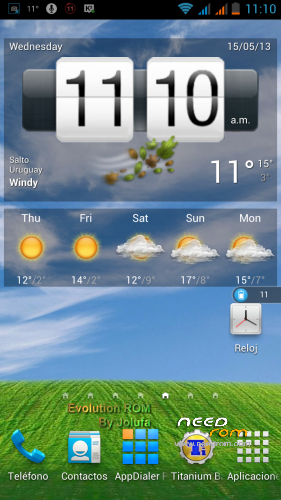
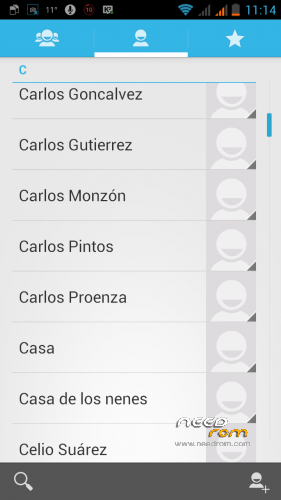
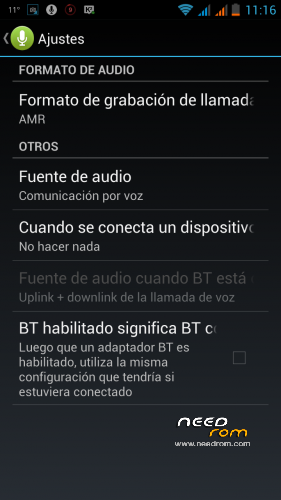
ROM JIAYU G3 and G3N – ROM Android 4.1.2 Evolution by Jolufa
EVOLUTION ROM by Jolufa R.O.U. For G3 and patch JIAYU G3N
After about a month that I've uploaded the ROM (over a thousand downloads, I've received the total of 1 euro as donation. Thank you again) I'm updating this thread probably for the last time.
It is not a whim or unwillingness simply means I don't have my G3 and I lost interest, plus I have no way to test the changes.
I'm without phone, by necessity I had to sell my JIAYU G3 and now I have a ALCATEL OT-208 … Ha Ha …
Well, expecting a C2 ZOPO shortly.
As always, however, I am at your command.
Catches are different now, I have no way of making them.
He had the ROM on my MicroSD and so could upload, is what I was.
Change Log:
Version 1.3 (were reduced enough sizes both versions, the "light" even more so)
Most successful and aesthetically pleasing (at least to me …)
Jun 10, 2013:
* Removed completely Chinese applications, now no trace.
* Contains only:
[CODE]
com.android.mifileexplorer.apk -> File Manager
com.bitcubate.root.busybox.complete.apk -> Busybox
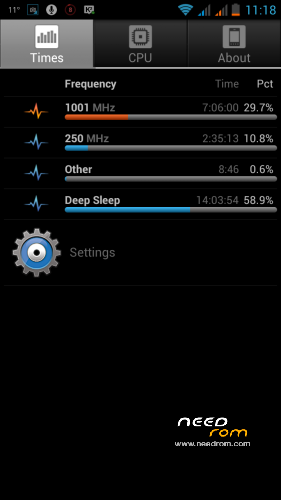
com.bvalosek.cpuspy.apk -> CPU Spy
com.eugene373.cpu.sleep.apk -> CPU Dual Core Edition Sleeper
com.force.timezonefixer.apk -> Time Zone Fixer
com.ghisler.android.TotalCommander.apk -> File Manager TotalCommander
com.keramidas.TitaniumBackup.apk -> Titanium Backup
com.mirko.csr.apk -> CPU Spy Reborn
com.mobileuncle.toolbox.apk -> Mobile Uncle Toolbox
com.onexuan.battery.apk -> One Power Guard Battery Saver
com.pierwiastek.gpsdata.apk -> GPS Data
com.uzumapps.wakelockdetector.apk -> wakelock Detector
com.wwdev.rebooter.apk -> System Rebooter
jackpal.androidterm.apk -> teminal Android Emulator
mohammad.adib.asnap.apk -> Screen Capture
name.pilgr.appdialer.pro.apk -> App Dialer
ru.org.amip.ClockSync.apk -> Clock Sync
ru.org.amip.timezoneservice.apk -> Time Zone Service
Xperia_Z_photo_gallery.apk -> Z Xperia ported Photo Gallery[/CODE]
<> Replaced the Samsung Galaxy S4 Launcher for Sony Ericsson Xperia Z and ALL widgets (more attractive, lower memory consumption, more fluid)
<> Updated Xperia Z Keyboard to the latest version, removed the Chinese keyboard.
<> Updated hosts file for ad blocking.
<> Modded MMS APK with 160 characters sms capacity.
+ Added Online Nandroid Backup script (type "onandroid" without quotes, with administrator privileges to make a Nandroid backup without rebooting in Recovery)
+ Added optimizations processor frequencies.
+ / – Well, some other change that reminded me, because I repeat: I have no more my cell.
(Refer to the Frequently Asked Questions to identify which is which if you do not know).
_________________________________________________________________
Hello, how are you?
For a couple of months I've been using (after working many, many hours on it) a ROM based on the latest available from the factory for our JIAYU G3.
Therefore I refer to JB 4.1.2 beta.
Like almost all previous ROMS, of all my previous phones and this one in particular, the development was made for personal use; suited to my tastes and needs. Normally not public. In this case it seemed good to share to the community.
Well, let's start with the description.
Try to answer the following: What was changed? What was it added? What was taken away? What makes it different?
Note: the ROM boot in spanish lang, if you want another lang, please use the included Prop Editor or MoreLocale from the Google Play to set your preferences.
ODEXED
Evolution ROM is and always will odexed.
Odexed ROMs offer increased application execution speed, lower memory consumption and improvements in code execution.
The disadvantage would be when decompile, modify or apply themes.
Mainly as I said above is based entirely on the official ROM provided by JIAYU. What does this mean? Have tried to touch as little as possible, to get a good performance and reliability.
This is undoubtedly a ROM balanced between performance and battery consumption.
From experience I am guided by the scores given by Antutu for example (I made a test immediately after the previous one has given me up to 1000 points difference without having touched anything), but I do not mean to have low scores or poor performance. He has given over 6000 occasionally.
Rather, what I mean is that do not necessarily go hand high scores and usability. Do you understand?
So if you're of that is based on test scores or installing a ROM is probably not what you expect.
If instead you want to try a ROM balanced, with everything working perfectly, this would be an option to take into account.
Added the following applications:
A1 CPU Tool_0.9.1.apk A1 SD Bench_1.3.1.apk AdAway_2.3.apk AppDialer Pro_3.7.2.apk aSNAP_1.0.1.apk BuildProp Editor_1.0.apk busybox_2.0.apk CallRecorder_1.3.9 full.apk Clean Master_3.4.0.apk Clock_2.0.4.apk ClockSync_1.2.3.apk com.bitcubate.android.su.installer.apk CPU Sleeper_3.7.apk CPU Spy_0.4.0.apk F-Droid_0.42.apk File Explorer_3.1.6.apk Freedom_0.8.4.apk GO Backup_3.3.apk Google Play services_3.0.27 (599131-10).apk GPS Data_1.15.apk Helium_1.1.0.2.apk Installer GooglePlay_1.1.0.apk Knock-¦+_1.0.1.089.apk Lucky Patcher_3.1.6.apk Maps_6.14.3.apk Mobileuncle Tools_20130223v2.8.0.apk MX Player_1.7.15a.apk My Tracks_2.0.4.apk One Power Guard_2.8.apk Rebooter_1.3.apk Software Data Cable_4.2.1.apk TimeZone Fixer_1.3.4.apk TimeZoneDB for ClockSync_1.1.2.apk Titanium Backup_6.0.4.apk Total Commander_2.01.apk TTPod_5.3.0426.apk Unify_1.3.2.apk Weather Services PRO_2.1.4pro.apk
Removed severa
necessary applications, animated wallpapers:
systemappAndroidian.* systemappExchange2.* systemappEmail.* systemappGalaxy4.* systemappGmail.* systemappQuicksearchbox.* systemappHoloSpiralWallpaper.* systemappMicrobes.* systemappMusicFX.* systemappNoiseField.* systemappPhaseBeam.* systemappSetupWizard.* systemappVisualizationWallpapers.* systemappLiveWallpapers.* systemappCyanbread.* systemappRomManager.* systemappCMWallpapers.* systemappQuickSearchBox.* systemappMagicSmokeWallpapers.* systemappDevelopment.* systemappProtips.* systemappPicoTts.* systemappHTMLViewer.*
Chinese Applications removed:
dataappcom.tencent.mobileqq.apk
dataappcom.baidu.input.apk
Installation Method (installable from the Recovery):
Make full system cleaning (wipe data / factory reset). This will erase all data, make a backup if you need to restore.
Install the preferred version (full / lite).
Restart the phone and wait for it to load the system. If a Root repair message we say yes.
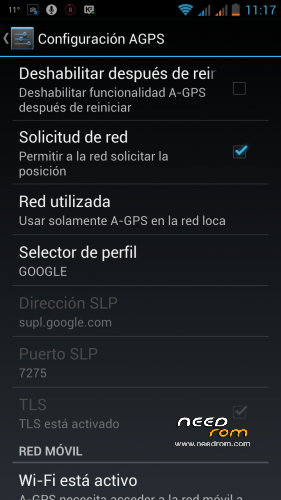
Open [Settings] -> [Access location] -> enable [Access My Location], enable [GPS satellites], enable [Mobile Network Location yy Wifi]
Click hablitar GPS Satellites [EPO] and [a-GPS], download EPO data using WiFi or mobile data.
Go to an outdoor location (I mean not covered) and make the first fix with GPS Data.
Optional / Recommended: Run Busybox, super user / her in that order (a new compilation is automatically granted root permissions without asking)
Optional / Recommended: Run CPU Sleeper and mark [Auto Start-Up] -> [Start CPU Sleeper] and One Power Guard [IA Mode] -> Settings -> Set On Boot -> Restart Protection
Optional / Recommended: Run TimeZone Fixer -> Update files
Patch G3N conversion (Not tested, I don't have one 3GN to test, but it should work because it is generic, the one difference is the chip 6620-6628)
FAQ:
Q: How do I know if my JIAYU is G3 or G3N?
A: Certainly there are various ways, basically the difference between the two models is the radio chip that handles all wireless communications, cellular signals read proper radius (GSM, 3G, FM) wifi, bluetooth, etc.. Using the included MobileUncle Tools is simple:
MobileUncle Tools -> Mode Engineer (MTK) -> Connectivity -> Bluetooth -> Chip Information:
If says MT6620 is one G3 or G3D.
If says MT6628 is one G3N or G3DN.
___________________________________________________________________________
Q: Are there plans for a deodexed ROM?
A: No. No plans at least mine. I will offer a version of Evolution deodexada ROM, even in its updates. That is something that anyone in the community can if you want.
___________________________________________________________________________
Q: Can you add a particular application?
A: In a short answer, yes. I can. But I will not make a request. Anyone can add the applications you want. The ROM is in a ZIP archive and is very easy to do on your own.
___________________________________________________________________________
Q: I do not use a particular application. Can you remove it from the ROM?
A: As is stated above, applications can be removed easily by everyone. I can not customize ROMs each.
___________________________________________________________________________
Q: The file is very large and do not need so many applications
A: I put a version available light, light or lite without most of the applications of her older sister, leaving only with Titanium Backup and a couple of applications under 50 Kb to control CPU.
___________________________________________________________________________
Q: What version of the G3 is? Does it work with the G3 or JIAYU JIAYU G3N?
A: The work was done on the basis of the latest official ROM G3 model, the part is available downloads a patch (untested by me, I have no G3N for testing) to convert from G3 to G3N, so theoretically there would be problems to work in both versions.
___________________________________________________________________________
Q: I can modify this ROM and it as the basis for my own development?
A: Obviously, the spirit of Android and the community is that exactly. Share knowledge and means or resources for the good of all. Furthermore Evolution WTFPL licensed ROM (Do What The Fuck You Want To Public License). It would be good to add a mention. If possible I would like to know the project or modification. Nothing more.
___________________________________________________________________________
Q: How I can thank you / help you?
A: Well, leave your comment or give thanks with the corresponding button is enough for me. But … if you can and want to do more, I could use a donation of whichever is, no matter how little it may seem. With sand grains consist deserts.
I am paying and administering a server to host the downloads and other files to the community. I pay out of my pocket and I really would aid with that. I also broke the screen of the computer I use for work and I buy a new one. Any help serve. Even for a coffee or buy an ice cream for my children …
Paypal
jolufa2k7@gmail.com
Let me clarify, I ask nothing. I'm just saying that aid serves me.
___________________________________________________________________________
Greetings and at your command.
Jolufa
Google translated, sorry. 
Spanish OP in movilesdualsim
Hilo original en español en movilesdualsim
※Please make a backup of your device before installing or updating ROM
Jolufa, I told you lots of suggestions, what are you waiting for? I want next update
Btw, I just did an Antutu Benchmark with this ROM and I got some miserable 4800 points.
Anyone else with this ROM can confirm this score? Thanks
Ok, nevermind the score, after a few benchmarks I got the normal score.
Update is coming. And as I say, forget the scores and think about smoothness and usability. Is the valid way.
Salu2
i'm waiting for your update jolufa
Updated with some good changes.
No more updates for now, and maybe… never.
I haven't the G3N anymore.
Now my phone is one ALCATEL OT-208….
Best wishes.
Salu2
I mod this rom for my zopo zp900. It is working well but camera doesn't work. Error: cannot connect to camera. Can anyone help me to solve this problem?
Search XDA for info porting ROM and common issues. I can't help with this.
Salu2
Hi thanks for this rom work perfectly.
For the keyboard AOSP Ihave retry this with your méthod and reinstall this https://play.google.com/store/.....putmethod.latin
No la after 1 day several work.
See you later after one week works
You're welcome.
See you later..
Salu2
I’ve downloaded a lewa rom n flashed it but the volume rockers do not wake up the phone! I tried changing the usr key files found in system folder with no luck.. do you have any idea how can I make it wake up the phone?
You need to edit a file called Mtk-kpd.kl in the operating system to get the rockers to work. The word “wake” needs to be added to vol up and vol down lines.
It’s quite easy to do, I actually prefer it off and edit the file to be like lewa, on roms. Google for instructions on how to edit file.
Edit to post above, for lewa Rom, you need to remove the “_dropped” after “wake” in the file I mentioned.
Hello Jolufa!
Thank you for your wonderful work!!
The rom is perfect!
Only thing: it is not fluid Ruzzle! occasionally slows down!
Reading other forums, I realized that is because program that blocks ads (adaway type). What can we do to remove it?
v1.3 haven't one program like adaway, only the host file located in system\etc
. Remove if you like and test. And you can freeze some unnused apps with TB…
Slau2
Remove or freeze it with titanium
Exactly.