
- Title: Jiayu G3 Emir’s Lewa OS
- Listed: August, 2015
- Last modified: 02/14/2016 3:40 pm
- Version: 4.1.2
You must be logged for ROM download.
21984 total views, 3 today
9 Total favorites
 Member Info
DESCRIPTION
HIGHLIGHTS
- ROM based on latest Lewa OS v5.1
- Scraped of all chinese apps
- Added apps/libs (Browser, Calender, Xperia Keyboard)
- Latest Sony’s Bravia Engine v4 included
- build.prop modified for better network and overall performance
- Updated kernel and kernel values
- Updated Smoothy Loopness
- Updated TWRP recovery with kitkat support
- And some more
DRAWBACKS
- Only in English and Chinese
PROCEDURE
- Make a complete backup of your current ROM, so if anything go wrongs, you can revert
- And then, just flash Odexed_LeWa_Jiayu_G3_Emir.zip
OS UPDATE: THIS VALENTINE 14 FEB 2016
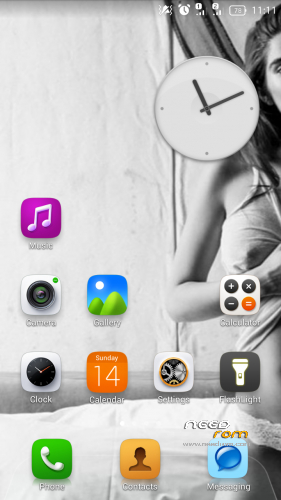
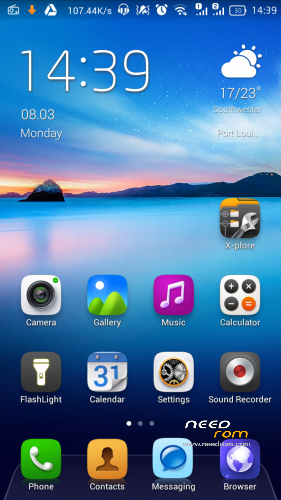
-Calender app now shows the actual date on the homescreen
-Replaced the old Xperia keyboard with the new Hanomi Style
-Refined build.props and tweaks
-OS is stable, smoother and faster
-Option to choose from official Lewa kernel and my modded kernel
Note: The package comes with the official Lewa kernel. However I have modded it (which you can flash separately) with support for init.d, altered ip/dns/server and some more. I’m confused about the performance/battery life of the two but you’ll definitely get better internet connection/speed with the modded one. So I recommend you try both and feedback.
UPDATE PROCEDURE
1. Back up data/apps/sms/etc through Titanium Backup Pro (if you deemed it necessary)
2. Reboot in Recovery Mode
3. Wipe /data partition
4. Flash the OS package
5. Reboot
THEME (LOLLIPOP STYLED) : 4 MARCH 2016
Download and extract the .lwt file from the zip package to /sdcard/LEWA/theme/lwt. Then launch the Lewa Theme app and hit Dark Side, apply!
※Please make a backup of your device before installing or updating ROM
Update your recovery! Full touch recovery, link:
https://www.needrom.com/wp-con......3.0-JIAYU2.zip
Install it in your old recovery and browse to reboot recovery. Then install the OS as I described ( do not forget to wipe /data partition)
So, I had a old recovery. Ok thnx Emir! I'll let you know
OK, all good. I used the newer TWRP recovery and then I was able to install the ROM. I think this ROM makes this old little Jiayu as snappy as it is ever going to get!
Still cannot believe anyone updating this old device. Great backup device! Thanx so much Emir!
I suggest u try it with my moded kernel and feedback
Method:
1. Backup essential things
2. Reboot in recovery
3. Wipe /data partition
4. Flast the OS package
5. Flash Kernel_Emir.zip
Best rom ever,thank you emiratiprince and i tried a lot of rom for the last 4 years.
I have updated recovery as mentioned, but now I can´t go further than teamwin logo. Any suggestions??
Кто ставил прошивку от 14 FEB 2016 отпишитесь. Стоит ли ставить? Какие изменения? и есть ли переведенная на русский язык?
Emir's Kernel and Lewa's Kernel -dead links
Is it possible to re upload the ROM
thx
Please re-upload this if you see the chance,