
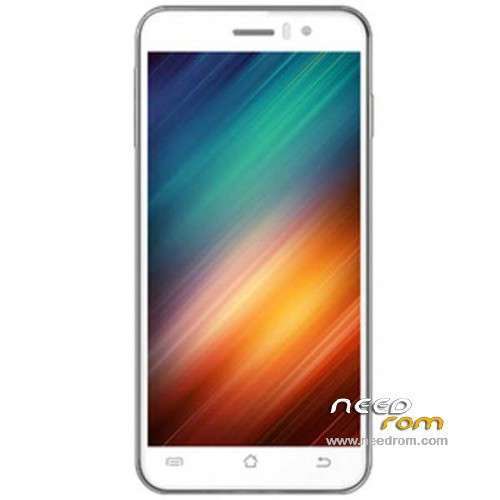
- Title: JIAYU G4S
- Listed: April, 2014
- Last modified: 06/13/2014 4:27 am
- Version: ROM Android 4.2.2
You must be logged for ROM download.
67795 total views, 5 today
6 Total favorites
 Member Info
DESCRIPTION
ROM Mobile JIAYU G4S – ROM Android 4.2.2
ONLY MT6592
Update ROM Official JIAYU G4S WCDMA : G4S 20140609-211642
Changelog:
1.Fix MP3 ringtones will be lost, the file manager in the audio file can not be automatic music player problem
2 After entering the corrected file manager, when searching for content background color and font color caused by the same problem can not be displayed
3 increases the system fluency
4 drop-down notification bar style update
5 Increase Desktop phonograph plugin
6 style music player update
7 system two menu style update
8 set - safe in the Variety add more styles and unlock unlock online
9 Set - Common system font settings in the new style replacement function
10 multi-task management to increase a key clean-up memory in the control, and can be unlocked sliding down the process, so important to the process of being cleaned out
Install Flash or OTA
———————————————————————————————————————————————–
Update ROM Official JIAYU G4S WCDMA : G4S 20140422-121442
———————————————————————————————————————————————–
Based ROM Official JIAYU G4S WCDMA : G4S 20140410-165225
mt92_s8_g4s_jyt_jb9_wcdma_ldata_tphone
Gapps include – No Rooted
Language support: Multilang
Install ROM :
- Unpack FlashTools, and Click on Flash_tool.exe
- Select a the MT6592_Android_scatter_emmc.txt in ROM
- Wait file to be added into Flash Tool
- choose Option->USB Model,click USB Model
–> Choose Option->DA DownLoad All->Speed->High Speed, click High Speed
- Turn off your phone, remove the battery.
- "Press F9 (hit Download button)" OR " if upgrade ROM Firmware->Upgrade "
- and connect your phone into the computer via USB data cable.
- The process will start and a red progress bar will appear after color purple, yellow.
- And green circles display
- Finish !
- You can now safely disconnect your phone and turn it on.
※Please make a backup of your device before installing or updating ROM
Rename the folder to something that doesn’t contain Chinese alphabet. Worked for me.
thanks it worked! any differences with stock rom (10/4) ?
Can someone check if rear speaker makes noise (approx 1second) after the actual tone (notification or sound) has stopped.
This is happening with two devices and we want check if software or hardware issue
Thanks
i have the same problem with noise from speaker i hope it isnt hardware problem and some new rom will fix it
Greek language pack?
@burt
same issue here -.- ..
rear speaker makes noise after the actual tone
i can't flash it. when i press download and then connect the usb , it doesn't do anything
@denz, make sure battery is REMOVED when connecting to USB
I also have problem with flash tool as denz. Nothing happens.
I use flash tool on Windows 8.1 Asus Transformer T100.
maybe it must be in win7 and have the mediatek usb drivers for win7
I managed somehow to install drivers and did the flash. But I used jiayu.es ROM.
Is there any way that we can inform Jiayu that we need new rom that has these problems fixed?
Ones I have found:
- GPS not working that well (No location services menu in settings, can't adjust EPO or AGPS)
- Caller ID problems
- Some settings have to be reset after reboot (keyboard selection and one else I don't remember)
- Facebook keeps force closing
GPS problem try set in file /system/build.prop you need on the end.
dalvik.vm.execution-mode=int:fast It´s android 4.2.2 problem.
G4S-20140609-211642:
for Flashtool: http://pan.baidu.com/share/lin.....8;uk=1680007479
for SD Update: http://pan.baidu.com/share/lin.....8;uk=1680007479
Drivers and SP Flash Tool v5.1416.00 : http://pan.baidu.com/share/lin.....8;uk=1680007479