
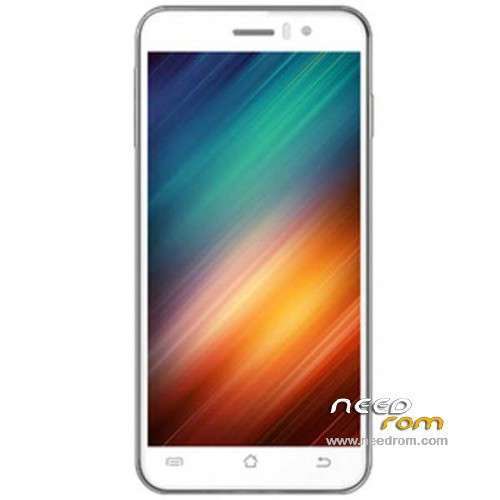
- Title: JIAYU G4S
- Listed: April, 2014
- Last modified: 06/13/2014 4:27 am
- Version: ROM Android 4.2.2
You must be logged for ROM download.
67797 total views, 7 today
6 Total favorites
 Member Info
DESCRIPTION
ROM Mobile JIAYU G4S – ROM Android 4.2.2
ONLY MT6592
Update ROM Official JIAYU G4S WCDMA : G4S 20140609-211642
Changelog:
1.Fix MP3 ringtones will be lost, the file manager in the audio file can not be automatic music player problem
2 After entering the corrected file manager, when searching for content background color and font color caused by the same problem can not be displayed
3 increases the system fluency
4 drop-down notification bar style update
5 Increase Desktop phonograph plugin
6 style music player update
7 system two menu style update
8 set - safe in the Variety add more styles and unlock unlock online
9 Set - Common system font settings in the new style replacement function
10 multi-task management to increase a key clean-up memory in the control, and can be unlocked sliding down the process, so important to the process of being cleaned out
Install Flash or OTA
———————————————————————————————————————————————–
Update ROM Official JIAYU G4S WCDMA : G4S 20140422-121442
———————————————————————————————————————————————–
Based ROM Official JIAYU G4S WCDMA : G4S 20140410-165225
mt92_s8_g4s_jyt_jb9_wcdma_ldata_tphone
Gapps include – No Rooted
Language support: Multilang
Install ROM :
- Unpack FlashTools, and Click on Flash_tool.exe
- Select a the MT6592_Android_scatter_emmc.txt in ROM
- Wait file to be added into Flash Tool
- choose Option->USB Model,click USB Model
–> Choose Option->DA DownLoad All->Speed->High Speed, click High Speed
- Turn off your phone, remove the battery.
- "Press F9 (hit Download button)" OR " if upgrade ROM Firmware->Upgrade "
- and connect your phone into the computer via USB data cable.
- The process will start and a red progress bar will appear after color purple, yellow.
- And green circles display
- Finish !
- You can now safely disconnect your phone and turn it on.
※Please make a backup of your device before installing or updating ROM
Nothing has changed.
-Facebook still force closes
- SMS and Caller id bug is still present.
- not much faster
Also this model number says G5S and build number is also g5SW 20140418
I installed via flashtools.
it is working fine for me (9.x and 10.x also)
this is the BEST rom, for now! (16.06.2014)
I confirm cassana's information regarding to bug with SMS and Caller ID. Currently I use Alcatel OT 993D and at the begining of use I had the same problems as I mentioned above, but Alcatel solved it in their rom. In Alcatel I use a phone number format with dialling code of my country (+48 for Poland) and everything working perfectly. I think Jiayu can fix those bugs without any problem.
Hi,
I've try to flash JIAYU G4S – Update 06/09/2014 – SD from recovery.
Unrar the archive, retrieve the update.zip and flash via CTR Recovery.
But I get the error : assert failed : getprop("ro.board.plateform") == MT92_S8"
E:error in /sdcard/update.zip
(status 7)
Installation aborted.
Any help ? My phone is a G4S of course.
Thanks,
Seb
you can only to that from the stock recovery, and NOT from cwm.
other option is flashtool (i chose this method, all went fine)
how can i install from OTA?
AFAIK you cant.
I upgraded this ROM yesterday. Facebook does not FC anymore!
Everything works just fine.
But there is not GPS fix issue solved. You need still to perform GPF fix routine (downloading EPO, etc…)
More theme options would be nice…
Hi, what's the difference about SD and FL version??, thanks
SD is to be flashed using the standard recovery and not CWM from your SD card
FL is for FlashTool
Thanks!!!
@tibyke
thanks for your answer
I tried flashTool but when I connect my phone to my computer without battery, nothing happens
That sounds normal to me as the phone is off, if I try to turn it on , it won't of course , no battery.
Is there a Tuto in english about flashtool ? I find one in chineese but it's no help for me
Thanks.
put back battery, and keep the phone off.
Thanks I'll try that.
Is the caller ID bug solved in this release (09/062014) ?