
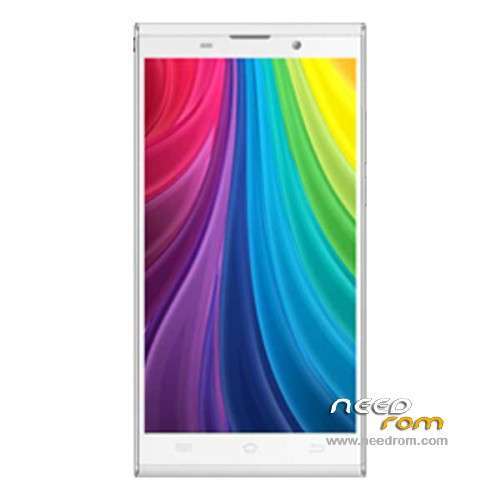
- Title: JIAYU G6
- Listed: June, 2014
- Last modified: 06/27/2014 7:06 am
- Version: ROM Android 4.2.2
You must be logged for ROM download.
24759 total views, 2 today
5 Total favorites
 Member Info
DESCRIPTION
ROM Phone JIAYU G6 – ROM Android 4.2.2
ONLY MT6592
Update Official ROM JIAYU G6 version : G6 20140625-200025
Changelog:
1.Fix individual phone caller appears sometimes hear the sound problems
2 increase off-screen gestures wake-up function, off screen in case you can set aside a good gesture by phone.
3. Optimize the system, improve operational performance and stability.
4 other known small bug optimization.
Install Flash or OTA
Official ROM JIAYU G6 version : G6 20140614-193118
Changelog:
1.Fix MP3 ringtones will be lost, the file manager in the audio file can not be automatic music player problem
2 After entering the corrected file manager, when searching for content background color and font color caused by the same problem can not be displayed
3 increases the system fluency
4 drop-down notification bar style update
5 Increase Desktop phonograph plugin
6 style music player update
7 system two menu style update
8 set - safe in the Variety add more styles and unlock unlock online
9 Set - Common system font settings in the new style replacement function
10 multi-task management to increase a key clean-up memory in the control, and can be unlocked sliding down the process, so important to the process of being cleaned out
11 third-party online video sometimes no sound
Gapps include – No Rooted
Language support: Multilang
Install ROM :
- Unpack FlashTools, and Click on Flash_tool.exe
- Select a the MT6592_Android_scatter.txt in ROM
- Wait file to be added into Flash Tool
- choose Option->USB Model,click USB Model
–> Choose Option->DA DownLoad All->Speed->High Speed, click High Speed
- Turn off your phone
- "Press F9 (hit Download button)" OR " if upgrade ROM Firmware->Upgrade "
- and connect your phone into the computer via USB data cable.
- The process will start and a red progress bar will appear after color purple, yellow.
- And green circles display
- Finish !
- You can now safely disconnect your phone and turn it on.
OR OTA
※Please make a backup of your device before installing or updating ROM
Hello,
I forget to say that i have also the following problem but it's maybe an adroid issue… :
- All my contacts are duplicate a lot of times… all duplicated entries have just the name and "Groupes not assigned"…
Zeb
Some (good) news after some tests…
For the point 1) do not try to use a SIM perforatrice to get a Micro Sim from your normal SIM. It seems that the problem come from that and ask your network provider to get a new micro SIM and it will work fine.
For the point 2) avoid connecting the usb charger when using GPS in the car. For information, the GPS doesn't work if it's cloudy…
For the point 3) about google keyboard… no answers yet…
For the point 4) I try textra and it seems to be ok … but still in test
For the point 5) sms to mms, no answers yet…
For the point 6) no answers yet…
Zeb
I have problem's on three JIAYU G6 with sending my voice during call.
Person that I've been calling on one call sometimes dont hear me well.
My voice is like going down with volume (gain).
I'm not changing position, cell phone is in this same position, operator signal is 100% on both sides.
I was changing sim card for micro SIM at operator and problem is still this same.
This is strange that problem is on three G6 cellphones and in different locations. SKYPE, VIBER, MESSENGER and bluetooth quality of talking is perfect.
I was using android 4.2 and 4.4.2 and for both is this same issue.
Please send some advice.
same call noise problem, any idea how to fix?
Hi,
after flashing the new rom i have a fatal problem. I’m not able to restore the user data with “Android system recovery e3″, it simple says “no sd” (G6 has only phonememory, no sd). If made the Backup via e3 befor i flashed the new version, so i have a clean g6, a backup from nearly 520MB (named “userdata_20140820_184248.backup”) and can not restore it. Is there another solution to restore it (I have already tried nanodroid and TitanBackup, none can work with this backup (will not show it)…
chris
try to mount your userdata_20140820_184248.backup to pc as virtual storage and extract data http://www.osforensics.com/too.....isk-images.html