
- Title: K1 turbo Stock ROM, pre-rooted, deodexed, TWRP-Recovery 2.7.0.0
- Listed: August, 2014
- Last modified: 08/09/2014 5:51 am
- Version: Android 4.2.2 (AliyunOS)
You must be logged for ROM download.
22721 total views, 2 today
127 Total favorites
CUSTOM

 Member Info
DESCRIPTION
First backup your running ROM!
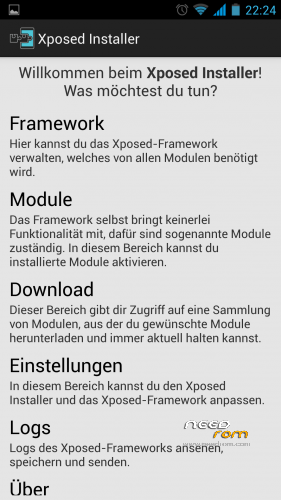
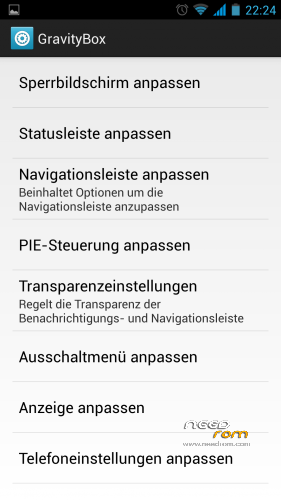
For using this ROM you have to unzip the file and flash with SP Flash Tool. This ROM has Build-Number 0502L009_20140613, it is pre-rooted and has a custom TWRP-Recovery 2.7.0.0 (thanks to tommy0815). This is a deodexed version of Kingzone's Stock ROM and I made this only for using Xposed Framework, no other changes. Xposed and Gravity Box JB are working with this ROM. Try at your own risk!
Instructions for SPFlashTool @XDA-Forum
※Please make a backup of your device before installing or updating ROM
Ок, Thanks the big all was established and works(Xposed and Gravity Box JB) in stock ROM. We shall test further.
In /system/framework/ are some *.jex files left over. These can be removed.
Ok, I have removed these files .jex from a folder /system/framework/
hi. Thanks for another rom for us to try out.
sorry for my naive question, but what makes this rom special and diferent from the others? (since i'm not a expert and can't understand clearly everything you guys mention, like deodexed for exemple )
)
i´ll try it later this afternoon .
.
Lispa.
There is nothing special in this ROM. All functions from the Stock ROM are still there. But with this ROM you can install Xposed Framework from XDA and customize your phone as you like.
When flashing, should we choose or not: first option (preloader) and last two (cache and usrdata).
I'm using flashtool v5.1348. What exactly should be choosen (besides scatter file)?
"Download only"? "Format + Download"? MTK_ALL_IN_ONE DA?
Everything works fine.
I flashed with v5.1348. Choose "Download only", deselect Preloader, Cache and Usrdata (first, and last two).
Cleared cache from TWRP and restored to factory setting. Flashed default TWRP since I didn't like custom one.
Installed Exposed Framework and Gravity Box and now testing various modules. It seems that everything works well.
Custom TWRP that comes in this package cannot recognize phone storage (cannot mount it), most probably because of drivers on my PC. When in TWRP, my phone is recognized as Google Nexus Android Phone (when running normaly it is recognized as YunOS Phone).
Now using TWRP 2.7.0.0 from Seven Max ("From Russia With Love"). It works OK with Google Nexus drivers.
This is exactly what I was looking for, stock functionality which works reasonably well + Xposed. This is my dream phone now
Dear, can you please explain to me, how can i install it. I dont really understand what ''deodoxan'' mean either. I use the Miui room but my battery finish really really fast. How is the battery comsumption with this and how much ram does it use ? Can you help me with a step by step guide to install it ? Xposed is already active or i have to do things for it ? thank you !and hope you can help
I really dont know how to flash this rom,can some one help me on same.
Hello,
Great Rom, but my wifi is very slow nog. Faster upload than down… 7 up 4 -5 down. Other phone 30 down.
I just flashed it with flashtool. That went ok.
Perfect ! Just installed with SP flash tool and everything is working like a charm, also xposed and gravity
GPS is also good (compared to some other ROMs). For now I´m happy with it. Hoping you will update wenn android 4.4x will be available for the Kingzone !
thank you !
Can somone explain step by step how to install it , please !
I am using Miui Rom right now and i would like to change it.
I dont have Twrp(i dont know how to insert it) i use Cwm.
Thank you in advance !