
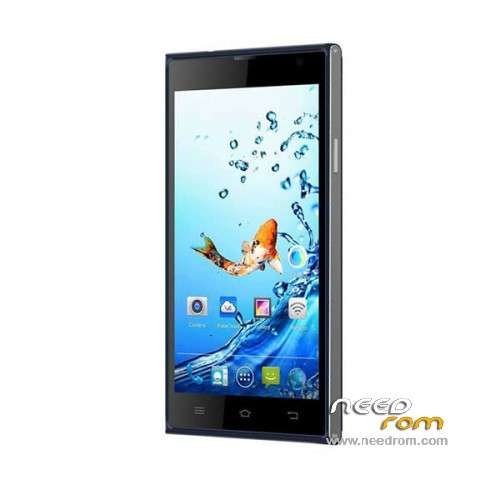
- Title: Kata i3S
- Listed: March, 2015
- Last modified: 12/10/2015 1:47 am
- Version: ROM Android 4.4.2
You must be logged for ROM download.
30640 total views, 5 today
24 Total favorites
 Member Info
DESCRIPTION
ROM Phone Kata i3S – ROM Android 4.4.2
ONLY MT6582
ROM 1 – Update Official ROM Kata i3S Version : Kata-i3s-8071CA-V1.0.23 – hexing82_cwet_kk – KOT49H
————————————————————————————————————————————————-
ROM 1 – Update Official ROM Kata i3S Version : Kata-i3s-8071CA-V1.0.22 – hexing82_cwet_kk – KOT49H
————————————————————————————————————————————————-
ROM 1 – Update Official ROM Kata i3S Version : Kata-i3s-8071CA-V1.0.21 – hexing82_cwet_kk – KOT49H
————————————————————————————————————————————————-
ROM 2 – Update Official ROM Kata i3S Version : Kata-i3s-8071-V1.0.20 – hexing82_cwet_kk – KOT49H
————————————————————————————————————————————————-
ROM 2 – Update Official ROM Kata i3S Version : Kata-i3s-8071-V1.0.19 – hexing82_cwet_kk – KOT49H
————————————————————————————————————————————————-
ROM 1 – Update Official ROM Kata i3S Version : Kata-i3s-8071CA-V1.0.17 – hexing82_cwet_kk – KOT49H
————————————————————————————————————————————————-
ROM 1 – Official ROM Kata i3S Version : Kata-i3s-8071CA-V1.0.15 – hexing82_cwet_kk – KOT49H
ATTENTION Two versions ( Look your "Build number" if you've CA or not )
Gapps include – No Rooted
Language support: Multilang
Install ROM :
- Unpack FlashTools, and Click on Flash_tool.exe
- Select a the MT6582_Android_scatter.txt in ROM
- Wait file to be added into Flash Tool
- choose Option->USB Model,click USB Model
–> Choose Option->DA DownLoad All->Speed->High Speed, click High Speed
- Turn off your phone, remove the battery and replace it after some seconds (and don't turn on the phone).
- "Press F9 (hit Download button)" OR " if upgrade ROM Firmware->Upgrade "
- and connect your phone into the computer via USB data cable.
- The process will start and a red progress bar will appear after color purple, yellow.
- And green circles display
- Finish !
- You can now safely disconnect your phone and turn it on.
※Please make a backup of your device before installing or updating ROM
I'm stuck on android recovery mode. I wiped all data and reboot but still goes back at recovery mode. Does installing this rom as said on instructions will help solve my problem?
same with me, do you have any solution sir?
Same issue for me, how's your phone?
Hi, please help me fix the problem of system update of my kata i3s. I did all the installation as instructed from the image. but it now i cannot open my phone it stucks on system reboot but says "no command". Please help.
Me too please help us
tested file…thanks to the uploader…and this site (needrom.com)
Thanks you so much for this! Worked perfectly!
i follow the instruction here but it wont work, i don't know why???
wuuusssaaappp try to look your V. of rom at the top of your system recovery mode
i hop it works. . thank developer
it is needed to be root ?
v019 not working for me
still bricked
Mine was bricked too, so I flashed the original/official ROM V1.0.15. It worked perfectly. Then go to wireless update for the latest version.
@angelchloereign
Can you please upload the firmware your version is Kata-i3s-8071-V1.0.15 – hexing82_cwet_kk – KOT49H? Please none of this firmware work for my unit. Hope you can upload it, Thanks
can i3s otg capable in this update,,,
Still bricked after I install v0 15 any help?
can i ask a driver for kata i3s site? so that we can download it?
My kata i3s shows only black screen arter overheat and suddenly turned off how to fix this please help. Can i do this flash even if im not sure if usb debbuging enabled?