
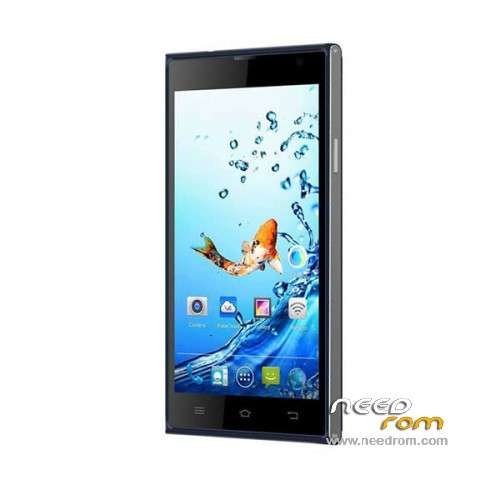
- Title: Kata i3S
- Listed: March, 2015
- Last modified: 12/10/2015 1:47 am
- Version: ROM Android 4.4.2
You must be logged for ROM download.
30638 total views, 3 today
24 Total favorites
 Member Info
DESCRIPTION
ROM Phone Kata i3S – ROM Android 4.4.2
ONLY MT6582
ROM 1 – Update Official ROM Kata i3S Version : Kata-i3s-8071CA-V1.0.23 – hexing82_cwet_kk – KOT49H
————————————————————————————————————————————————-
ROM 1 – Update Official ROM Kata i3S Version : Kata-i3s-8071CA-V1.0.22 – hexing82_cwet_kk – KOT49H
————————————————————————————————————————————————-
ROM 1 – Update Official ROM Kata i3S Version : Kata-i3s-8071CA-V1.0.21 – hexing82_cwet_kk – KOT49H
————————————————————————————————————————————————-
ROM 2 – Update Official ROM Kata i3S Version : Kata-i3s-8071-V1.0.20 – hexing82_cwet_kk – KOT49H
————————————————————————————————————————————————-
ROM 2 – Update Official ROM Kata i3S Version : Kata-i3s-8071-V1.0.19 – hexing82_cwet_kk – KOT49H
————————————————————————————————————————————————-
ROM 1 – Update Official ROM Kata i3S Version : Kata-i3s-8071CA-V1.0.17 – hexing82_cwet_kk – KOT49H
————————————————————————————————————————————————-
ROM 1 – Official ROM Kata i3S Version : Kata-i3s-8071CA-V1.0.15 – hexing82_cwet_kk – KOT49H
ATTENTION Two versions ( Look your "Build number" if you've CA or not )
Gapps include – No Rooted
Language support: Multilang
Install ROM :
- Unpack FlashTools, and Click on Flash_tool.exe
- Select a the MT6582_Android_scatter.txt in ROM
- Wait file to be added into Flash Tool
- choose Option->USB Model,click USB Model
–> Choose Option->DA DownLoad All->Speed->High Speed, click High Speed
- Turn off your phone, remove the battery and replace it after some seconds (and don't turn on the phone).
- "Press F9 (hit Download button)" OR " if upgrade ROM Firmware->Upgrade "
- and connect your phone into the computer via USB data cable.
- The process will start and a red progress bar will appear after color purple, yellow.
- And green circles display
- Finish !
- You can now safely disconnect your phone and turn it on.
※Please make a backup of your device before installing or updating ROM
same here.
thanks work 100% for me
what V. of rom did you use?
just help yeah im done with this thanks hhey newbie just check your version look at the top of recovery okay sana makatulong
kailangan pa ba ng kata i3s usb driver para dito?
thanks for thia
thanks for the Kata i3S stock ROM and keep it up!
same here tested firware tnxs bro
how to fix can't connect to camera , i already flash new rom posted here? need help asap tnx
i can't find the MT6582_Android_scatter.txt in ROM
it requires a flash tool lib. please help me