
- Title: KIMFLY Z5 Firmware Back-up
- Listed: September, 2016
- Last modified: 09/02/2016 2:36 pm
- Version: 4.0 spreadtrum sc6820
You must be logged for ROM download.
14127 total views, 1 today
3 Total favorites
 Member Info
DESCRIPTION
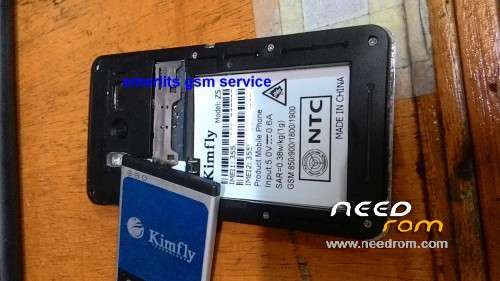
The Kimfly Z5 Firmware is Spreadtrum chipset name: SPD6820 Android system that automatically detect by Miracle box Tools and backup by read as BIN file ,You can write flash the Bin file via miracle box tools also by clicking Write tab.
the rar is password is z5binphoenix Free to all you and can read more steps visit my BLOGS
This KIMFLY Z5 Backup as BIN is can use to same model about have problem about software related problem Hang, no power, password, pattern lock , anything about software related.Do it at your own risk, After flashing ! the device is set automatic in reset condition, All user data is lost.Make sure back-up important data before to proceed flashing your phone.
※Please make a backup of your device before installing or updating ROM

|
password plz
z5binphoenix
afer flashing phone just vibrates and does not come on. any solution pls help
passs pleeeeeeeee
z5binphoenix
pass:z5binphoenix
password send me
password is on discription user /viewer must read
DESCRIPTION
The Kimfly Z5 Firmware is Spreadtrum chipset name: SPD6820 Android system that automatically detect by Miracle box Tools and backup by read as BIN file ,You can write flash the Bin file via miracle box tools also by clicking Write tab.
the rar is password is z5binphoenix Free to all you and can read more steps visit my BLOGS
This KIMFLY Z5 Backup as BIN is can use to same model about have problem about software related problem Hang, no power, password, pattern lock , anything about software related.Do it at your own risk, After flashing ! the device is set automatic in reset condition, All user data is lost.Make sure back-up important data before to proceed flashing your phone.