
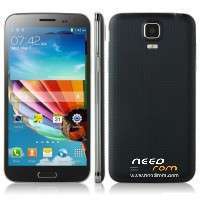
- Title: Kingelon G9000 4.4.2 13mpix + 8 mpix
- Listed: August, 2014
- Last modified: 08/22/2014 4:52 pm
- Version: android 4.4.2
You must be logged for ROM download.
27670 total views, 2 today
6 Total favorites
 Member Info
DESCRIPTION
ONLY MT6592 + 2G Ram + 16G rom + 1920×1080 + Dual sim
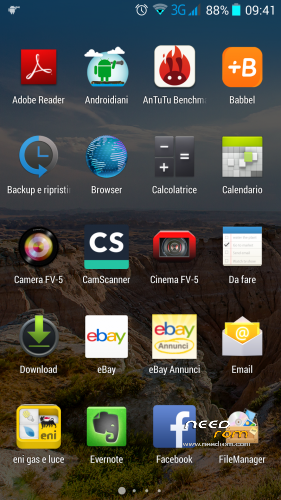
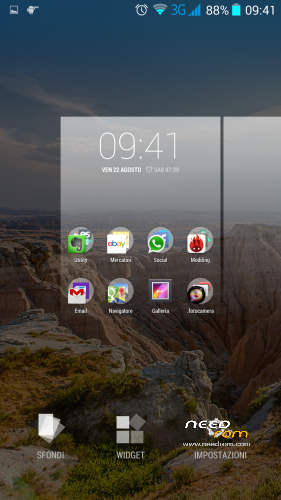
This Rom it's perfect for Start / Kingelon G9000 also named 706_v92_jbla_FHD have a very speed gps fix , install for this app "gps fix " from store, have a fully working rear Cam at 13 Mpix and front to 8 MPix , it's rooted , it's very reactively .
For flash in your phone you need spflashtools and driver mtk after have installed this driver , remove battery , click on spflashtools on load scatter and search the scatter inside the file ( that you have previus unzipped) , click format all + download and speedy connect usb to pc and phone without battery , after a few second upload start at the end you have a green circle all upload it's ok .
Insert battery and start your phone . If you have bootloop at first restart , you need to go in recovery mode by pressing home button volume up while push on/off button about 6 or 8 second after you are in recovery you need to make wipe data/factory reset , wipe cache and in advanced wipe calick cache , now restart and your phone will start.
Most important when you try to format all + download it's possible that you have an error check in the status bar because , we need to format phone for delete all , you see an purple slide that inform format 100% if yes you could repeat interely procedure but only check download.
In this rom I've inserted recovery 6.0.3.0 and you have a samsung logo when phone start.
23 august Update
I've add a rar archive for driver if you phone don't see front o rear cam . For update driver you need:
1 unrar you find 2 file ik.bin and preloader.bin
2 openf flashtools load scatter of you last rom uncheck all voice at left and leave ceched only uboot and preloader.
3 click on preloader in the right and find the preloader.bin that inside the my archive.
4 make exactly for uboot but search ik.bin
5 flash your phone without battery at restart you have camera full working .
HAppy rom
Donate it's appreciate Thank's
※Please make a backup of your device before installing or updating ROM
Update:
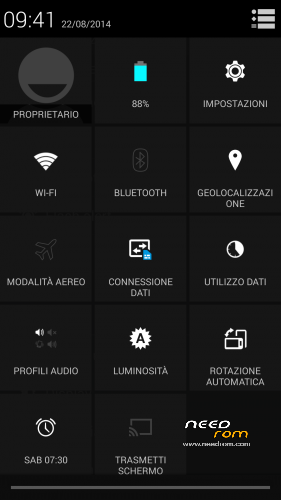
Big 3G means, you have enable 3G connection. That doesnt mean, you are on 3G, just only possibility connection to this network.
Ok I am new to all of this. I have this phone with 4.2.2 on it and my rear 13mp camera is blurry. Everything else is great. I rooted the phone, but thats about as far as I can go. can someone explain the steps to do this?? Thanks
if you are a new to all of this try another Rom ,you will stuck maybe cause its not a easy rom.try that https://www.needrom.com/downlo.....-s5-touchwiz-2/ only problem with sim .sim 1 work like sim 2 and you will not have network connection .very fast and great
gps not working.please help
i lost my IMEIs

i cannot fix it. i tried so many tools. please upload all i need to recover IMEI and tell me how to. thanks
I just reflashed official firmware and I was able to set IMEIs back in Engineering Mode
http://www.gizbeat.com/4315/ho.....tek-mtk-phones/
How can you root it? I “lost” root and i want it back. I try 8 methods and no one cant help me.
I find out, that part of touch scree is not responsible. Is possible, that instaling a new rom true “format all + download” can do that? Is the way to fix it? I try get back backup of original rom, but as the imei was gone, part of touch screen still dont respond.
I dont want to try, which way i repair it, but for those, who have issue with touch screen, part of it dont work, i install Pim my rom and TpUtility2 and busybox at the same time. Then i use TpUtility, dont work, because I have a wrong modul. Still I touch recalibrate. Then i what to use pimp my rom and then i saw, touch screen responding all over the area! So, just in case…try these.
My happiness was gone. It work, because it pluged to usb on pc. So it work, when its pluged. Any idea? witch i must change or how i give more power to touch screen?
Have anyone working gps?
???
every tool or so has an trojan or virus in it?????
anybody got an clean rom or tool
?