
- Title: K1 Turbo SP10
- Listed: July, 2014
- Last modified: 08/19/2014 2:31 pm
- Version: Android 4.2.2
You must be logged for ROM download.
38452 total views, 3 today
16 Total favorites
 Member Info
DESCRIPTION
KingZone K1 Turbo Nik Rom Jelly Bean Service Pack 10 – Multilingual
- FIX a problem Flip cover
- Based on the firmware from 15.08.2014
- Integrated 235 Sound Patch
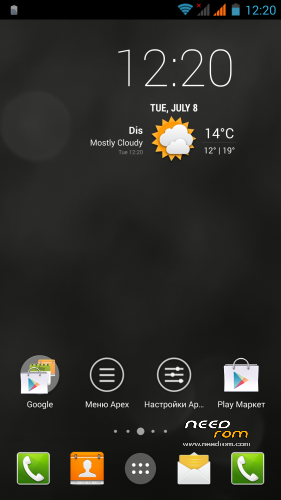
- Transparent popups + vintage design
- Lots of tweaks build.prop and init.d to improve performance, energy efficiency
- The patch improves the operation of the GPS
- Deodex, rooted, added BusyBox
- Replacing the standard wallpapers
- Automatic restart after flashing
- Flash supports various file systems such as NTFS
- Butanimatsiya from Xperia (Deleted logo Xperia first butanimatsii)
- Keyboard Xperia (Stock is also available)
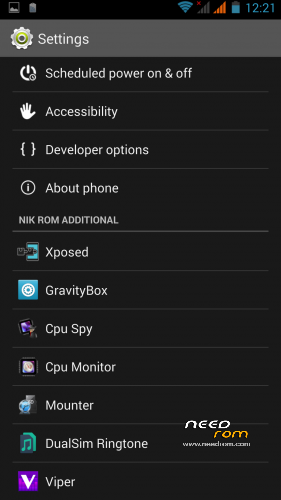
- Working Xposed + GravityBox + Advanced Power Menu
- Cut unnecessary garbage (without fanaticism, as in previous builds)
- Library improves the sound
- Patch notification light
- The required number to convert SMS to MMS changed from 4 to 15
- Disabled icon "Debugging is enabled" when you connect your phone as a flash drive
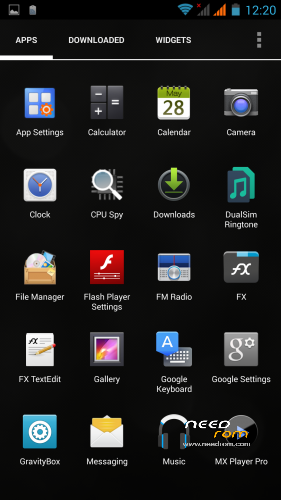
Installed additional software: Nova Launcher (instead of stock), Nova Notifier, Flash Player, Root Explorer, Dual Sim Ringtone, Viper4Android, Cpu Spy, Cpu monitor, Paragon NTFS HFS + Mounter, MxPlayer Pro, CallRecoreder, Titanium Backup
KingZone K1 Turbo Nik Rom Jelly Bean Service Pack 8 - Multilingual
- In general, the firmware was very nimble and smooth
- Based on stock
- Deodeksirovana, rutirovana, added BusyBox
- Replace the standard oboina
- Automatic restart after the firmware
- Firmware supports various file systems in particular NTFS
- MW (module Xposed), multitasking (on screen)
- A lot of ringtones and notifications from Xperia
- System sound when you changed Bulka on Xperia
- Keyboard Xperia (Stock is also available)
- Ringtone by default for my taste;)
- Working Xposed
- Flash type Lite (Cut a bunch of unnecessary applications and libraries associated with them, the weight is minimal firmware)
- A new library of sound
- Tweaks smoothness, Communication, Energy Saving, GPS, etc.
- Patch notification light
- Communication module
- Reduced the brightness threshold
- Reduced threshold low warning
- The required number to convert sms mms changed from 4 to 15
- Settings – About phone (Slightly edit)
- Kitayschiny itself does not have a
- Disabled icon "Debug enabled" when you connect your phone as a flash drive
- Added utility Smart Screen OFF for normal flip cover, open the program to work and use the settings as shown, then, agree on the activation of the device administrator. Go to Security Permissions Autorun zhmakat to add and enable Smart Screen OFF.
Install:
1) Download the correct firmware and we throw it in the root of the memory card
2) Go to TWRP Recovery
3) Choose Wipe (and drag the slider to the right, it will delete all your data on your phone)
4) Select the Advanced Wipe, Dalvik Cache select and drag the slider to the right
5) Choose install
6) Select the file, follow the instructions of the installer, wait until the installation is complete
7) Reboot / system (sometimes the phone turns itself after the firmware.)
※Please make a backup of your device before installing or updating ROM
As i can see you have made a lot of great modifications ! Also updated the launcher and added the apps that i already use with another Rom. So it seems you made a quite perfect Rom !! I will try it ! Thank you very much and please keep updating it .
The flip cover doesn't work. The suoneries are in Chinese languge
I actually use the SP8 version…does anybody know that NFC is working ? My installation is not working…
Rgs
nfc is working. the room till now seems to work very good !
The only thing i dont like are the popup boxes that are with round borders ''gothic style'' and not simple, minimal flat.
xposed and gravitybox working !
Thank you for the answer….do you have any idea what i can do to check the nfc function or is there a app which i should use/prefer ?
Hi , if i want to go back to default storage (2Gb instead of 5Gb) how do i do that ?
hi drezkod
i installed the Rom, generally speaking it works very smoth. I had a problem with bluetooth i could not send from pc or other mobile. Also a strange thing happened. When i enabled the gravitybox ,so ticked it in xposed. the dropdown menu of the phone where there are all the shortcuts like airplane mode, vibration, screen rotation ecc.. now only shouws ''wireless display'' . Is it just me who has this problem ?
thank you
ok i found , i can enable them by entering gravitybox. and choose wich one i would like to appear in the drop down.
May i ask you if possible to make the pop-up window flat, no trasparency and without the blue gothic borders ? It would look more elegant. thanx for the ROM
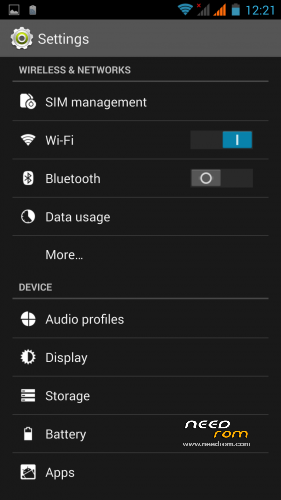
Why "Developer options" is disabled? Or, almost disabled, showing only 3 items?
I can make The same question…
i dont know what did go wrong, but since i installed this Rom, the other roms i have flashed after, are all asking me to have ''microSD'' to download xposed. error ''Micro SD null, can not extract exposed framework'' -.-
This mean that this rom has changed the partitions. As i dont use a microSD.
How can i fix them to the original state 5gb + 8gb ?
I love your work. Thats the best k1t Rom i’ve ever had.
The competition can pack.
THANKS!!!!!!!
wonderful ROM ! only some sensors are not working (like in all ROMs for the K1)…
Will you update your ROM when the new one is released by Kingzone (4.41) ?
Thank you for your nice work !