
0
- Title: KNOX GUARD REMOVE BETA V1.0
- Listed: December, 2024
- Last modified: 12/06/2024 5:47 pm
- Version: ANDROID
You must be logged for ROM download.
4463 total views, 1 today
2 Total favorites
CUSTOM
 Member Info
DESCRIPTION
Knox Guard Remover Beta V1.0
Introducing Knox Guard Remover Beta V1.0, a tool made specifically to disable Samsung's Knox Guard on devices that have been rooted. Your device must have USB debugging enabled for this tool to function through ADB (Android Debug Bridge).
Key Features
- Device Detection: Automatically identifies connected devices and ensures they are Samsung devices.
- Knox Guard Removal: Disable Knox Guard security features on Samsung devices.
- Log Viewer: See a detailed log of operations performed.
- Progress Indicator: Monitor the status of ongoing tasks in real-time.
- Help Section: Quick guide for users, integrated within the tool.
Requirements
- Rooted Samsung Device: This tool only works on rooted Samsung devices.
- ADB Installed: Ensure ADB is installed and configured on your system.
- USB Debugging Enabled: Turn on USB debugging on your device from Developer Options.
How to Use
Step 1: Connect Your Device
- Connect your Samsung device to your PC using a USB cable.
- Ensure USB debugging is enabled on the device.
- Verify the connection by allowing the device to authorize ADB commands when prompted.
Step 2: Launch the Tool
- Run the Knox Guard Remover Beta V1.0.exe file on your PC.
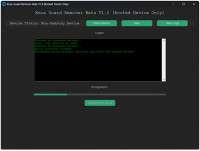
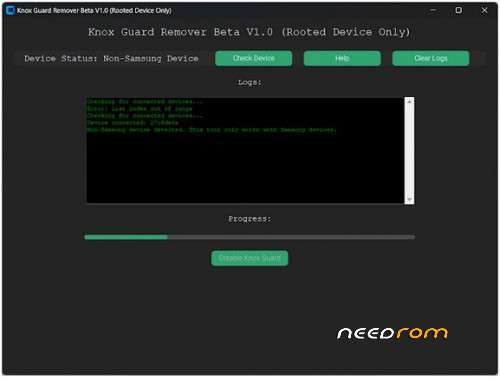
- The tool’s interface will open, displaying the current device status, logs, and controls.
Step 3: Check for Device
- Click on the "Check Device" button.
-
The tool will scan for connected devices.
- If no device is found: Ensure the device is connected, USB debugging is enabled, and try again.
- If a non-Samsung device is detected: A message will appear indicating that the tool only supports Samsung devices.
- If a Samsung device is detected: The status will update to “Samsung Device Connected.”
Step 4: Disable Knox Guard
- Once the device is verified, the "Disable Knox Guard" button will become active.
- Click this button to initiate the process.
- The progress bar will indicate the current status of the operation.
Step 5: Monitor Logs
- Logs will be displayed in the Logs Section during each step of the process.
- You can clear the logs at any time by clicking "Clear Logs."
Step 6: Complete the Process
- Once the process is completed, the logs will confirm whether Knox Guard was successfully disabled.
- If the process fails, detailed error logs will be available to help troubleshoot.
THANK AND DONATE…
FILE FREE
※Please make a backup of your device before installing or updating ROM