
0
- Title: Lava Z66 Stock ROM Download
- Last modified: 12/14/2020 9:29 pm
- Version: V1
You must be logged for ROM download.
7040 total views, N/A today
OFFICIAL

 Member Info
DESCRIPTION
- First, you have to download all the above FRP files and tools to your computer.
- Copy all the downloaded files to a new folder. (to understand the process easily).
- Now, extract the downloaded files one by one using 7zip or WinRAR.
-
There you will see “3” folders. Files,
tools, Driver. - Extract “Tool” and “ File”.
- Then open the FRP tool folder.
- There you can see the “Research download Tool” folder.
- Open “Research download Tool” folder
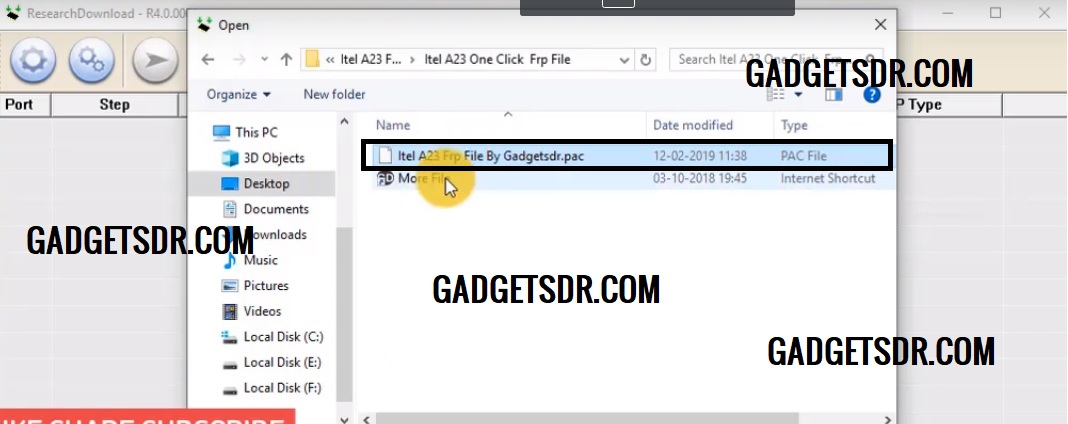
- Run the “Research download Tool.exe” with the Administrator permission.
- Click “gear”Download icon.

- Select the FRP.pac file and click Open.

- Power off and connect your device to PC by pressing the Volume down button.
- Now you can see flashing will started automatically.
- If not detected the install the SPD Driver.
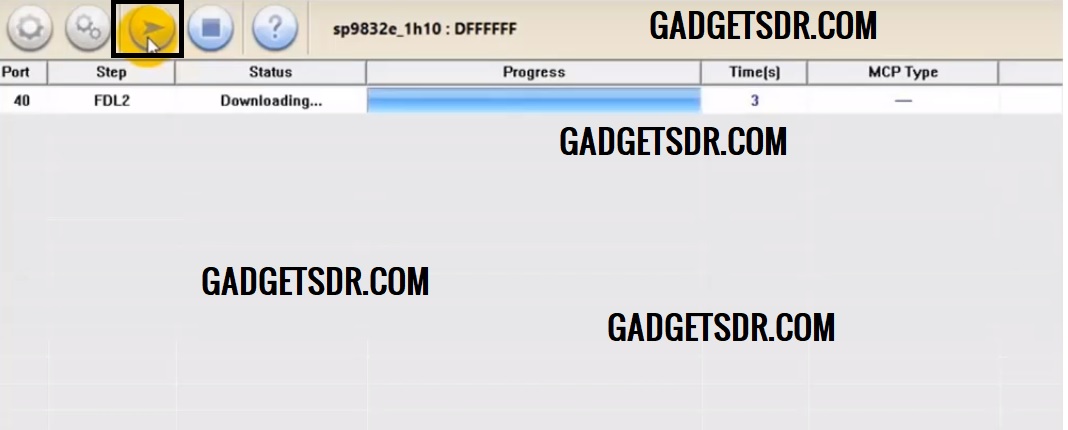
- Wait for the finish.
- More Link: Lava Z66 Firmware Flash File

- Once done, power on your device.
- Downlaod FRP Bypass tool for PC/APK
- Done
※Please make a backup of your device before installing or updating ROM