
- Title: Le1 MIUI 6.12.29 V8 Multilang Xiaomi.eu based
- Listed: July, 2016
- Last modified: 12/30/2016 1:36 pm
- Version: MIUI V8 A5.0.2
You must be logged for ROM download.
33120 total views, 2 today
18 Total favorites
CUSTOM


 Member Info
DESCRIPTION
MIUI 6.12.29 Multilang
All working !!!
Crash in key settings!
Compass, Mute Switch, IR-Remote – working
Double tap not working in miui! Humble!
ROOTED!!! SuperSu
GAPPS!!!
SELINUX!!!
INIT.D!!!
KERNEL TWEAKS!!!
HDR OPTIMISATION!!!
Multilang! – All Lang at screens!!!
and more more fixes
INSTALL
1 - Wipe Data, cache and Dalvik!!!
2 - Install the Rom (4 min)
3 – Reboot (first boot is long (aprox 10min)
NOT WORKING –
1 – PANO in Stock and MIUI Camera
2 – Workspaces
※Please make a backup of your device before installing or updating ROM
Is it possible to flash LeTv camera? Thanks for this great job.
wait 30 min and download UPD rom
Hallo. Thanks. Firstly google services FC but I instaled apk. Works good. Le camera FC with panorama same as miui. And other options like square foto and hdr doesnt work. Other is great. Waiting for next updates. Thanks. Have a good time. Vlado
diferencia de la rom
xiaomi.eu_multi_X600_6.8.18_v8-5.0_UPD ( 2 dls)
a esta rom
xiaomi.eu_multi_X600_6.8.18_v8-5.0 ( 3 dls)
In the xiaomi.eu_multi_x600_6.8.18_v8-5.0_UPD you have the LeTv camera.
hello there i have problem with install my phone write Failed to update! and down with Red (Cause: error with signature) can you help me pls
?
the model is Letv X600 Chinese version
pls tell me step by step…
1 – go to TWRP
2 – Conect cable то the PC
3 – Copy ROM to the phone
4 – Wipe Data, Wipe Cache, Wipe Dalvik
5 – Reboot Recovery to Recovery
6 – unflag Zip signature verification
7 – Flash ROM
8 – reboot after Flashing
Hello and thanks for this answer,you can send me pls the Direct link for TWRP download
https://www.needrom.com/downlo.....08. Direct link ))
Please Dolby Atmos
Download атв instal from XDA
Hi this installation i can i do with Flash Tool…? with the (Scatter.txt file)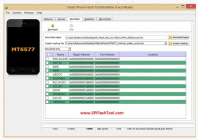
This ROM for custom Recovery. Not for FlashTool
Actually I am on Android 6.0 with twrp 3.0…..Can I flash your rom with wipe data, cache, and dalvik?
1 – wipe data, cache, dalvik & delete Android and MIUI folders from phone
2 – Reboot recovery in to recovery
3 – install ROM
Which android and miui folders?
Android and MIUI folders on phone storage…
Question. ROM listed as "Xiaomi.eu based". I am in Canada. Can I assume that the differences are this ROM is multi language or are the baseband files specific to the EU?