
- Title: LENOVO A630T
- Listed: June, 2013
- Last modified: 06/17/2013 2:08 pm
- Version: ROM Android 4.0.4
You must be logged for ROM download.
18372 total views, 1 today



 Member Info
DESCRIPTION
ROM LENOVO A630T – ROM Android 4.0.4
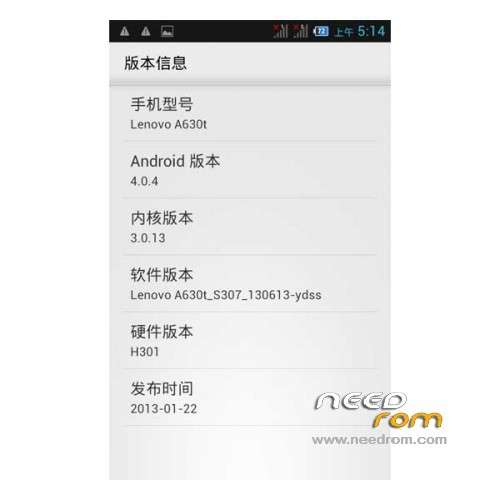
Model Name:Lenovo A630T
Android Version:4.0.4
ROM Author:muscle
ROM version number:Lenovo A630t_S307_130613
Based on the official version:s307
ROM Features:
1, extremely streamlined, basically no third-party software;
2, holo starter, close to google soundtrack style, but more smooth
3, synthesize all the odex, save memory
4, sony engine starter
5, optimized graphics, touch speed
6, the kernel power optimization
Language support: EN/CN
ROM Install:
CWM
Step 1: Download the custom ROM copied to an external SD card root directory
Step 2: the shutdown state. While holding down:
– Power button + volume button up, to enter the recovery mode.
– Wipe Data / Factory Reset -> delete all user data
– Wipe Cache Partition -> Wipe cache
Step 3: Return to recovery main interface Install zip from sdcard -> choose zip from sdcard -> Select your ROM
Step 4: Brush complete, restart the phone Patience required – first boot takes a while
FOR GAPPS ( look in Menu -> Categories -> GAPPS and choose your version according to the version of android )
- Turn off the machine.
- Boot into recovery by Vol + and Power.
- Moving light bars to Recovery . Press power to select.
- The machine will reboot and the Clockwork Recovery Mode.
- Choose Install zip sdcard .
- Select choose zip from sdcard .
- Moving light bars gapps.zip package copied to the phone earlier.
- Flash
※Please make a backup of your device before installing or updating ROM
this is work to a630..???