
- Title: LENOVO A630T Sony
- Listed: September, 2013
- Last modified: 09/12/2013 5:03 pm
- Version: ROM Android 4.0.4
You must be logged for ROM download.
19442 total views, 1 today
4 Total favorites

 Member Info
DESCRIPTION
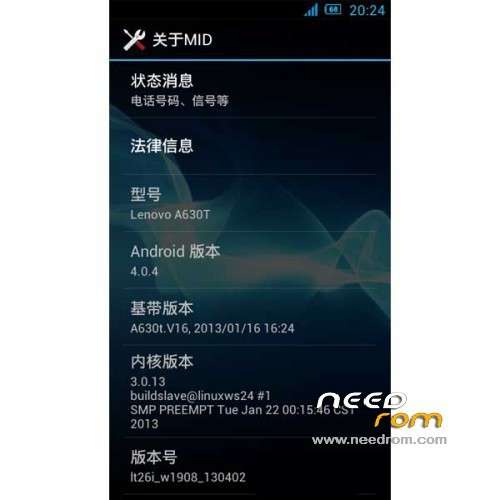
ROM Phone LENOVO A630T – ROM Android 4.0.4
ROM Features:
1 all custom programs to streamline the system.
2 adding init.d and use the kernel from xda forum V6 optimization script.
3.sony graphics engine and build projects join other minor optimizations.
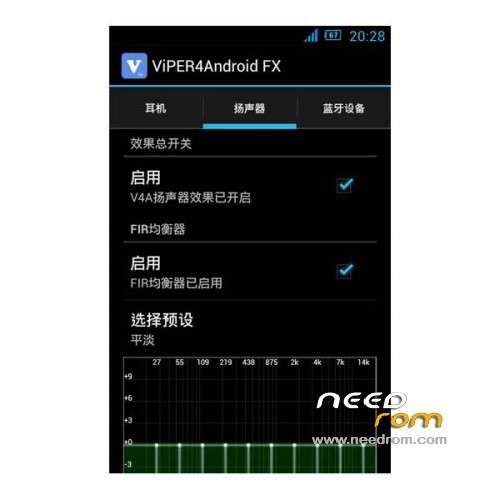
4 Join V4 sound – give you a general music experience.
5 Modify the frequency and CPU power parameters, say goodbye to standby and RF power-hungry era.
6 Add the complete ROOT privileges.
7 Join 3D live wallpaper a little fresh.
8 system appropriate landscaping.
9 support 3s speed boot.
10. Supports 3G
Gapps not include – Rooted
Language support: Multilang
ROM Install:
CWM
Step 1: Download the custom ROM copied to an external SD card root directory
Step 2: the shutdown state. While holding down:
– Power button + volume button up, to enter the recovery mode.
– Wipe Data / Factory Reset -> delete all user data
Step 3: Return to recovery main interface Install zip from sdcard -> choose zip from sdcard -> Select your ROM
Step 4: Brush complete, restart the phone Patience required – first boot takes a while
※Please make a backup of your device before installing or updating ROM
Work this rom with Lenovo A630 without ‘T’?
Does anyone know where I can find the A630t Drivers for windows 7?
It seems the ROM is not working, after to have re booted, the phone remain in a gry screen just after the SONY screenshot. I needed to re flash the original one from LENOVO, on this site, fortunately.
Some one have any further information?
language BLEAT
sorry multilang
Links:
LENOVO A630T
Recovery
ROM Install:
CWM
-> Root phone and flash custom recovery with mobileuncle tool
Step 1: Download the custom ROM copied to an external SD card root directory
Step 2: the shutdown state. While holding down:
– Power button + volume button up, to enter the recovery mode.
– Wipe Data / Factory Reset -> delete all user data
Step 3: Return to recovery main interface Install zip from sdcard -> choose zip from sdcard -> Select your ROM
Step 4: Brush complete, restart the phone Patience required – first boot takes a while