
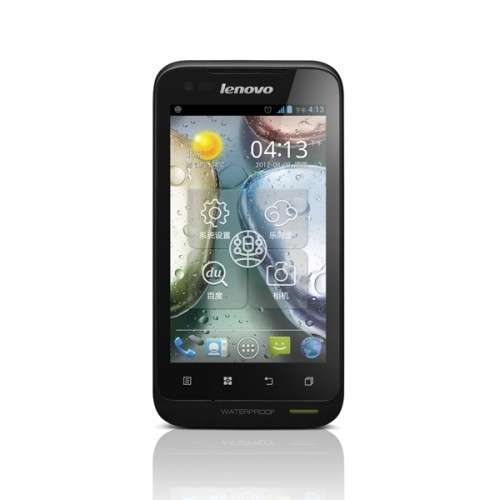
- Title: LENOVO A660
- Listed: November, 2012
- Last modified: 11/08/2012 1:27 pm
- Version: ROM Android 4.0.4 A660 ROW S106 cybermaus ICS v3.1
You must be logged for ROM download.
52090 total views, 3 today
 Member Info
DESCRIPTION
ROM LENOVO A660 – ROM Android 4.0.4 A660_ROW_S106_cybermaus_ICS_v3.1
Instructions:
Summery of mods I made to it remain the same as before, to repeat:
- Rooted the phone with Chainfire SuperSu
- Set to boot in US-english, changed name of ROM
- Added MoreLocale for extra languages in 3rd party apps
- Removed Chinese apps, incl Chinese keyboard, removed SmsReg.apk
- Updated Google GAPPS, Play Store, Maps, etc
- Added MobileUncle toolbox, SManager (root explorer).
- Added fix for location services
- Added Skype, Whatsapp, Titanium backup (free version) and some others, as auto-install upon userdata wipe / factory clean
- Prepared busybox (you need to run script /system/xbin/installbusybox as root if you want it)
- Replaced bootup animation with silent Lenovo butterfly
- Removed FaceBook and Google+. They were huge, /system was full, and they are autostart, so always consume a little resources. You can install them from play store if you need them. Removed Chrome too.
- Fixed WiFi to use all 14 channels rather than 11 US ones (may be undone when selecting new Locale)
- Fixed so the Debug-USB notification is no longer shown
Language support: EN/IN/RU/VI/CN
Instructions:
- Put zip on SD card
- Reboot into recovery
- Apply the ZIP.
ROOT:
Your Lenovo A660 shutdown, will open your USB debugging in the off state (do not connect the data cable), then press the "volume down" key, press and hold the "volume down" key is not to put, and then presspower key (the order to be clear), hold down the Do not place, until the phone is a four-line interface in English, you can let go.

After downloading, unzip, then click inside the SuperOneClick.exe

Then we see the upper right corner, there is a drop-down box Exploit where the choice to pull down, and then select the "zergRush", as shown:

Then we click on the "root" on the left, the pop-up dialog box, we select "YES", then the text box below, you will move up and began walking data appear until the last line of "waiting for device" Figure:

download this software ROOT-adb

Prompted, press any key, and the next, the Lenovo A660 will restart, a total restart three times, remember, the second time, every time you want to wait for the phone to reboot into the interface of the phone system, press any key!
After the second restart, appear, as shown:

See If "uid = 0 (root) gid = 0 (root)" and the like, then congratulate you, the Lenovo A660root success! According to the prompt, press any key!
※Please make a backup of your device before installing or updating ROM
Pls help. After flashing this rom and after using it for succesfully for a couple of hours, the phone froze comletely and the only option i had was to pull the battery out.
After inserting it back the phone is dead. It will not turn on nor will it charge. Any ideas will be much appreciated.
I cant root it ! Help me Driver for Win XP SP2 !Big thanks !
for LENOVO A660 work with MobileUncleTools ,recovery files :recovery_a660_cybermause.img the you have cwm recovery v5.5.0.4 in english then download the rom and install it. good luck
i have this rom and its perfect like stock but is from etotalk.com