
- Title: LENOVO A800 – port with multy device V2
- Listed: June, 2013
- Last modified: 06/24/2013 1:58 pm
- Version: ROM Android 4.0.4
You must be logged for ROM download.
27287 total views, 1 today


 Member Info
DESCRIPTION
ABOUT ROM.
LENOVO A800 port with multy device V2
BASE ROM A800_ROW_S108_130123
inside rom:
-framework PORTING from ZTE V790 V3.1MOD by BM
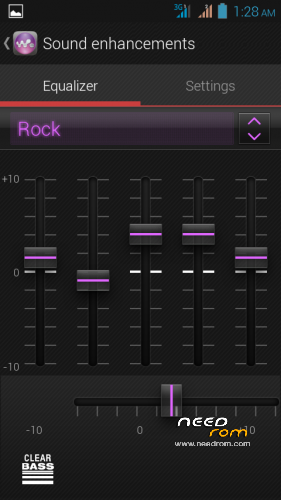
-Xperia Z WALKMAN/ClearAudio +/Movies/Album & BE 2 "09-05-13" by kang Rizal Lovins XDA-DEV .nuhun kang rizal.
http://forum.xda-developers.com/showthread.php?t=2059203
.
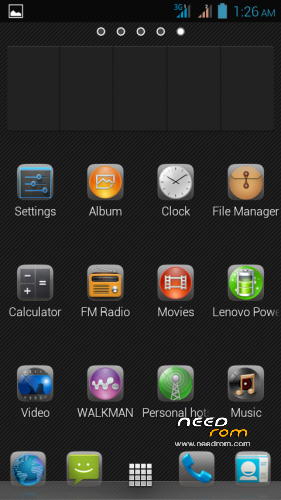
-launcher by ra3al XDA-DEV
-icon ICS modd by me.
-audio tone port from LG eng-070113-ICySNAP-v1.6-SKYFALL-FINAL-LGEUI3.1-CM9.1.5_signed BY neko95 XDA-DEV
-ALL GAPPS last update 20 june 2013
-NO ROOT
-all app and framework deodex
-font jellybean
-adblock with host tweak
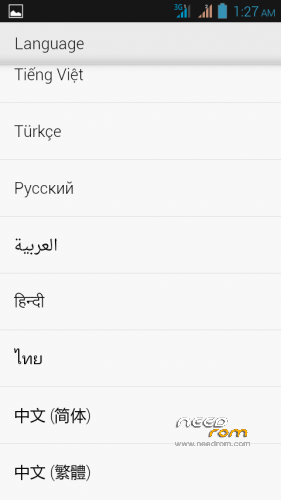
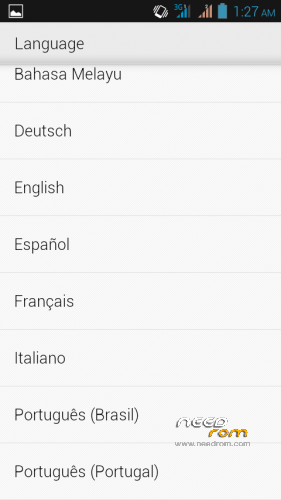
-add multy language
how to install
recomend use trwp
-wipe chache
-wipe dalvik chache
-factory reset
-system
-android secure
back to home
-install file zip
-wait until finish
-wipe chache & dalvik chache
-reboot (ENJOY)
※Please make a backup of your device before installing or updating ROM
please , root this rom , thanks
Root is same as normal Lenovo root
please root this rom I've tried, but not
Using a very good rom.
After a several miutes of testing,
+ GPS is working (after rooting and changing the NTP server)
+ very fast booting
+ some extra app
- lesser language by default
- a bit laggy
- 280+ MB memory used just after the boot
What have you changed to fix the GPS problem? Please tell me, I am very interested in this… Maybe with this knowledge we can fix the latest LeWa OS too Thank you!
can you describe step by step how can i install this rom?
Hi,
Congratulations, good ROM, just a couple of recommendations:
- The music should be muted at the bootup logo screen
- The ROM should be rooted, or should have a development option to switch it on/off
Please keep up the good job!
Alexandre Vilar:
First of all, you need install TWRP recovery. To do this, you need some knowledge about flashing: https://www.needrom.com/tutori.....mt657x-flashing
This is a very good tutorial, but in your case, you need only the second part (Flashing only part with Recovery.img) Search and download the flash tool and drivers.
Here is a link for TWRP image and the scatter file: http://lenovo-forums.ru/Files/.....ct_v2.4.0.0a.7z
After you installed the drivers, unzip this package somewhere, open the flash tool, browse the scatter file and the recovery image will be already selected (because they are in the same folder). Press the Upgrade/Start/Download button and connect your phone to the computer. The flashing will take only a several seconds…
Copy the ROM's zip file on an external SD card, put it in the phone.
After that you can boot into the recovery mode: press the PWR button just for 2sec, release it and THEN press the Volume UP and DOWN button at the same time for a few sec. Maybe you will not succeed at the first time, because you have a very tiny timeframe for do that properly.
Now wipe the system, cache, android secure
Install the ROM, dalvik cache, factory reset
reboot the system & enjoy
wow vola you help me. thanks brother. about gps i think its bacause deodex rom, cause i dont add anythink in system. just deodex remove some app, and add sony app.
TWRP isn't available for LENOVO A800. What device version can i use?
Thanks a lot.
Nice rom . Thanks a lot
multilanguage bad,
bad like
Hello! Portuguese is the language?