
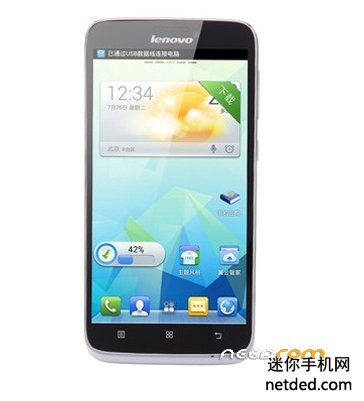
- Title: Lenovo a860e Stock rom
- Listed: June, 2017
- Last modified: 06/14/2017 12:40 am
- Version: 4.1.2
You must be logged for ROM download.
9485 total views, 1 today
2 Total favorites
 Member Info
DESCRIPTION
This rom is for the Telekom edition of Lenovo a860e phone.
This phone has only EN/CN language , and were only sold in china as Tianyi exclusive.
You can flash the software by downloading the archive , and extracting it into the phone's internal memory.
CAUTION ! Do this with sdfuse folder.
Then switch off the phone , and hold power + vol (-) , until the lenovo logo appears.
Then let power go.
You are greeted with some options, Choose Update from sd , then the process begins.
Phone wlll reboot when complete. If not , you can choose power off.
Then switch on as usual.
If i helped you in any way , please rate my work , and donate if posible , to keep our work going.
Thanks and have a good one.
————————————————————————————————————————————————————-
FOR ADVANCED USERS:
if you want to use this phone outside china , then follow up the instructions below:
I have included all apps in an archive which i removd from my phone , so if you check it out , you can have some idea which apps has no purpose at all , or can be removed without causing problems.
Also if you screw up or delete something you can copy it back just need to set the permission , reboot and good to go.
So the first step is the phone need to be rooted. You need to switch the usb debug on in the developer menu.
Also tick usb debug , this is needed fro the root app to communicate with the phone.
Downlaod the third package , it contains files neeed to be placed into the phone and tools.
If you look inside the package you will see the individual folders, the first folder contains root explorer needed to hack inside the android system. You can istall this app after rooting the phone , second folder conatins the rooting app , rooting is done from the pc , so install it , run , connect pc to phone via usb cable and do.
After you competed , the root explorer need to do the rest of the job.
copy : app , addon.d , framework , lib , etc folders to the phone memory to a folder you can easy access.
run the root explorer , and you will see 2 panels 1, is the android system , 2 the "storage card " internal memory.
you can tap on each to go in and back of folders , start with init.d , copy this into the /system folder.
you need to change permission of each file and folder you copy into the android structure to 644.
set permission to directory , then go inside and set to the file too.
Next is the apps , go into the apps and slect all then tap on the copy icon on top of screen , tap back to system , and go into app folder , paste the files in, remember ! in order for this to work properly you need to set the permssion to each file you copied now. , now go back to storage and navigate to etc , you see a .prop file and a folder , after copy g.prop it in system/etc set permisssion , the copy the files insde permissions to system/etc/permissions , now set the permissions as ususal.
Next is the framework , copy its contents to system/framework and set permissions for the few files inside.
Next up is lib , Tip: "you can always go back to check which files to set permissions to"
copy files inside lib to system/lib , set permissions for the files , do not leave out any , these files are the core for communicating google servers , etc… , if you want to start up with english language , you can also copy over the build.prop file in /system folder with the one in the archive , set permission to it ! or else you will end up in bootloop or phone will not load anymore.
After all this , you need to delete lenovo market , because they will not work besides each other , any other market app as well , you can find them in the following places : system/app ; system/preload
So lets reboot and fingers crossed you did everything as i said , you will have a internetioanlly usable phone now 
Please if you downloaded it , rate the rom and the author ! its important for us.
Cheers.
※Please make a backup of your device before installing or updating ROM